Revision Provisioning Failure Lab
Reproduce a revision that is created but never becomes ready due to startup probe misconfiguration.
Lab Metadata
| Attribute | Value |
|---|---|
| Difficulty | Intermediate |
| Estimated Duration | 20-30 minutes |
| Tier | Consumption |
| Failure Mode | Revision created but startup probe fails repeatedly |
| Skills Practiced | Revision diagnostics, probe configuration, system log analysis |
1) Background
This lab demonstrates what happens when a revision is accepted by the Azure Container Apps control plane but never stabilizes. The trigger misconfigures a startup probe so that it cannot succeed — either by pointing it at a path the container never serves (returns 404) or by pointing it at a port nothing is listening on (connection refused). Either variant causes the probe to fail repeatedly. The revision exists and containers may start, but the platform marks the revision as unhealthy because it never passes the startup probe.
This pattern is distinct from API validation failures (which reject the update before creating a revision) and from the app's own ingress.targetPort mismatch (covered in Ingress Target Port Mismatch). Here the ingress target port is correct; only the startup probe's endpoint is misconfigured.
Architecture
flowchart TD
    A[Deploy baseline app] --> B[Healthy revision running]
    B --> C[Trigger: Add bad startup probe]
    C --> D[New revision created]
    D --> E[Startup probe targets bad path or port]
    E --> F[Probe fails repeatedly]
    F --> G[Revision never becomes Ready]
    G --> H[Fix: Repair startup probe path]
    H --> I[New revision becomes Healthy]
Revision created ≠ Revision ready
A revision can exist in the system but remain in a Failed or Degraded state if health probes never pass. Always check revision health state, not just existence.
API validation vs runtime failure
Some configuration errors (like referencing a non-existent secret) are now rejected at the API layer with ContainerAppSecretRefNotFound. This lab focuses on errors that pass API validation but fail at runtime.
2) Hypothesis
IF a startup probe is configured to target an endpoint the container cannot satisfy (either a path that returns 404, or a port that refuses connection), THEN the revision will be created but never become ready, and system logs will show ProbeFailed events until the probe configuration is fixed.
Bounded falsification framing
This lab now ships a Phase B 4-gate falsification evidence pack under labs/revision-provisioning-failure/evidence/ using the reusable 2026-06-20 / 2026-06-21 captures. The gate files are:
14-cohort-integrity-gate.json15-h1-trigger-produces-failure-gate.json16-h2-fix-restores-recovery-gate.json17-bounded-falsification-gate.json
This is deliberately framed as bounded falsification, not single-variable falsification. The mechanically observable trigger field is the startup-probe httpGet.path (/nonexistent-health-endpoint → /), but Gate 17 explicitly documents the confounders that are not bounded:
probe_field_delta_minus_path_is_not_bounded—httpGet.scheme,initialDelaySeconds,timeoutSeconds, andsuccessThresholddiffer across H1 and H2image_byte_identity_not_captured—nginx:alpinetag is constant across H1 and H2, but digests were not capturedpod_reuse_not_proven—badpath2andbadpath3are different revisions, so pod reuse is not claimedsocket_listening_port_not_directly_observed— port80is inferred from spec and behavior, not from direct socket capture
The directly captured held-constant surface across H1 and H2 is still strong enough to support the bounded claim: same Container App (ca-labrevprov-e2upm2), same resource group (rg-aca-lab-revprov), same image tag (nginx:alpine), same startup-probe type, same probe port 80, same failureThreshold=3, same periodSeconds=5, same CPU 0.5, same memory 1Gi. The pre-trigger baseline badpath revision is disclosed separately and still used the original mcr.microsoft.com/azuredocs/containerapps-helloworld:latest image, so the bounded H1↔H2 comparison is scoped to badpath2 and badpath3 only.
| Variable | Control State | Experimental State |
|---|---|---|
| Startup probe endpoint | Not configured or valid path+port | /nonexistent (404) or port 9999 (connection refused) |
| Latest revision health | Healthy | Degraded / Failed / Unhealthy |
| System logs | Normal startup events | ProbeFailed followed by ContainerTerminated(ProbeFailure) |
| Recovery path | No action required | Disable or correct startup probe and deploy new revision |
3) Runbook
Deploy baseline infrastructure
Prerequisites:
- Azure CLI with the Container Apps extension
- Permissions to deploy Container Apps resources
az extension add --name containerapp --upgrade
az login

export RG="rg-aca-lab-revprov"
export LOCATION="koreacentral"

az group create --name "$RG" --location "$LOCATION"

az deployment group create \
    --name "lab-revprov" \
    --resource-group "$RG" \
    --template-file "./labs/revision-provisioning-failure/infra/main.bicep" \
    --parameters baseName="labrevprov"
| Command | Why it is used |
|---|---|
az extension add ... | Installs or updates the Container Apps Azure CLI extension. |
Expected output:
- Resource group creation succeeds.
- Deployment completes with
Succeededstate.
Capture deployment outputs
export APP_NAME="$(az deployment group show \
    --resource-group "$RG" \
    --name "lab-revprov" \
    --query "properties.outputs.containerAppName.value" \
    --output tsv)"

export ACA_ENV_NAME="$(az deployment group show \
    --resource-group "$RG" \
    --name "lab-revprov" \
    --query "properties.outputs.environmentName.value" \
    --output tsv)"
| Command | Purpose |
|---|---|
export APP_NAME="$(az deployment group show ... --query "properties.outputs.containerAppName.value" --output tsv)" | Captures the deployed app name from ARM outputs so the probe-misconfiguration trigger and recovery patch target the correct Container App. |
export ACA_ENV_NAME="$(az deployment group show ... --query "properties.outputs.environmentName.value" --output tsv)" | Captures the environment name created by the lab deployment for any later environment-scoped diagnostics or cleanup. |
Verify baseline health
| Command | Purpose |
|---|---|
az containerapp revision list --name "$APP_NAME" --resource-group "$RG" --output table | Lists the post-fix revisions so you can confirm that recovery created a new healthy revision instead of leaving the app stuck on the failed provisioning attempt. |
| Command | Why it is used |
|---|---|
az containerapp revision list ... | Lists revisions so rollout state, traffic, and health can be verified. |
Expected output:
CreatedTime                Active    Replicas    TrafficWeight    HealthState    ProvisioningState    Name
-------------------------  --------  ----------  ---------------  -------------  -------------------  ---------------------------
2026-04-06T12:00:00+00:00  True      1           100              Healthy        Provisioned          ca-labrevprov-xxxxx--abc123
Trigger the failure
| Command | Why it is used |
|---|---|
bash ./labs/revision-provisioning-failure/fix-and-capture.sh | Runs the full live Phase A flow for future reproductions: deploy/reuse infra, trigger the bad-path startup probe, capture the 12 raw evidence files, apply the / fix, and then invoke the offline verifier. |
The live script internally patches the Container App via YAML to add a startup probe targeting a non-existent path:
cat > /tmp/probe-trigger.yaml <<EOF
properties:
  template:
    revisionSuffix: badpath$(date +%s)
    containers:
    - name: app
      image: nginx:alpine
      resources:
        cpu: 0.5
        memory: 1Gi
      probes:
      - type: Startup
        httpGet:
          path: /nonexistent-health-endpoint
          port: 80
        initialDelaySeconds: 5
        periodSeconds: 5
        failureThreshold: 3
        timeoutSeconds: 2
EOF

az containerapp update \
    --name "$APP_NAME" \
    --resource-group "$RG" \
    --yaml /tmp/probe-trigger.yaml
| Command | Why it is used |
|---|---|
az containerapp update --yaml | Patches the Container App via a YAML document. The --startup-probe-* CLI flags (e.g. --startup-probe-path, --startup-probe-port) do not exist on az containerapp update; the only supported way to configure probes is the --yaml path. The image is also swapped to nginx:alpine so the probe target (/nonexistent-health-endpoint) cleanly returns HTTP 404 instead of a connection refusal. |
Observe the failure
| Command | Why it is used |
|---|---|
az containerapp revision list ... | Lists revisions so rollout state, traffic, and health can be verified. |
Expected output shows the new revision in a non-Healthy state:
CreatedTime                Active    Replicas    TrafficWeight    HealthState    ProvisioningState    Name
-------------------------  --------  ----------  ---------------  -------------  -------------------  ---------------------------
2026-04-06T12:05:00+00:00  True      0           100              Degraded       Provisioned          ca-labrevprov-xxxxx--def456
2026-04-06T12:00:00+00:00  False     1           0                Healthy        Provisioned          ca-labrevprov-xxxxx--abc123
Check system logs for probe failures:
| Command | Why it is used |
|---|---|
az containerapp logs show ... | Runs the Azure CLI operation required by the documented step. |
Expected log evidence:
Reason_s             Log_s
-------------------  -----------------------------------------------------------------
ProbeFailed          Startup probe failed: HTTP probe failed with status code: 404
ContainerRestart     Container 'app' was restarted
Fix the issue
Recover by replacing the bad startup probe path with / (which nginx:alpine serves with HTTP 200):
| Command | Why it is used |
|---|---|
bash ./labs/revision-provisioning-failure/verify.sh | Re-runs the offline 17-gate Phase B verifier against the committed or freshly captured evidence cohort and emits 14-17 gate JSONs. The live recovery itself is performed by fix-and-capture.sh; verify.sh is now a hermetic evidence-pack validator. |
The live recovery step inside fix-and-capture.sh patches the Container App via YAML so the startup probe targets a healthy path on the same nginx:alpine image tag:
cat > /tmp/probe-recovery.yaml <<EOF
properties:
  template:
    revisionSuffix: healthy$(date +%s)
    containers:
    - name: app
      image: nginx:alpine
      resources:
        cpu: 0.5
        memory: 1Gi
      probes:
      - type: Startup
        httpGet:
          path: /
          port: 80
        initialDelaySeconds: 5
        periodSeconds: 5
        failureThreshold: 3
        timeoutSeconds: 2
EOF

az containerapp update \
    --name "$APP_NAME" \
    --resource-group "$RG" \
    --yaml /tmp/probe-recovery.yaml
| Command | Purpose |
|---|---|
az containerapp update --name "$APP_NAME" --resource-group "$RG" --yaml /tmp/probe-recovery.yaml | Applies a full yaml configuration patch, which is the corrective action this step is validating or applying. |
Why not --startup-probe-disabled?
The az containerapp update command does not expose a --startup-probe-disabled flag. To remove a probe you must patch the probes: array via --yaml — either by replacing the bad probe (this lab's approach) or by submitting an empty probes: [] list.
Verify recovery
| Command | Purpose |
|---|---|
az containerapp revision list --name "$APP_NAME" --resource-group "$RG" --output table | Lists the revisions after the recovery patch so you can confirm that a new healthy revision replaced the failed provisioning attempt. |
Expected output:
4) Experiment Log
| Step | Action | Expected | Actual | Pass/Fail |
|---|---|---|---|---|
| 1 | Deploy baseline infrastructure | Deployment succeeds | ||
| 2 | Verify baseline health | Revision is Healthy | ||
| 3 | Run fix-and-capture.sh | New revision created with bad probe, then fixed to a healthy revision | ||
| 4 | Check revision list | New revision is Degraded/Failed | ||
| 5 | Check system logs | ProbeFailed events visible | ||
| 6 | Run verify.sh | 17/17 gates PASS; Gate 17 records bounded falsification disclosure | ||
| 7 | Verify recovery | Latest revision is Healthy |
Expected Evidence
During failure
| Evidence Source | Expected State |
|---|---|
az containerapp revision list | Latest revision shows Degraded or Failed |
az containerapp logs show --type system | ProbeFailed with 404 status code |
| Replica count | 0 or unstable |
After fix
| Evidence Source | Expected State |
|---|---|
az containerapp revision list | Latest revision shows Healthy |
| System logs | Normal startup events |
bash ./labs/revision-provisioning-failure/verify.sh | PASS with 17/17 gates and 16/16 Phase B sub-gates |
Observed Evidence (Live Azure Test — 2026-05-01)
[Observed] Startup probe set to httpGet.port=9999 (no listener) with failureThreshold=3. az containerapp revision list showed:
[Observed] System logs emitted:
"Msg": "Probe of StartUp failed with status code: ", "Reason": "ProbeFailed"
"Msg": "Container ca-rev-provision failed startup probe, will be restarted", "Reason": "ProbeFailed"
"Msg": "Container 'ca-rev-provision' was terminated with exit code '' and reason 'ProbeFailure'", "Reason": "ContainerTerminated"
[Observed] The previous healthy revision (ca-rev-provision--0000001) remained active with HealthState=Healthy and automatically received all traffic.
[Inferred] Azure Container Apps isolates probe failures to the new revision — the platform's revision rollout safety mechanism prevents the failing revision from receiving production traffic.
Environment: rg-aca-lab-test6 / cae-lab6, koreacentral, Consumption plan. App: ca-rev-provision, startup probe on port 9999 (app listens on 80).
Observed Evidence (Portal Captures — 2026-06-03)
Reproduced in rg-aca-lab-rev-prov / cae-labrevprov-j2qmuu, koreacentral, Consumption plan. App: ca-labrevprov-j2qmuu. Startup probe set to httpGet.path=/health, port=9999 (no listener — connection refused), failureThreshold=3, periodSeconds=5. Revision suffix probefail1780455941. The app's ingress.targetPort remained correct at 80; only the startup probe's port was set to 9999.
Variant: connection-refused vs 404
The 2026-06-03 reproduction exercises the wrong-port (connection refused) variant of the hypothesis. The 2026-05-01 reproduction above exercised a closely related variant on a different environment. Both confirm the same failure mode — the revision is created but never becomes ready because the startup probe never succeeds — and the system-log signature (ProbeFailed → ContainerTerminated(ProbeFailure)) is identical.
Traffic-state difference between the two reproductions
In the 2026-05-01 reproduction the previous healthy revision retained traffic (the standard single-revision-mode behavior when the new revision never reaches Healthy). In the 2026-06-03 reproduction, the configured traffic weight on the failed revision is 100% (visible in capture 02 / 03) — but with 0/1 replicas ready, no requests can actually be served. Both observations are valid: the routing layer reports configured intent independent of replica readiness, and the post-failure traffic split depends on the revision mode and the order in which configuration was applied.
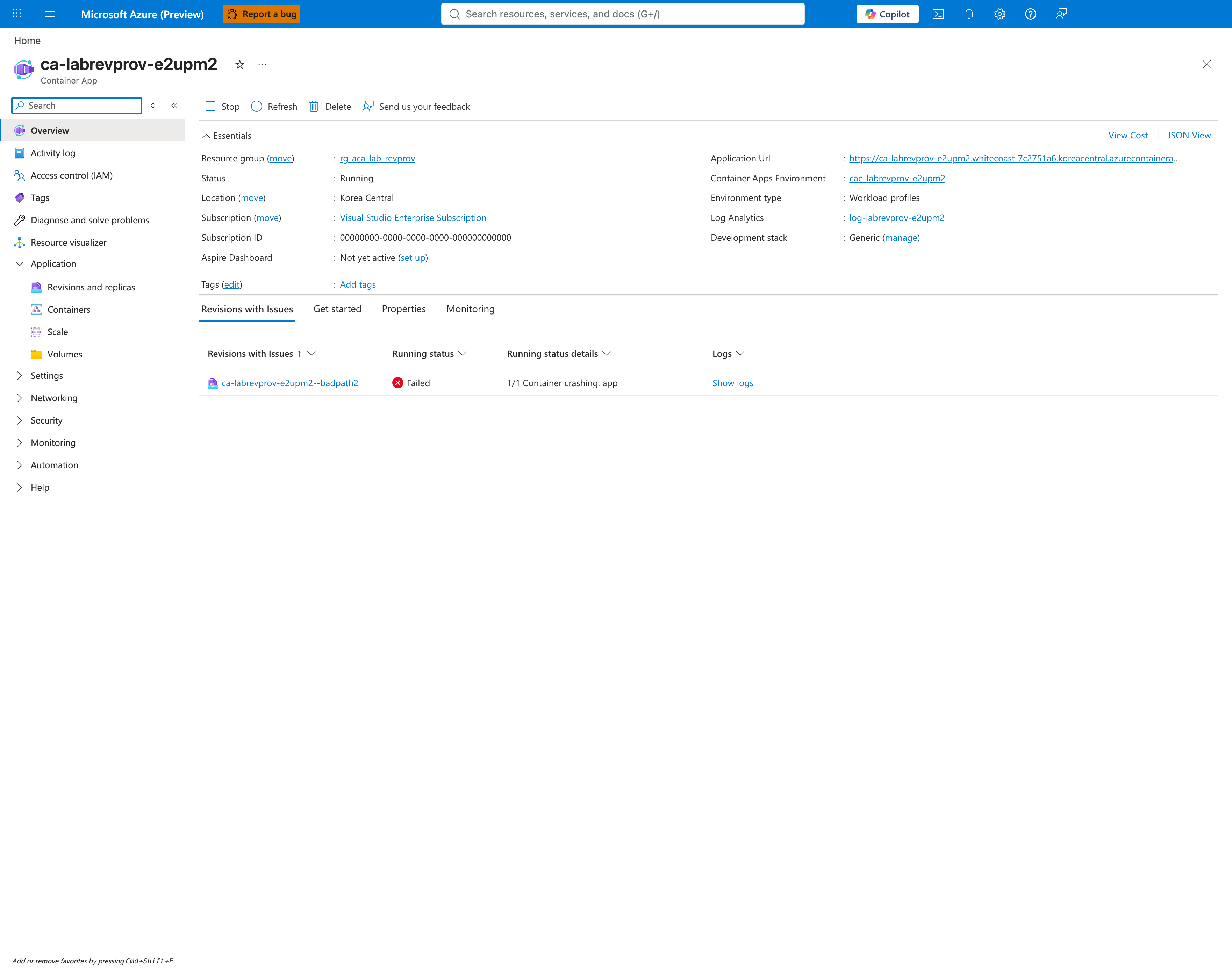
[Observed] The Container App Overview blade surfaces the failing revision under the Revisions with Issues tab. The revision probefail1780455941 is listed with Running status = Failed and Running status details = 1/1 Container crashing: app.
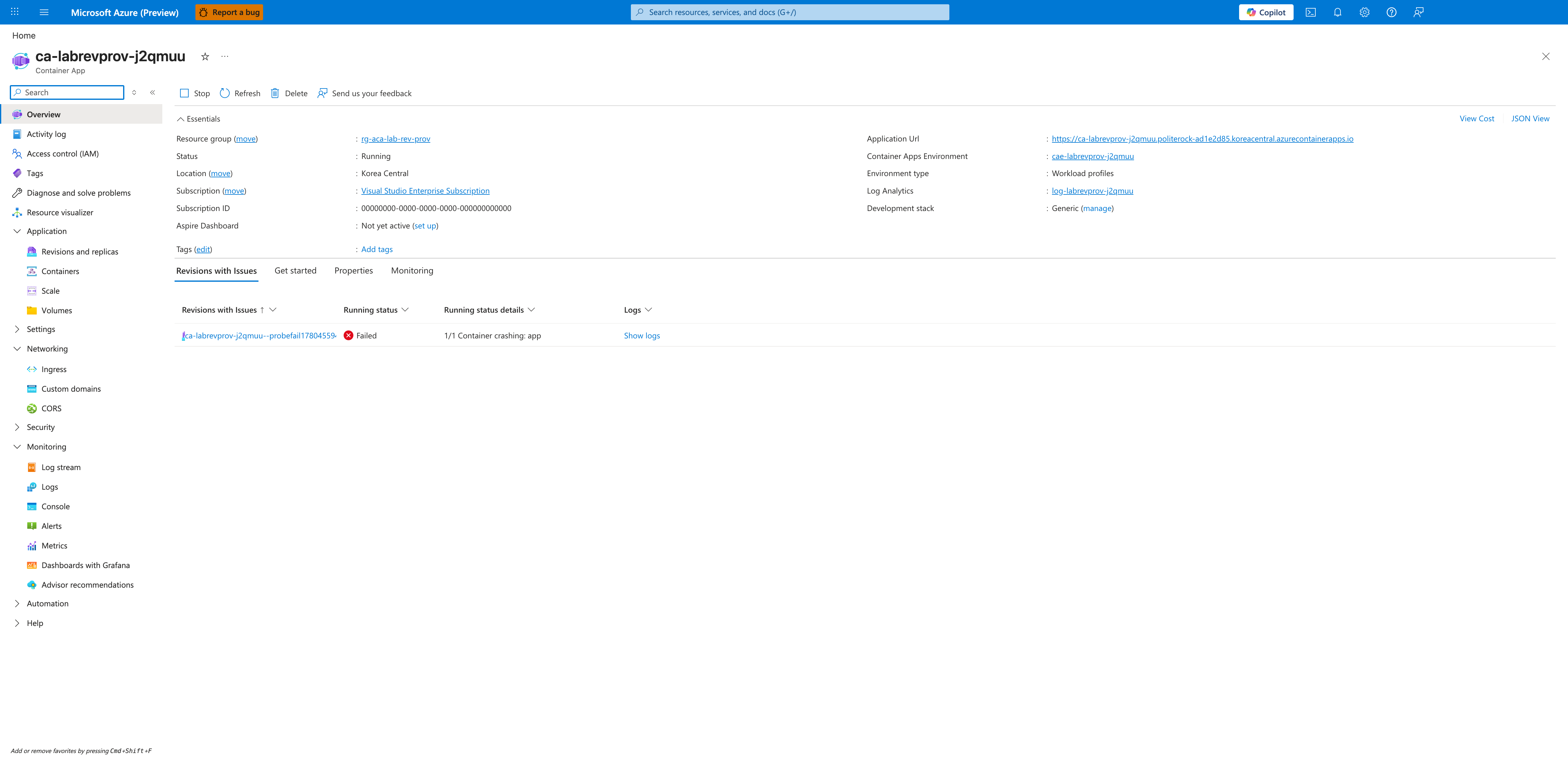
[Inferred] The first-class Revisions with Issues tab on the Overview blade is the fastest UI signal that a recently deployed revision did not stabilize — a customer-facing engineer should land here first.
[Observed] The Revisions and replicas blade shows two active revisions side by side: probefail1780455941 carries 100% traffic in a Failed state, while the previous revision probe1780455700 is Running with 0% traffic.
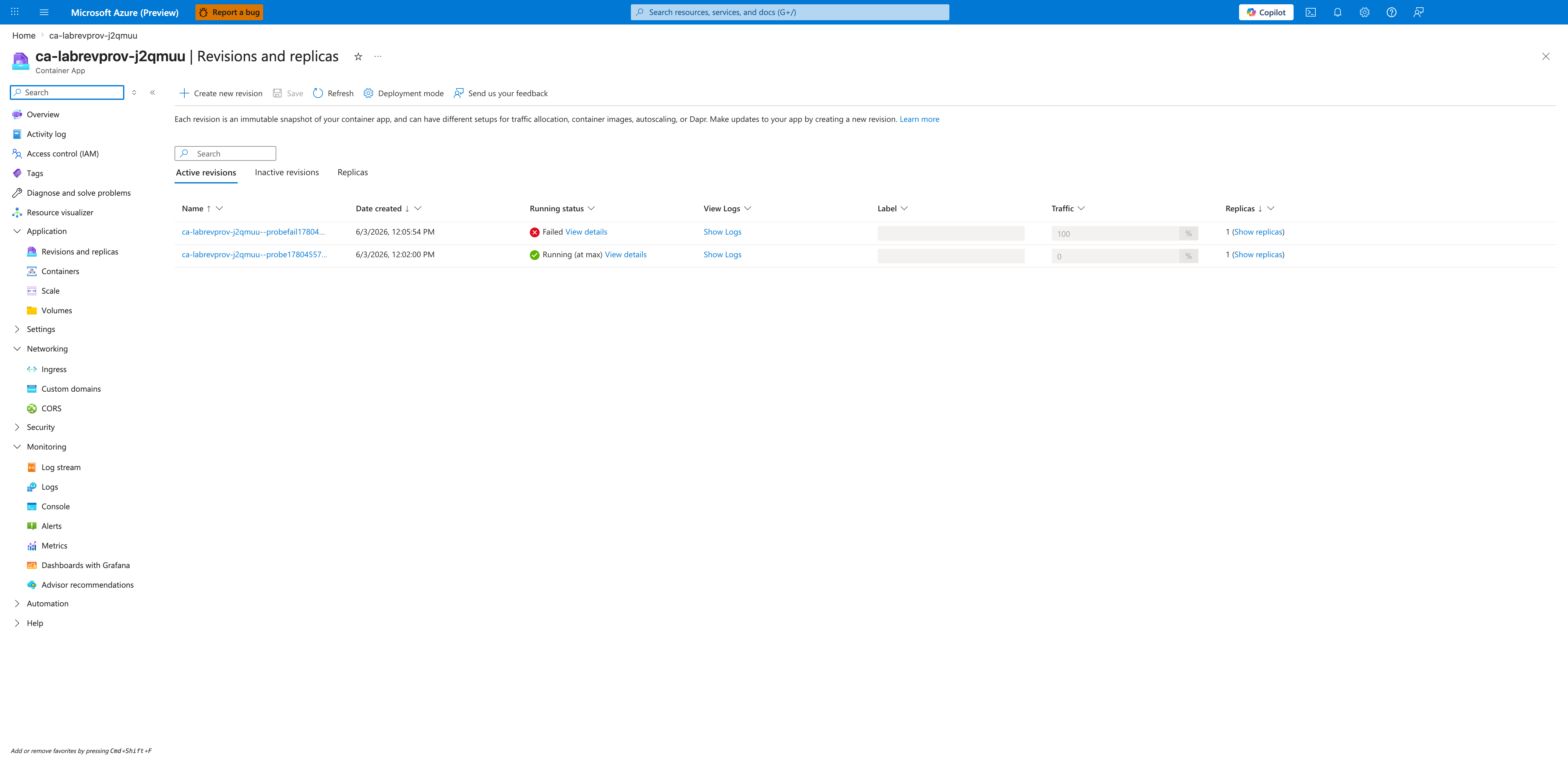
[Inferred] This is the failure signature unique to runtime probe failure: the revision is created and the routing layer is configured to send traffic to it, but no replicas ever pass the startup probe — so the traffic split is "live" while no replica can actually serve requests.
[Observed] The revision detail flyout for probefail1780455941 shows Status = Active, Running status = Failed, Status details = 1/1 Container crashing: app, Active/total replicas = 0/1, and Traffic = 100%.
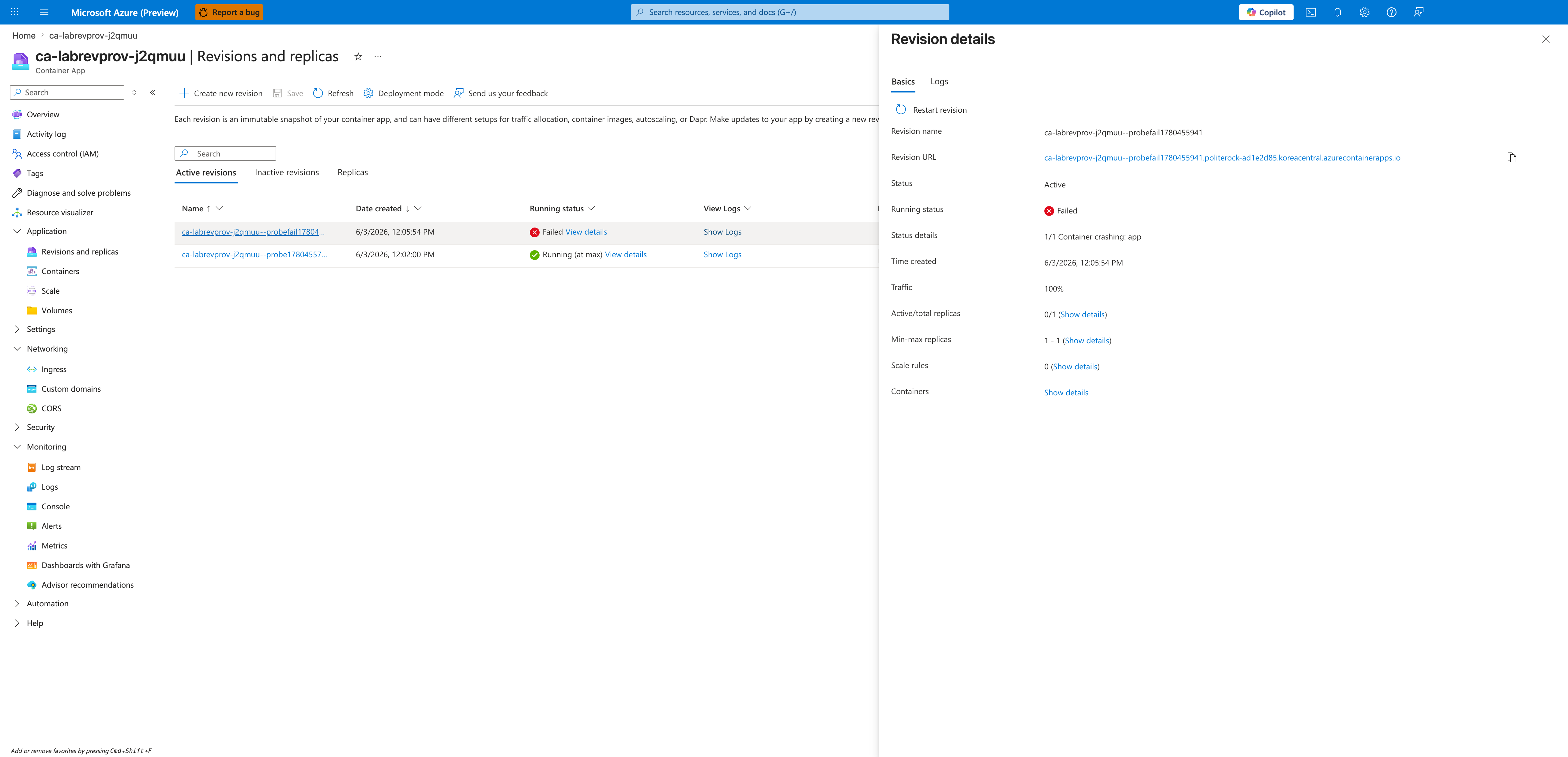
[Inferred] The 1/1 Container crashing: app phrasing on the detail flyout is the most direct symptom-to-container mapping in the Portal — it points the investigator straight at the app container's startup behavior (probes, command, image) rather than at ingress or scaling.
[Observed] The Logs tab on the revision detail (System + Historical) shows the probe failure cascade in chronological order. The visible log lines include:
Reason=ProbeFailed         Msg=Container app failed startup probe, will be restarted
Reason=ContainerTerminated Msg=Container 'app' was terminated with reason 'ProbeFailure'
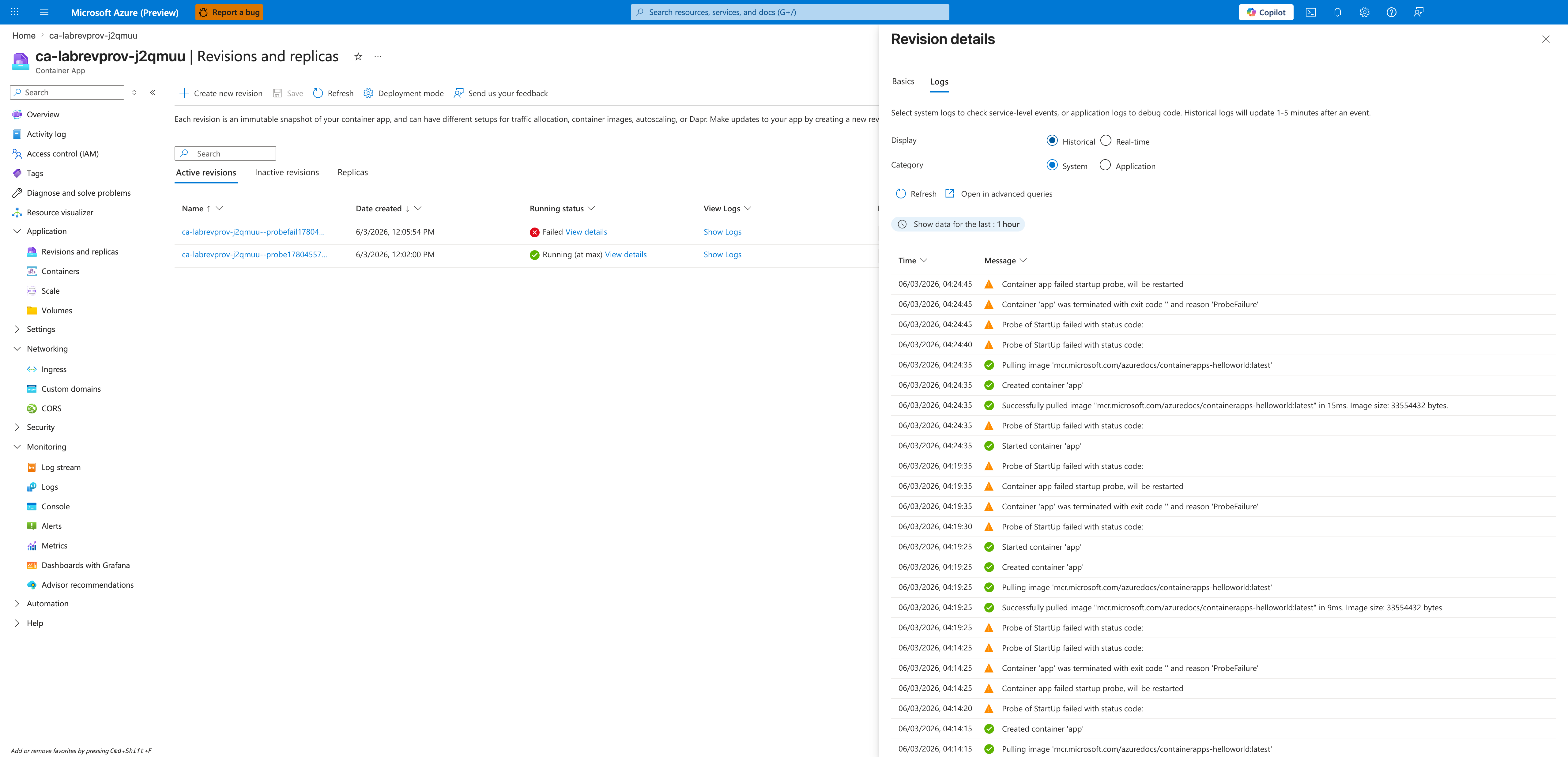
[Strongly Suggested] The ProbeFailed → ContainerTerminated(ProbeFailure) sequence is the smoking gun for this lab's hypothesis — it directly attributes the container termination to probe failure rather than to OOM, exit code, image pull, or scaling decisions.
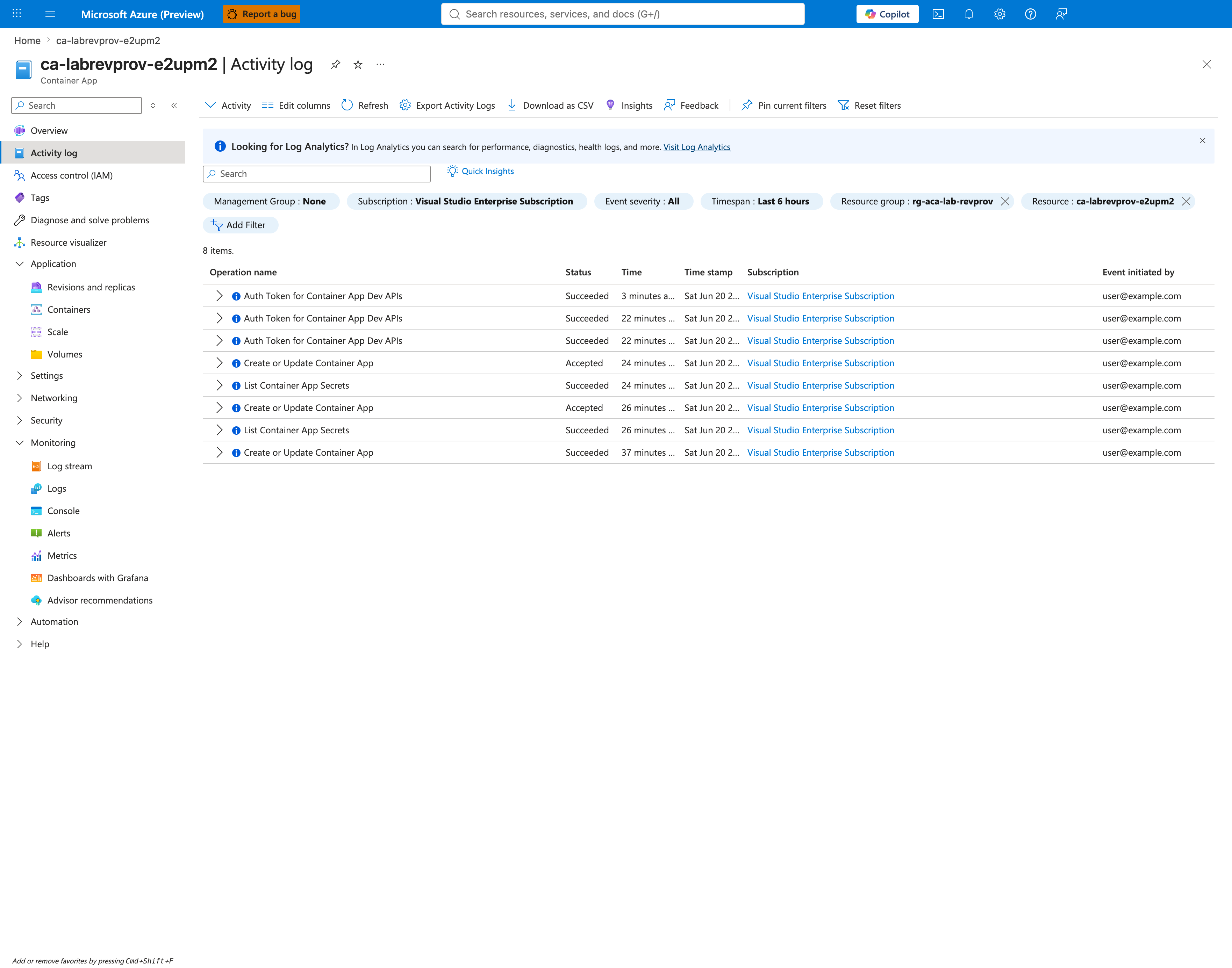
[Observed] The Activity log records control-plane events for the revision update: multiple Create or Update Container App entries with statuses including Succeeded and Accepted.
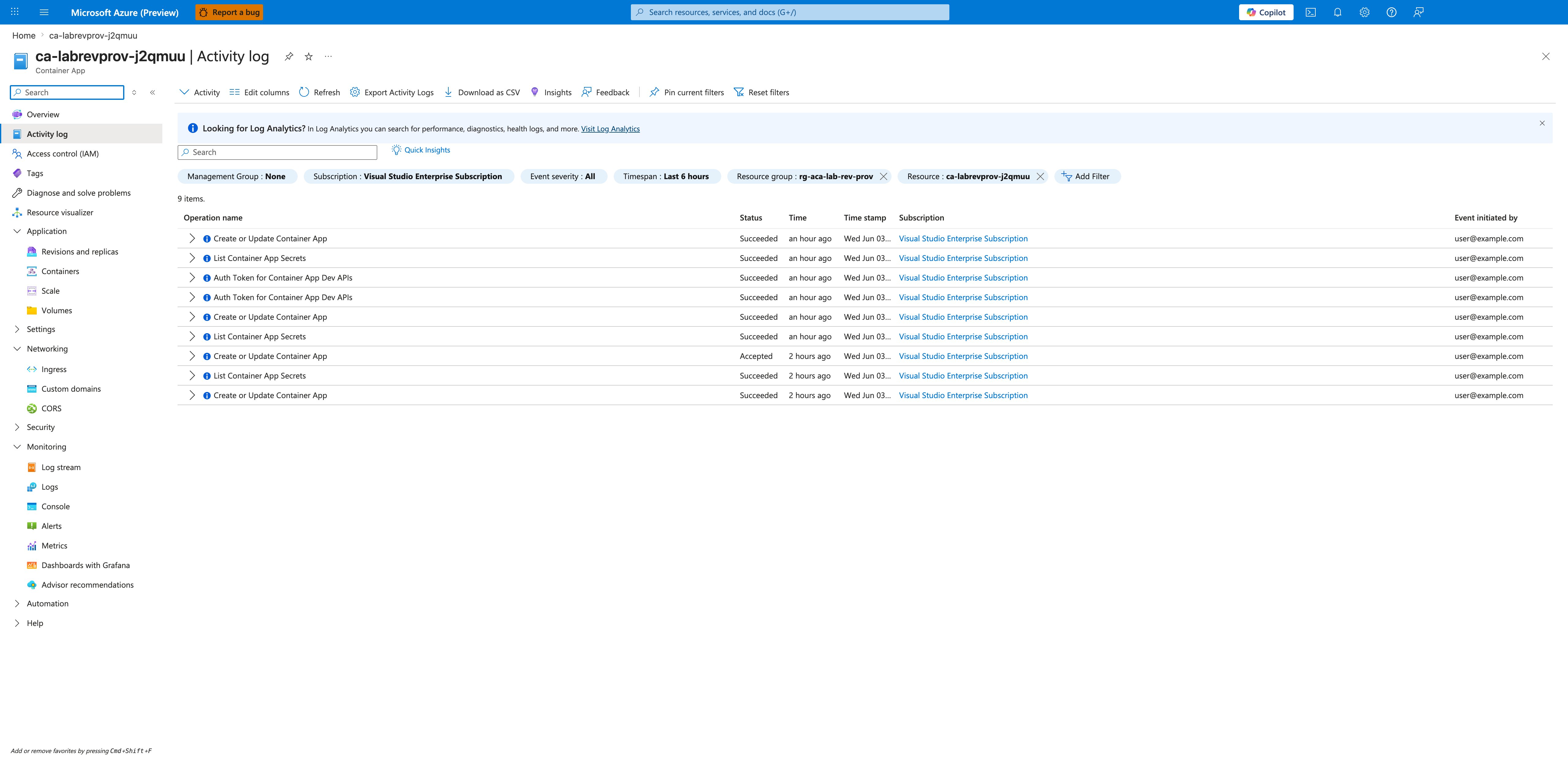
[Inferred] The presence of Succeeded entries for Create or Update Container App shows the control-plane accepted the revision update — there is no API-validation rejection here. Combined with the Failed revision state in capture 03 and the ProbeFailed logs in capture 04, this isolates the failure to the data-plane (the container's startup probe response), not to API validation or RBAC.
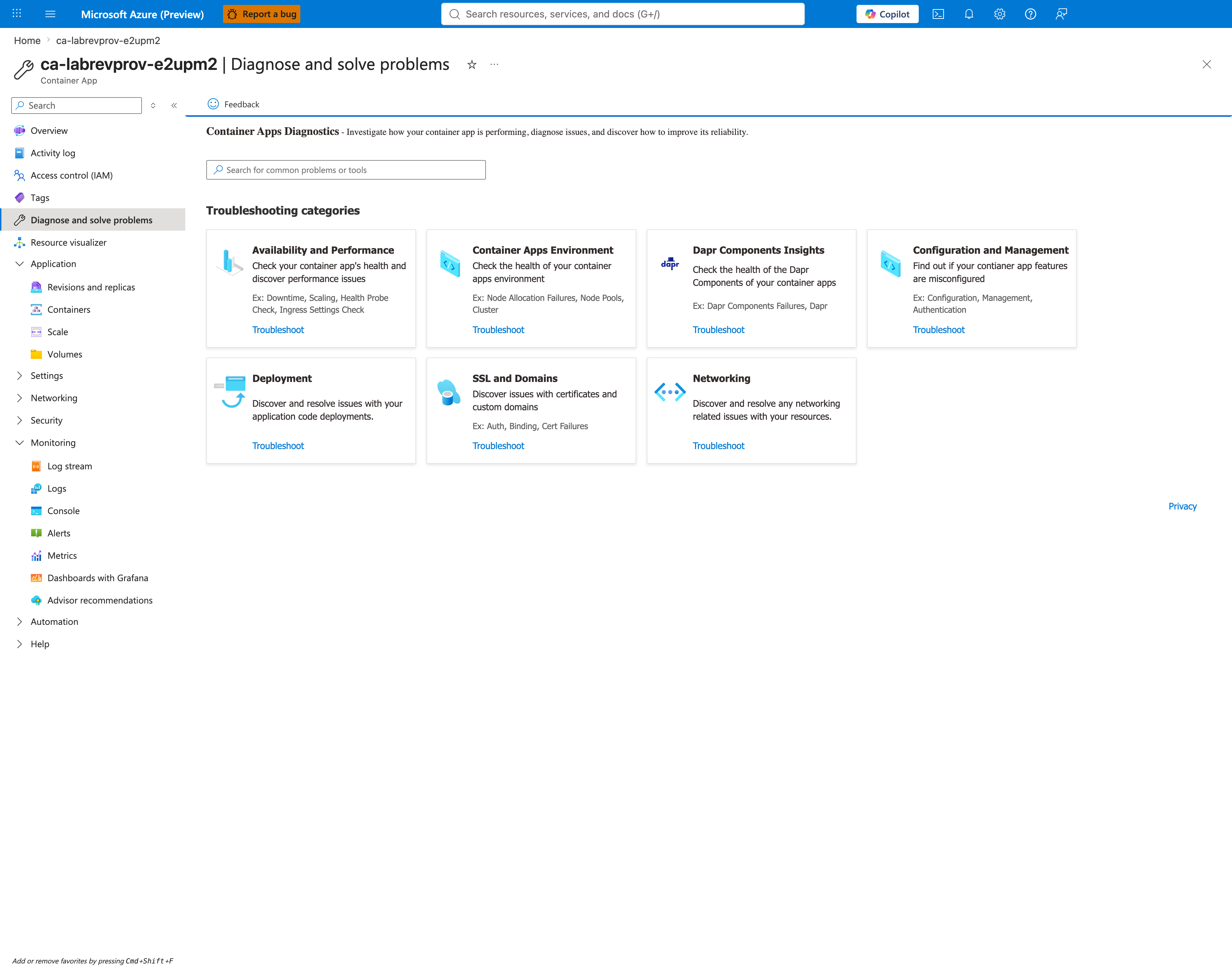
[Observed] The Diagnose and solve problems blade exposes the Container Apps Diagnostics entry point with categories including Availability and Performance (Health Probe Check, Ingress Settings Check), Container Apps Environment, Dapr Components Insights, Configuration and Management, Deployment, SSL and Domains, and Networking.
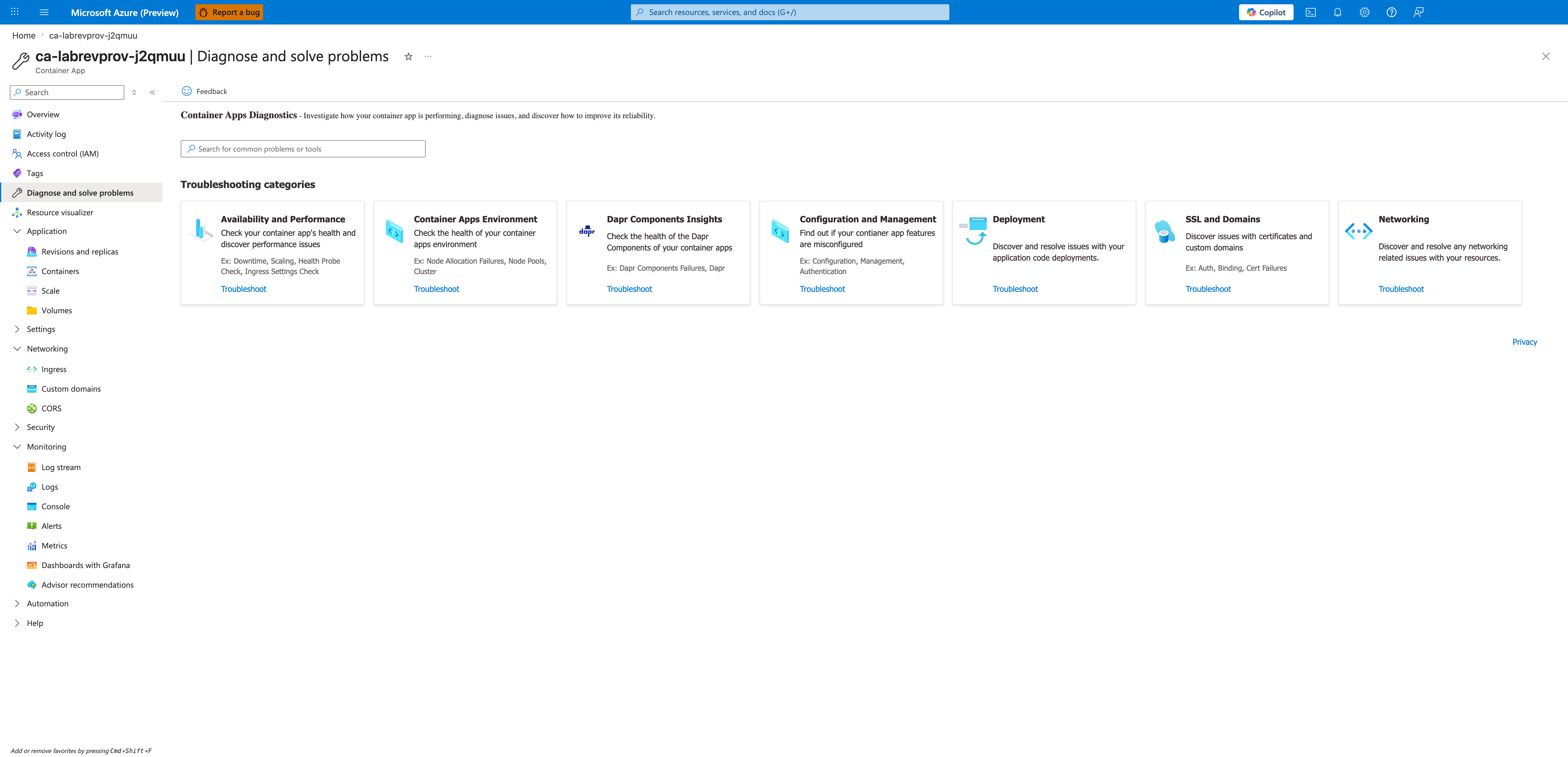
[Inferred] For customer-facing support, the Availability and Performance → Health Probe Check tile is the recommended single-click entry point for this failure mode — it consolidates revision health, probe configuration, and recent probe failures into one Microsoft-managed diagnostic panel.
Observed Evidence (Portal Captures — 2026-06-20)
Reproduced in rg-aca-lab-revprov / cae-labrevprov-e2upm2, koreacentral, Consumption plan. App: ca-labrevprov-e2upm2. This second reproduction exercises the wrong-path (HTTP 404) variant: startup probe set to httpGet.path=/nonexistent-health-endpoint, port=80, failureThreshold=3, periodSeconds=5, against an nginx:alpine container that correctly responds 404 for unknown paths. Failed revision: ca-labrevprov-e2upm2--badpath2. Recovery applied via az containerapp update --yaml with corrected probe path=/, producing healthy revision ca-labrevprov-e2upm2--badpath3.
Why two reproductions
The 2026-06-03 reproduction (captures 01-06) covered the wrong-port (connection refused) variant on a different environment. This 2026-06-20 reproduction (captures 07-40) covers the wrong-path (HTTP 404) variant with comprehensive log evidence including nginx access logs, KQL query packs, and post-fix recovery verification. Together both reproductions confirm the same failure mode — startup probe never succeeds — across the two main variants.
Baseline (healthy)
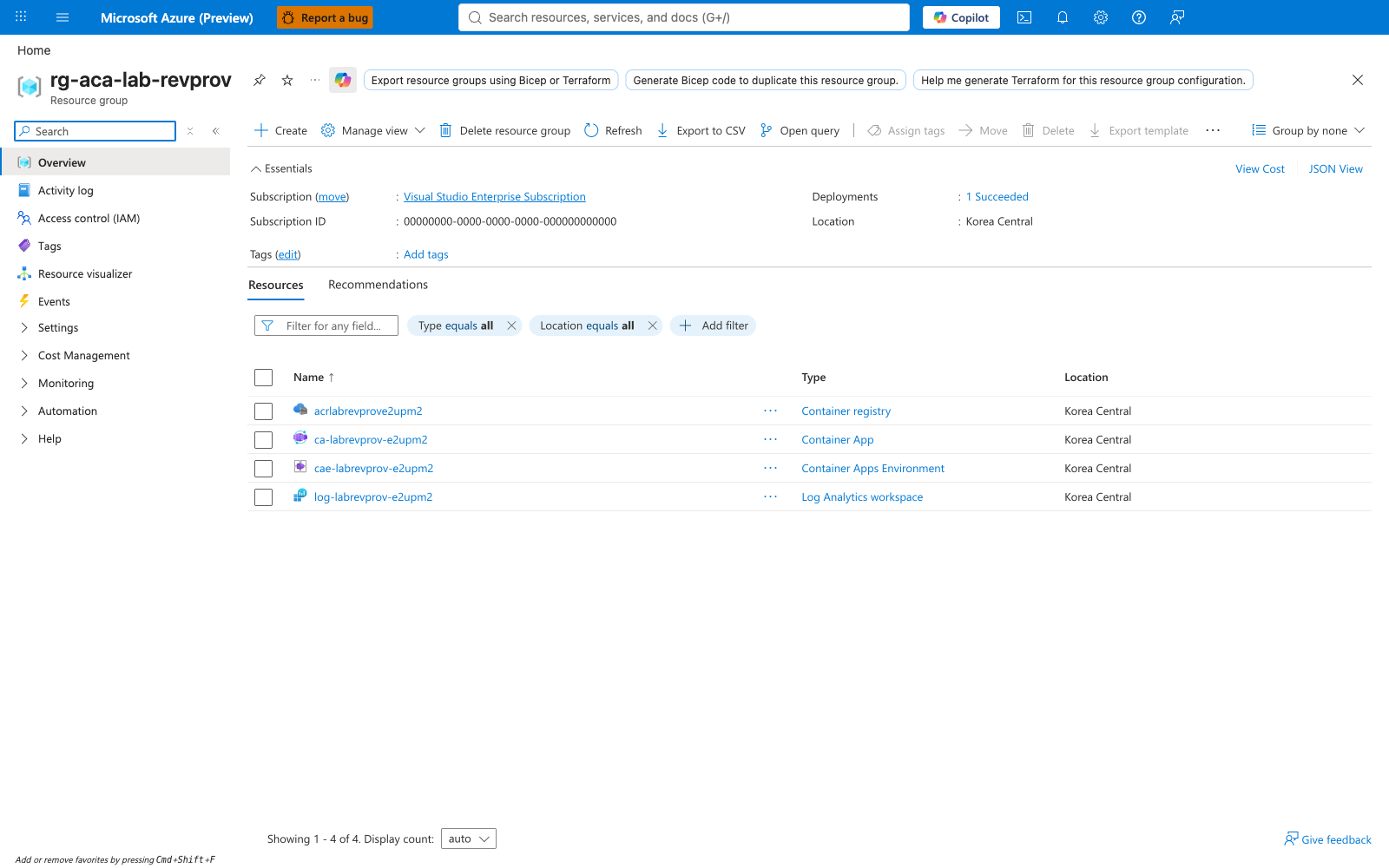
[Observed] Before triggering the failure, the resource group contains the deployed lab infrastructure: Container App Environment, Container App, Log Analytics workspace, and ACR.
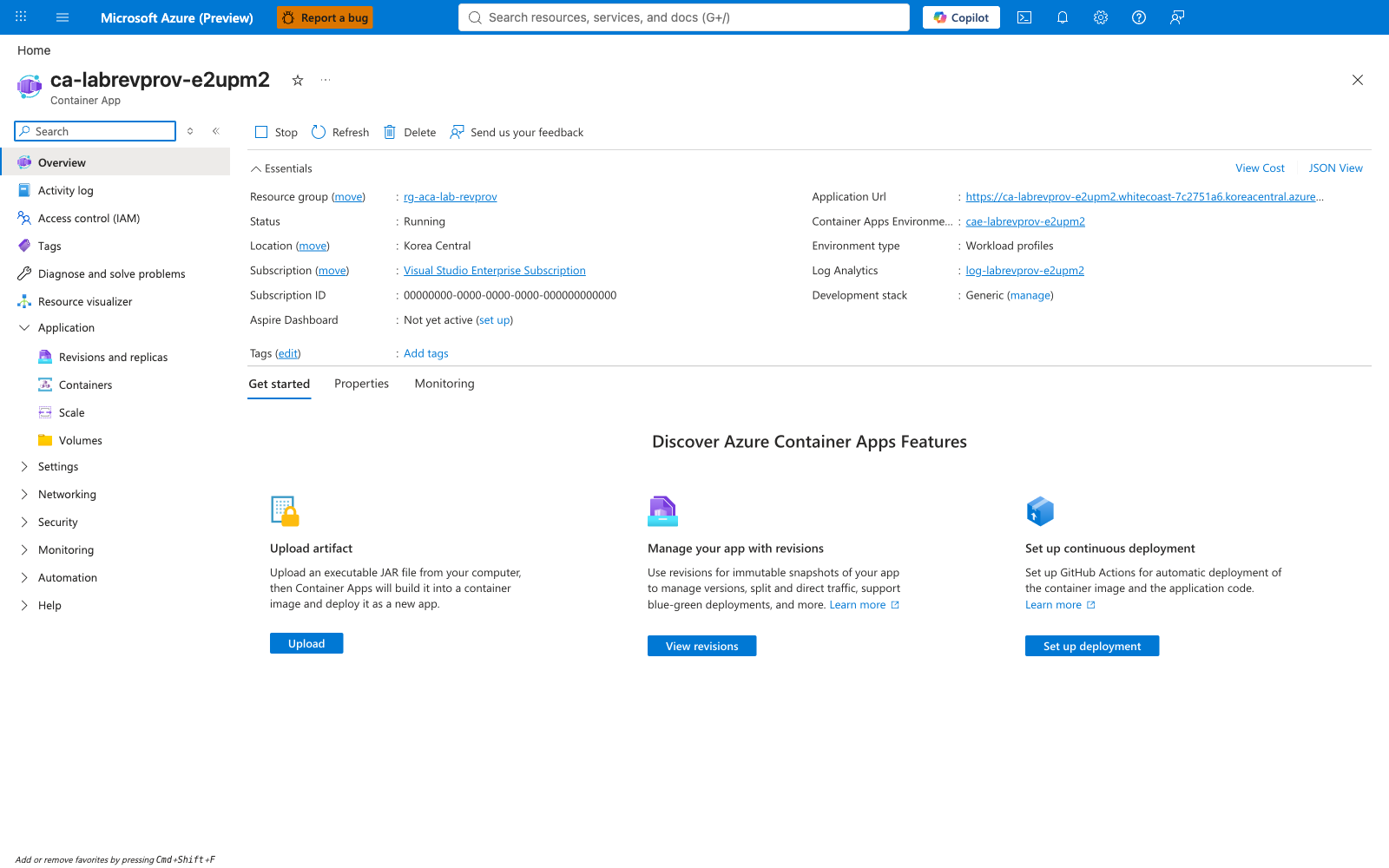
[Observed] Container App Overview blade in baseline state showing Status: Running, traffic at 100% to the healthy badpath revision.
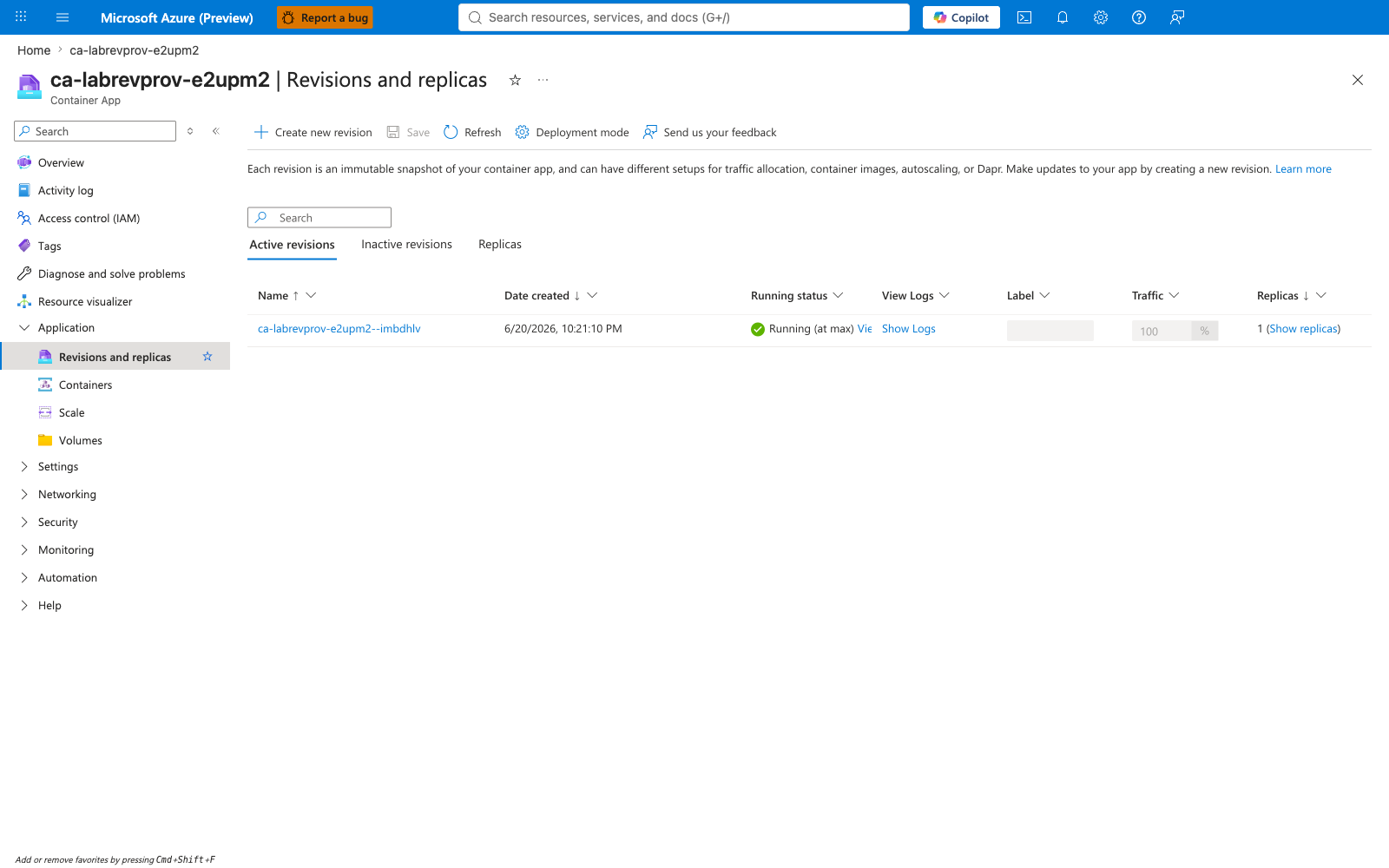
[Observed] Revisions and replicas grid showing the baseline badpath revision as Healthy with Provisioned status, single replica running.
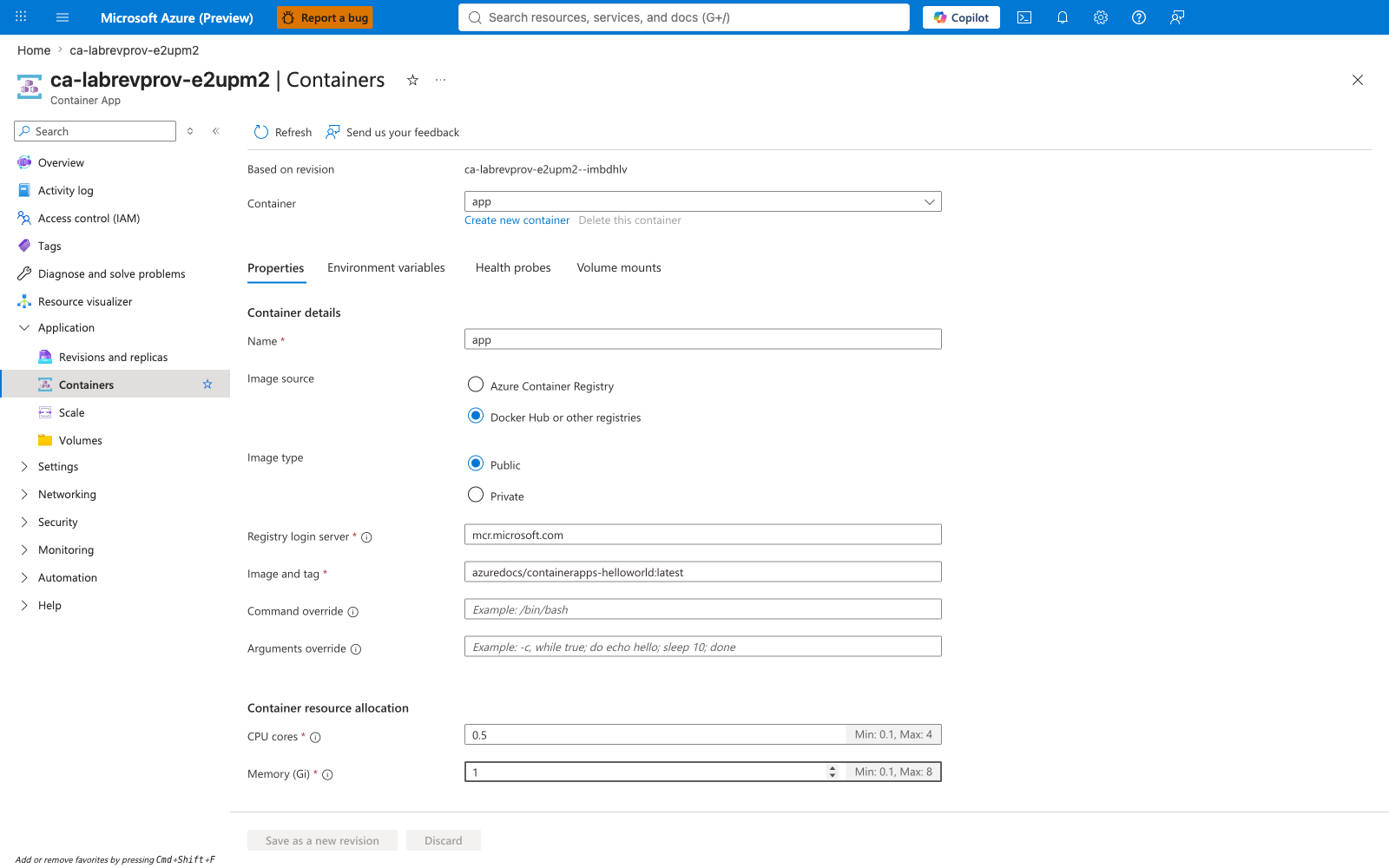
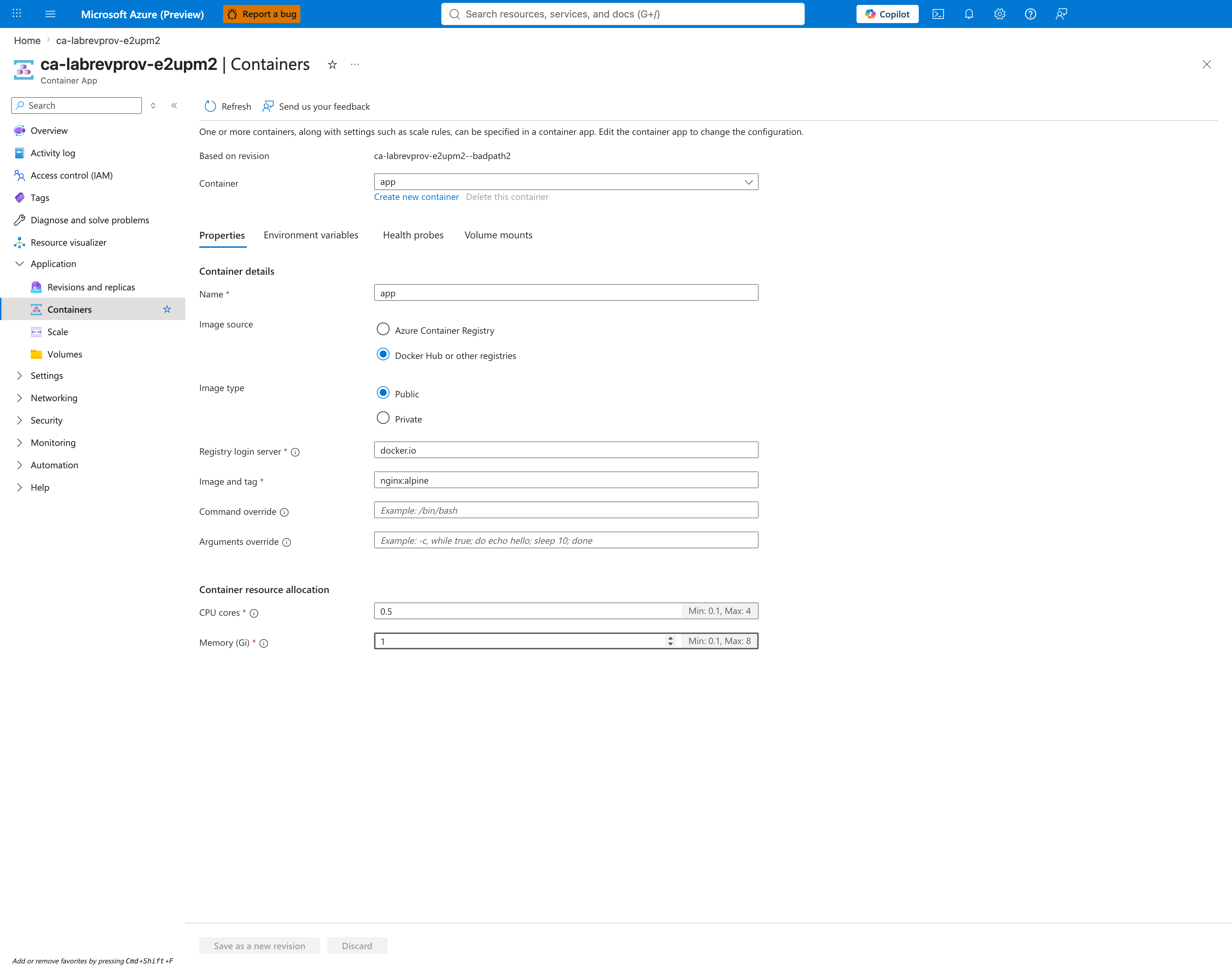
[Observed] Containers blade showing the baseline configuration with no startup probe configured.
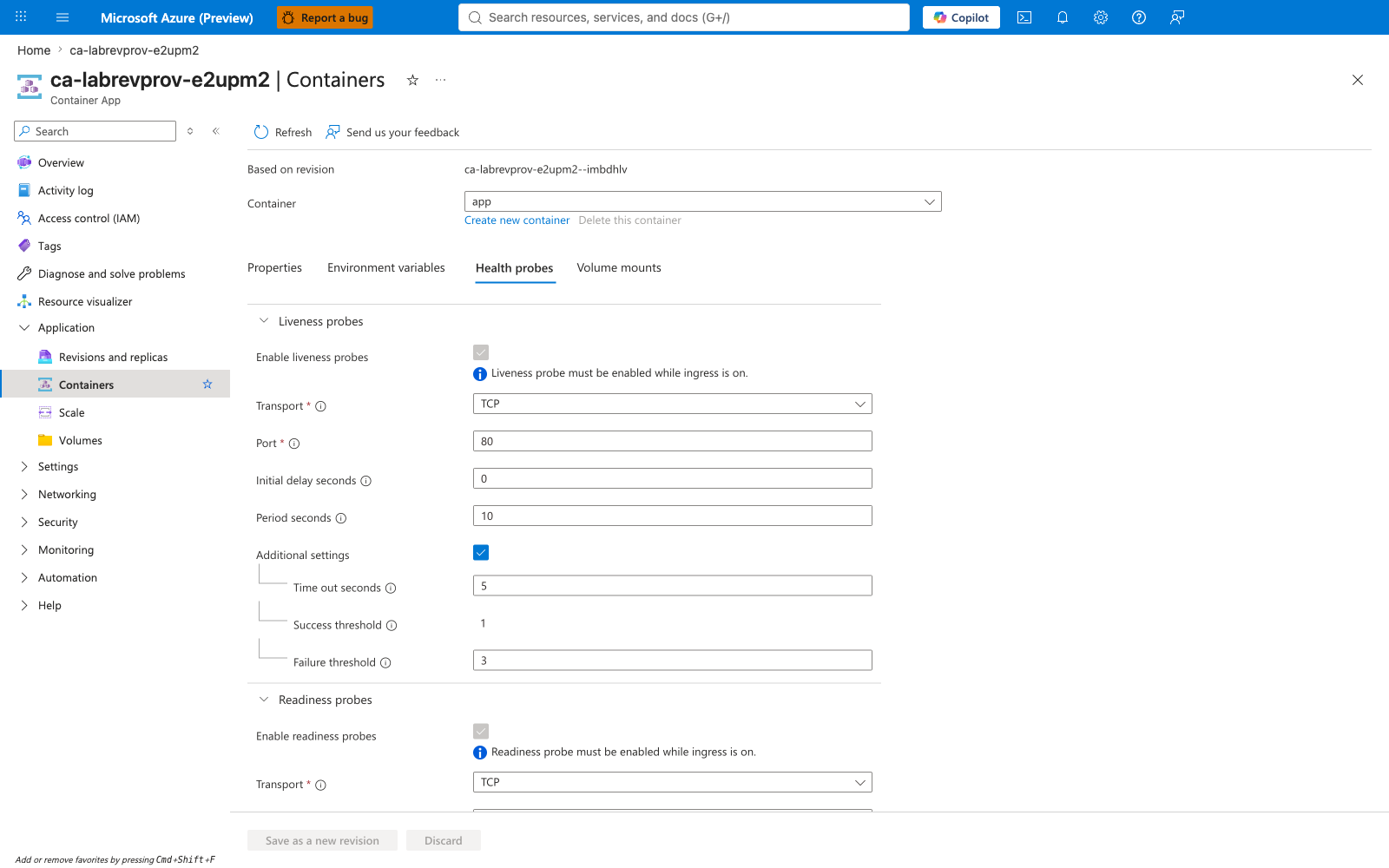
[Observed] Containers → Health Probes tab empty in baseline — no probes configured.
Failure state
[Observed] After the trigger applies the bad startup probe, the Overview blade now shows the failed revision and the Revisions with Issues tab highlights ca-labrevprov-e2upm2--badpath2.
[Observed] Revisions and replicas grid showing two active revisions: badpath2 (Failed, Unhealthy, 0/1 replicas, traffic configured at 100%) and badpath (Healthy, 0% traffic).
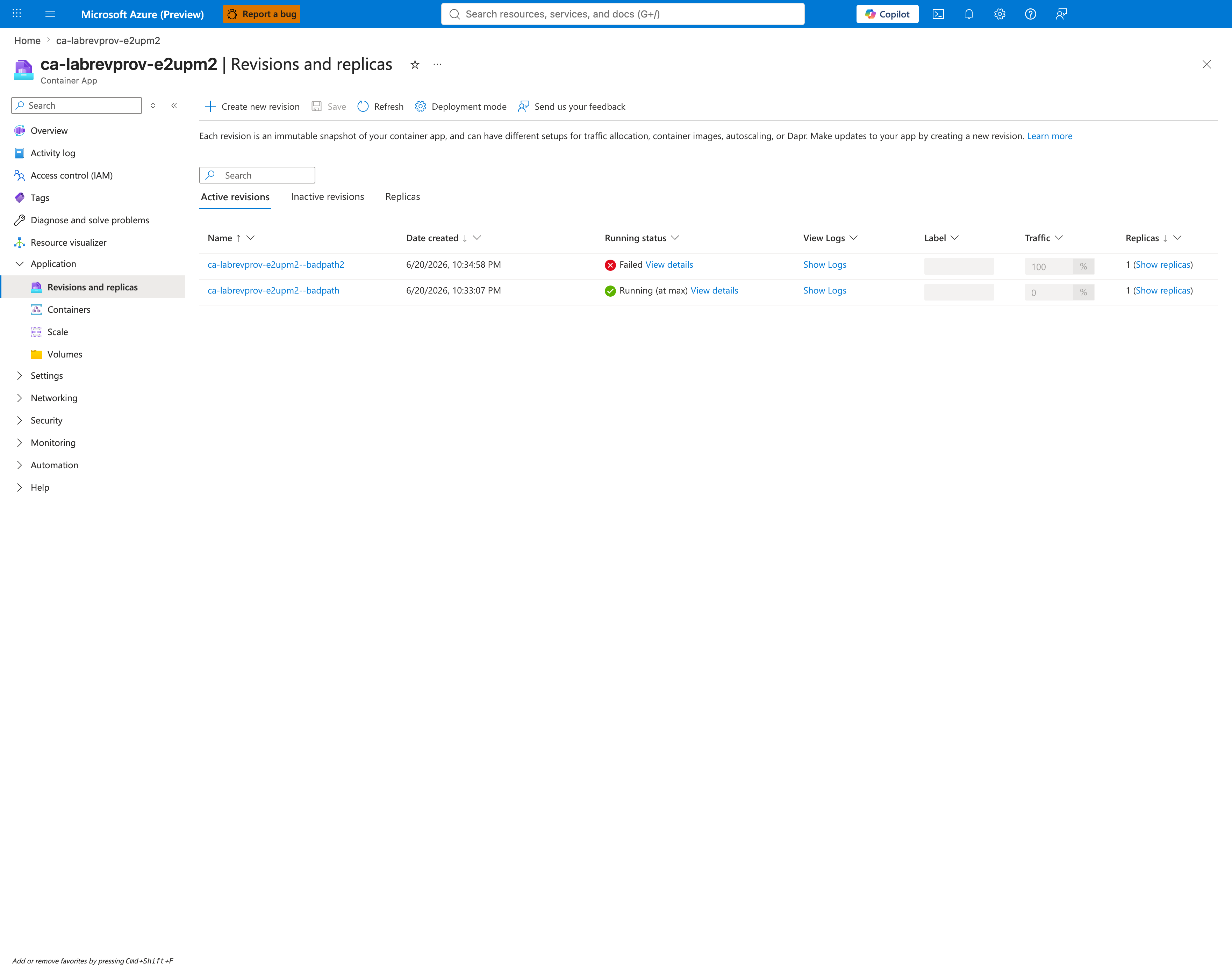
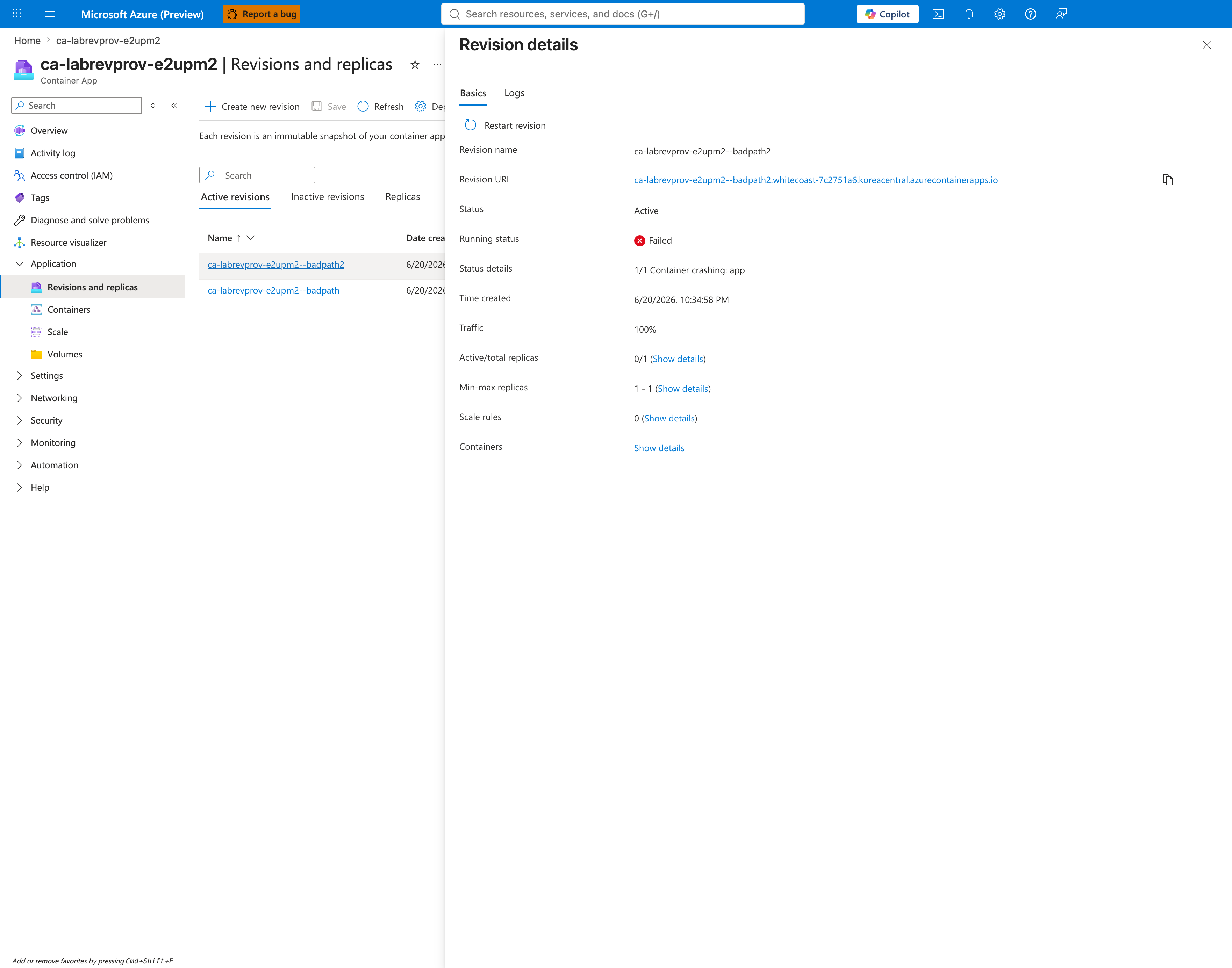
[Observed] Revision detail flyout for badpath2 showing Health state: Unhealthy, Provisioning state: Failed, Running status: Container crashing: app.
[Observed] Revision detail Logs tab on the failed revision with Real-time + Application selected shows the empty state No replica running — Try selecting Historical display option. The failing container is never alive long enough for the realtime stream to attach to a replica, which itself is diagnostic evidence of the restart loop.
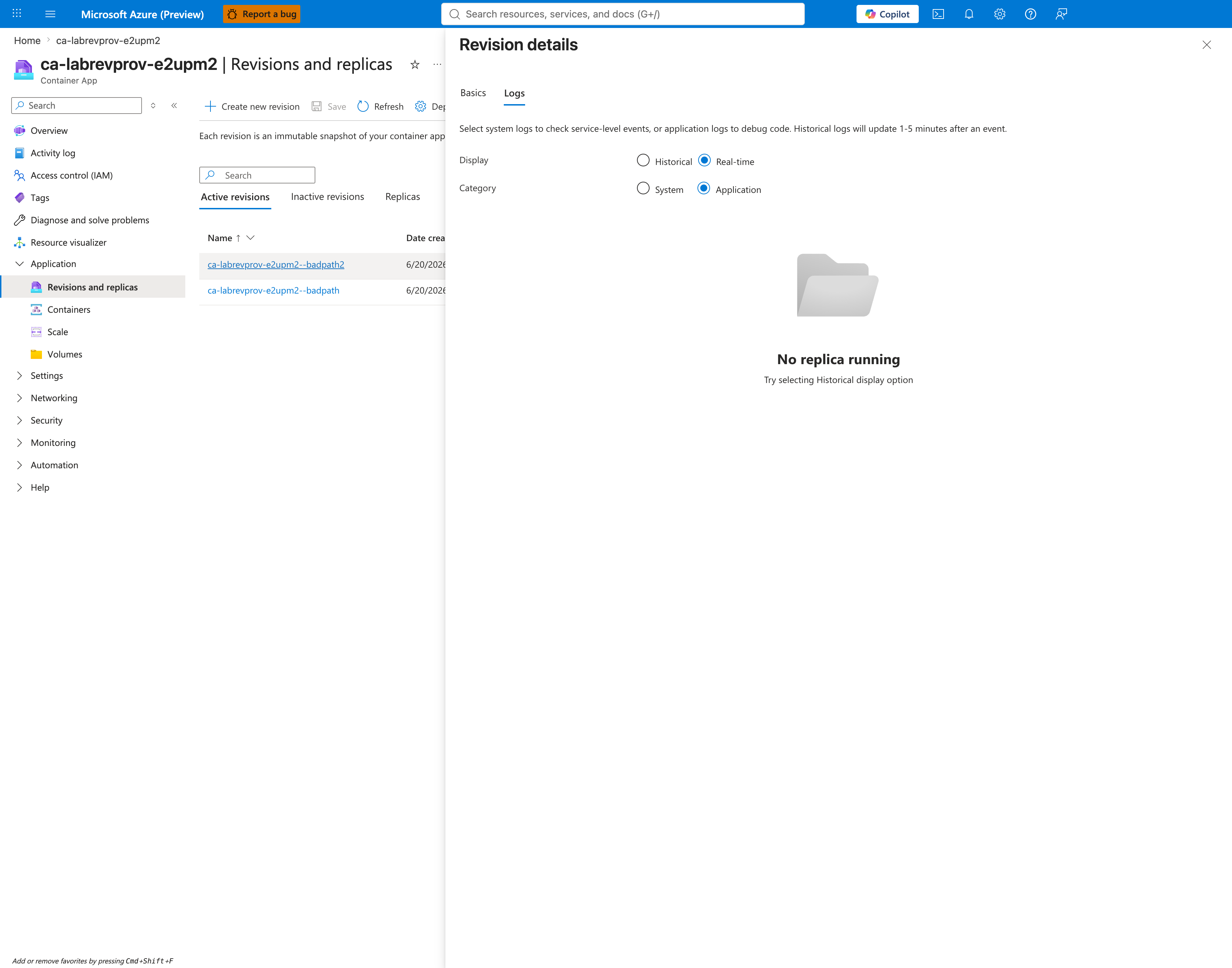
[Inferred] When investigators see this empty state on a known-failing revision, the next click should be Historical (capture 16) — that pane carries the actual ProbeFailed → ContainerTerminated(ProbeFailure) evidence emitted by the platform's system log channel.
[Observed] Historical System logs for the failed revision showing the complete ProbeFailed → ContainerTerminated(ProbeFailure) cascade across multiple restart attempts.
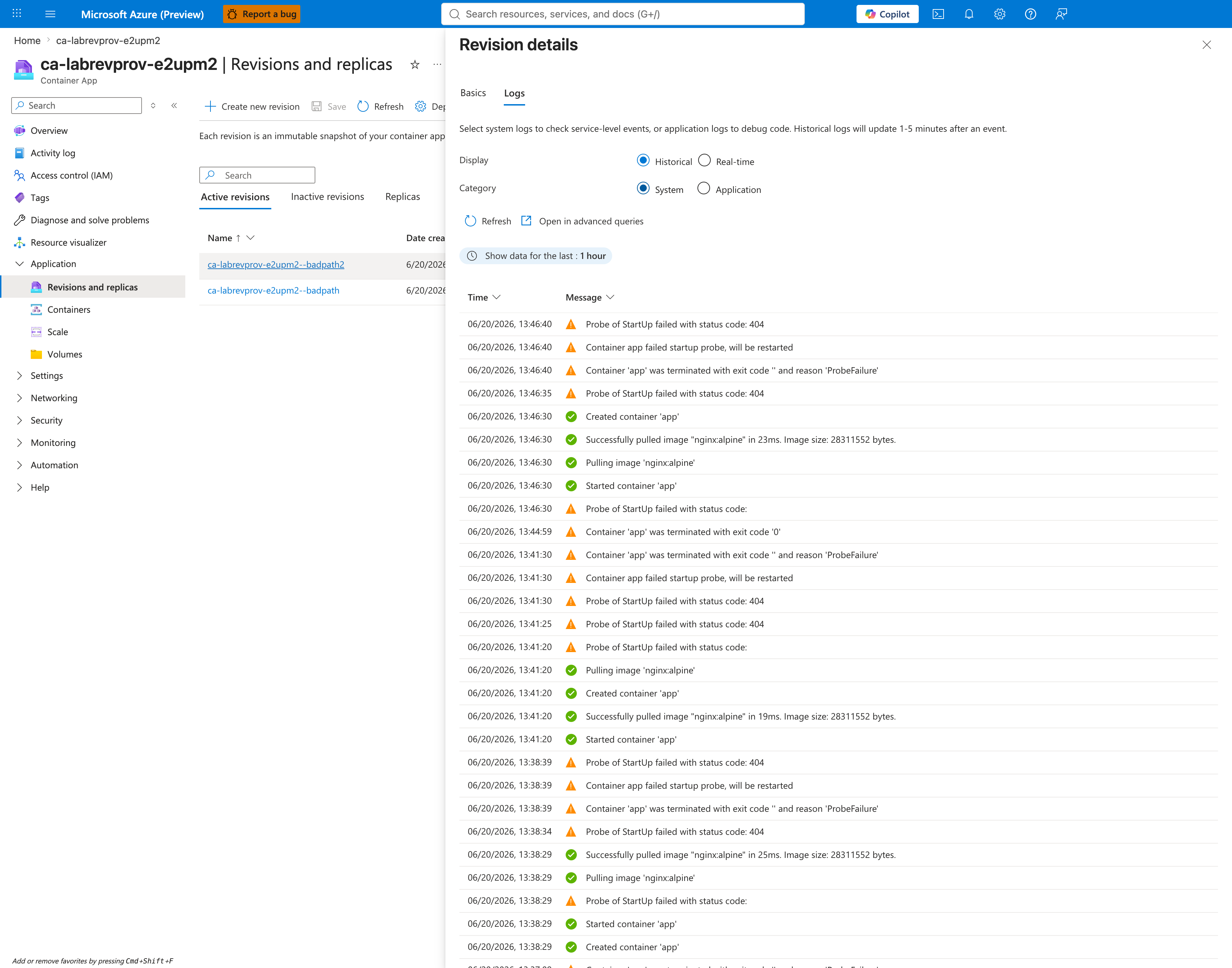
[Strongly Suggested] This is the gold-standard smoking gun for revision provisioning failure caused by probe misconfiguration. The ProbeFailed → ContainerTerminated(ProbeFailure) sequence directly attributes the container termination to the probe failure, ruling out OOM, exit code, image pull, scaling, or network as root causes.
[Observed] Containers blade showing the failed revision with nginx:alpine image.
[Observed] Containers → Health Probes tab on revision badpath2 shows the Liveness probe (TCP, port 80, failure threshold 3) and Readiness probe (TCP, port 80, failure threshold 48) inherited from the baseline, plus the Startup probes section header with Enable Startup probes checked — confirming a Startup probe was added by the trigger. The Startup probe's path/port/threshold fields are below the visible fold; the configured path (/nonexistent-health-endpoint) is captured separately in the trigger script and the corresponding ARM payload.
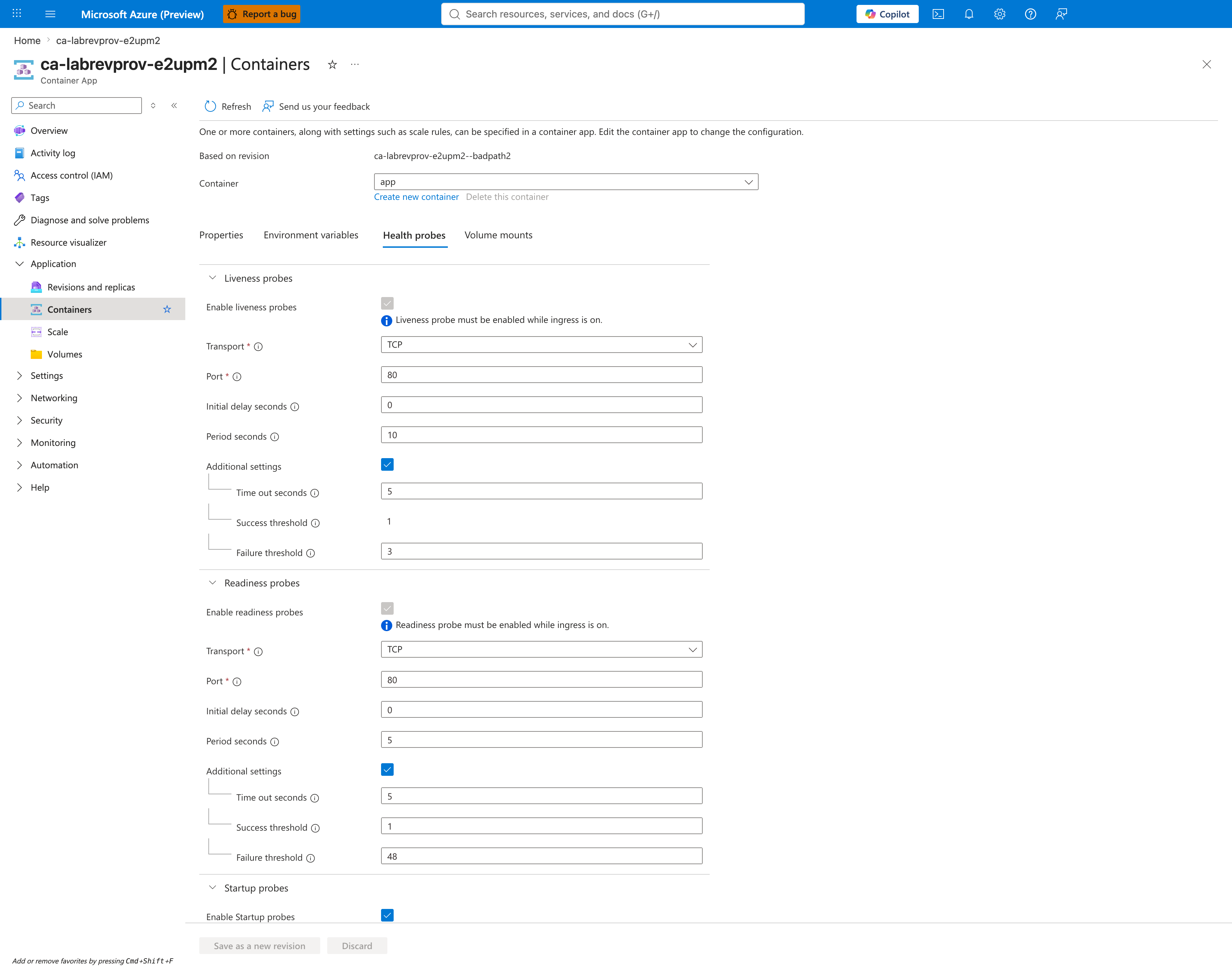
[Inferred] Even with the Startup probe details below the fold, this view is the fastest configuration-level confirmation path — the presence of an Enabled Startup probes section on a revision that previously had none (capture 11) is itself the configuration delta that introduced the failure. Combined with the realtime log stream evidence (captures 19 and 20), the investigator can confirm root cause within 60 seconds.
Log evidence (Portal Log Stream)
[Observed] Application Log Stream captured during the restart loop shows the nginx graceful-shutdown sequence on the failing replica: signal 3 (SIGQUIT) received, shutting down, worker process 30..33 exited with code 0, signal 17 (SIGCHLD) received from each worker. The probe-induced 404 responses arrive between SIGTERM cycles and are captured in the Log Analytics ContainerAppConsoleLogs_CL table (see Falsification subsection below and labs/revision-provisioning-failure/evidence/10-kql-console-logs.json for the full nginx 404 + SIGCHLD trail).
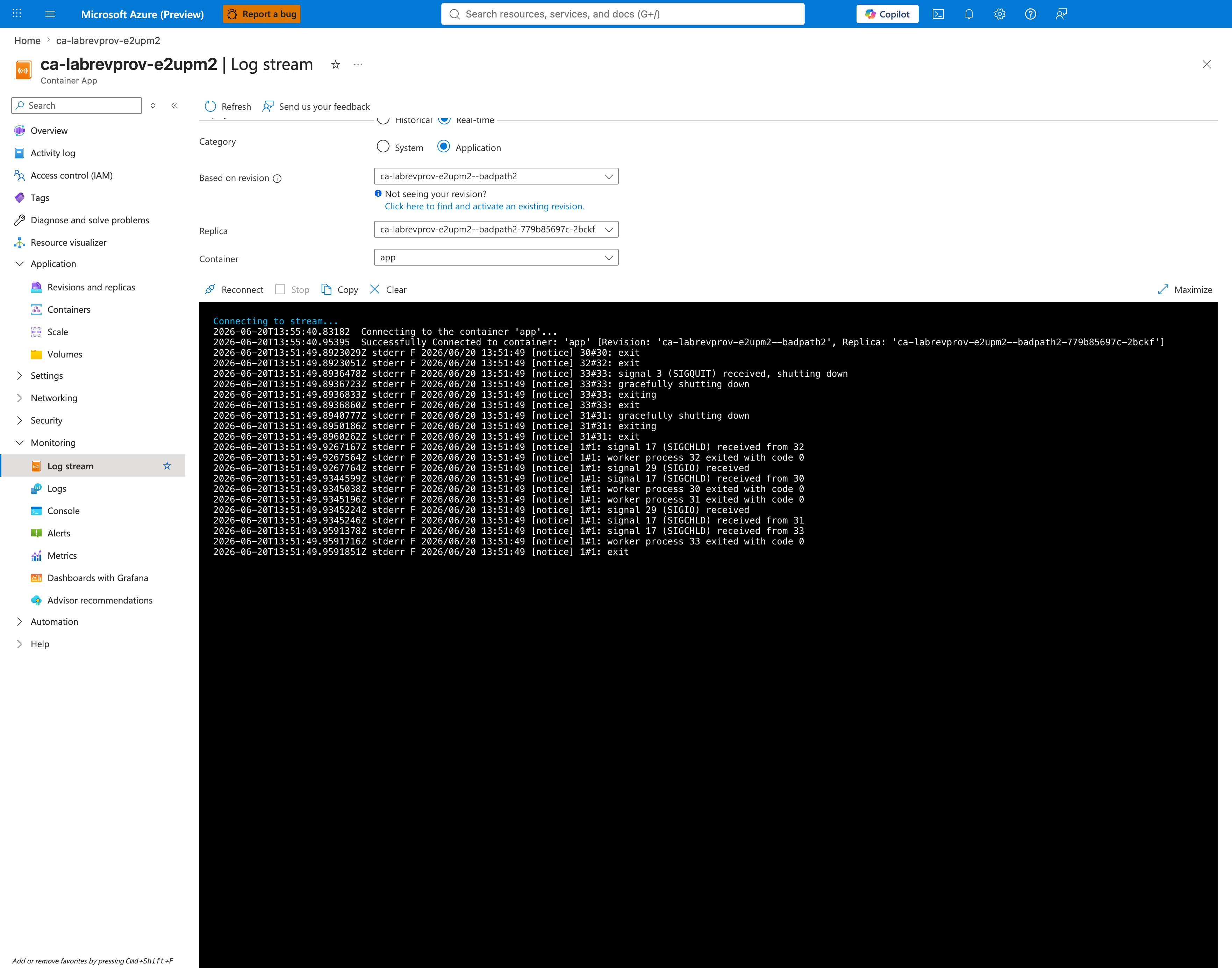
[Strongly Suggested] The nginx graceful-shutdown trail (SIGQUIT followed by per-worker exits) is direct evidence that the platform IS killing the container — not that the container is crashing on its own. This rules out application crashes, OOM, and segfaults; the container's process tree is being torn down externally by the kubelet in response to consecutive probe failures.
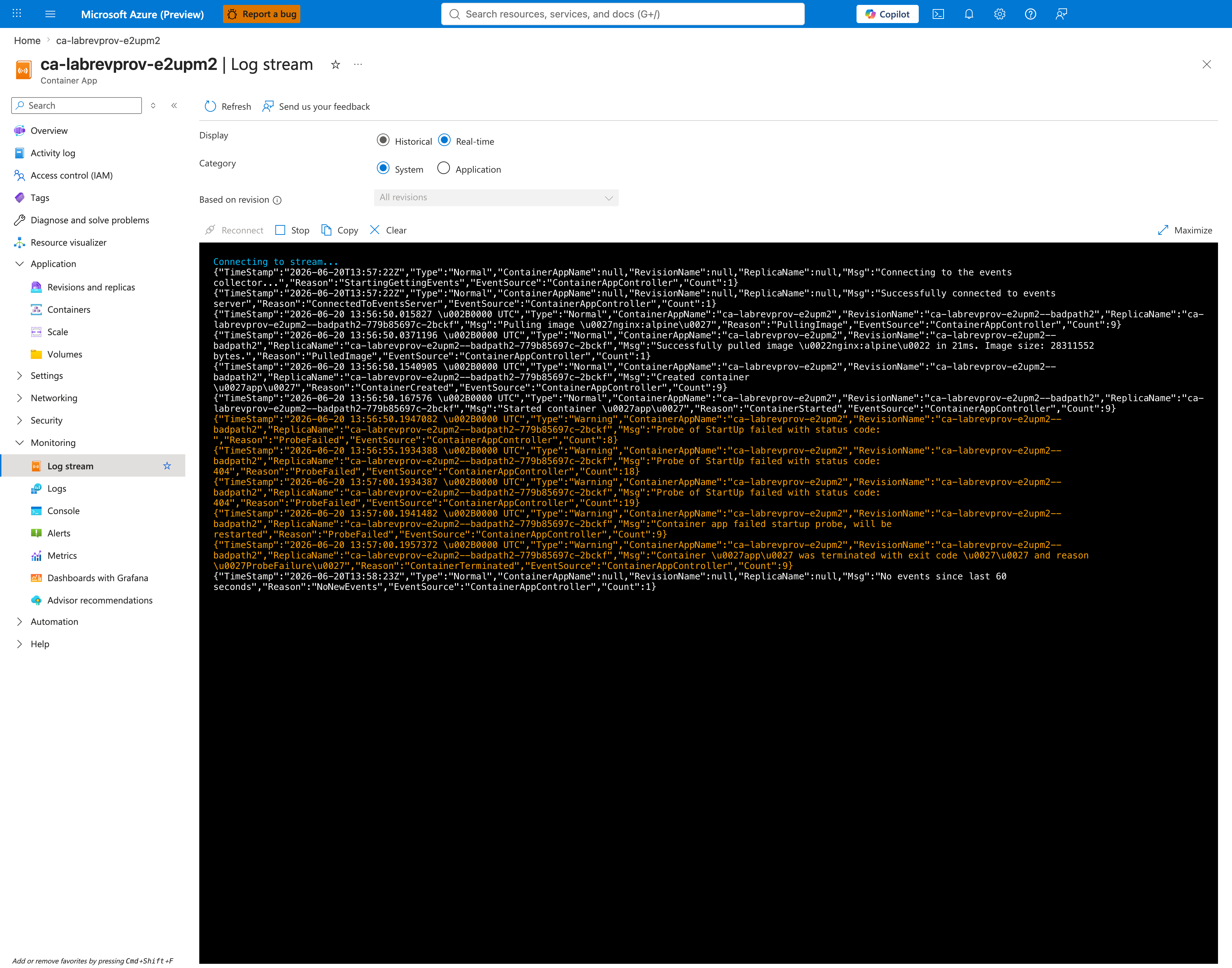
[Observed] System Log Stream in realtime showing platform-emitted lifecycle events as the kubelet kills and recreates the container repeatedly: Reason=ProbeFailed, Reason=Killing, Reason=ContainerTerminated.
Activity Log
[Observed] Activity log entries showing the Create or Update Container App deployment events from the trigger script and the recovery patch.
Diagnose and solve problems
[Observed] Diagnose and solve problems landing blade showing all troubleshooting category tiles.
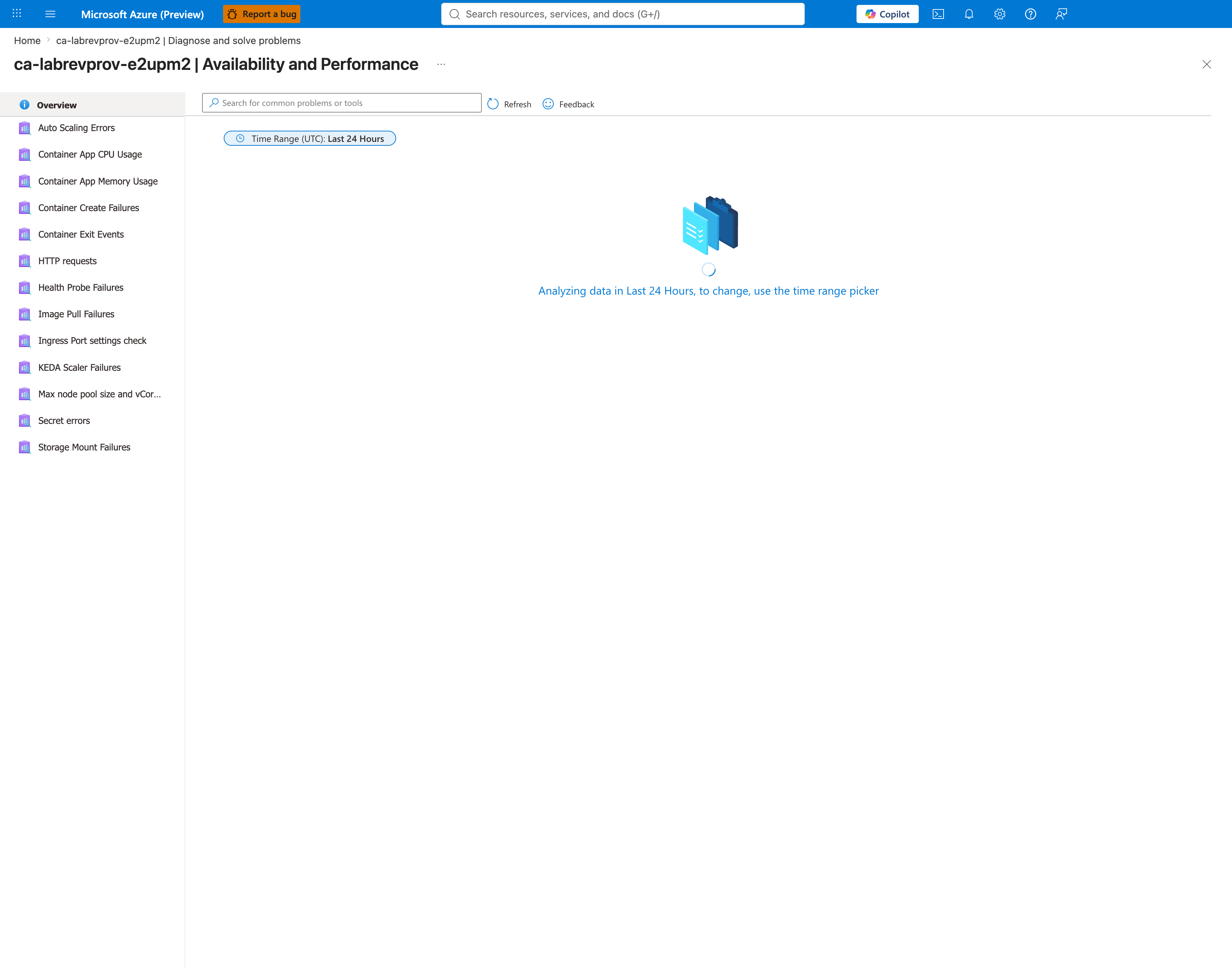
[Observed] Availability and Performance category showing the full list of detectors that apply to Container Apps runtime issues.
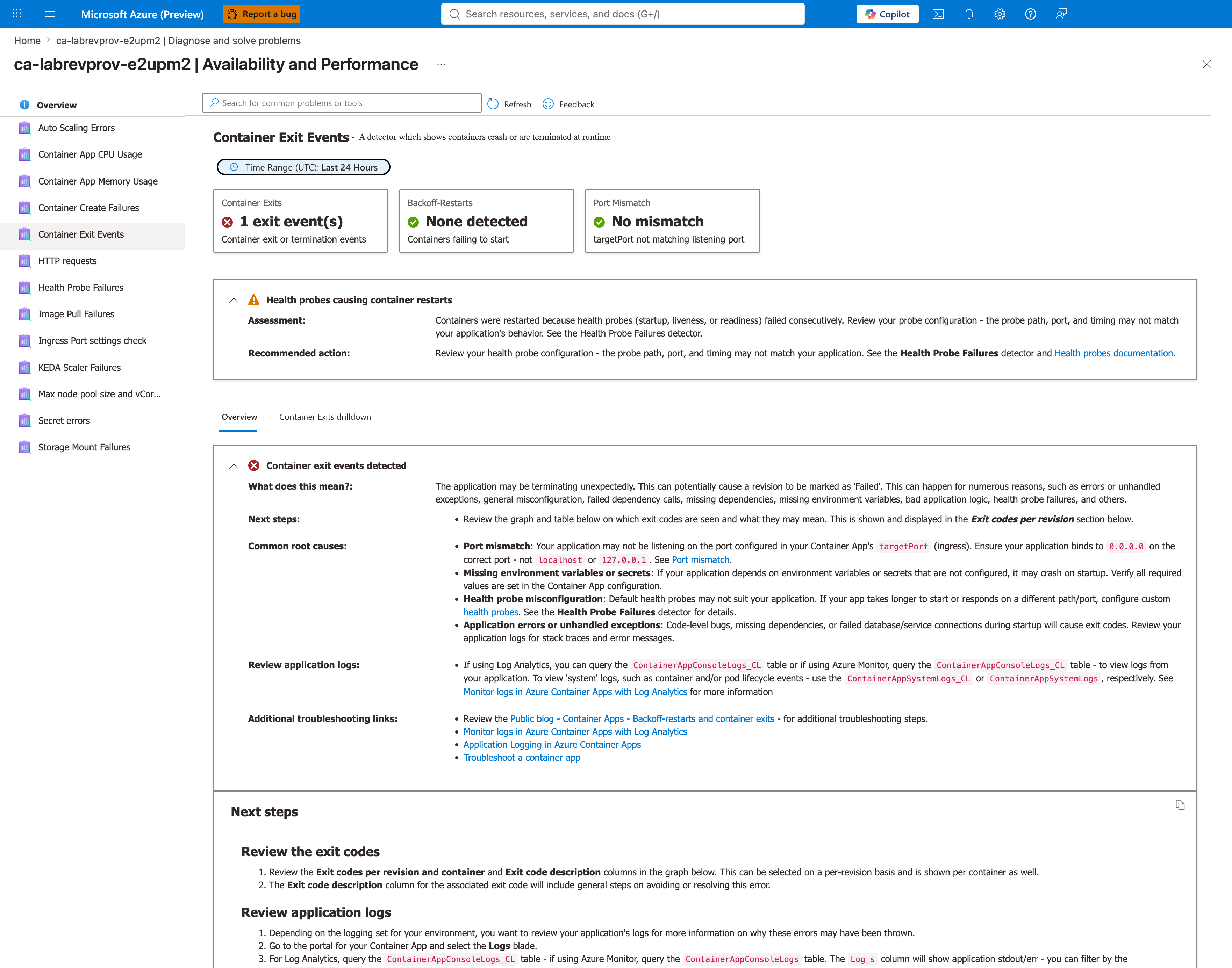
[Observed] Container Exit Events detector summary cards showing Container Exits: 1 exit event(s), Backoff-Restarts: None detected, and Port Mismatch: No mismatch, plus the Microsoft-managed assessment Health probes causing container restarts with the recommended action pointing to the Health Probe Failures detector. The Container Exits drilldown tab and exit-code chart are below the fold of this capture; the explicit per-restart counts are in capture 26.
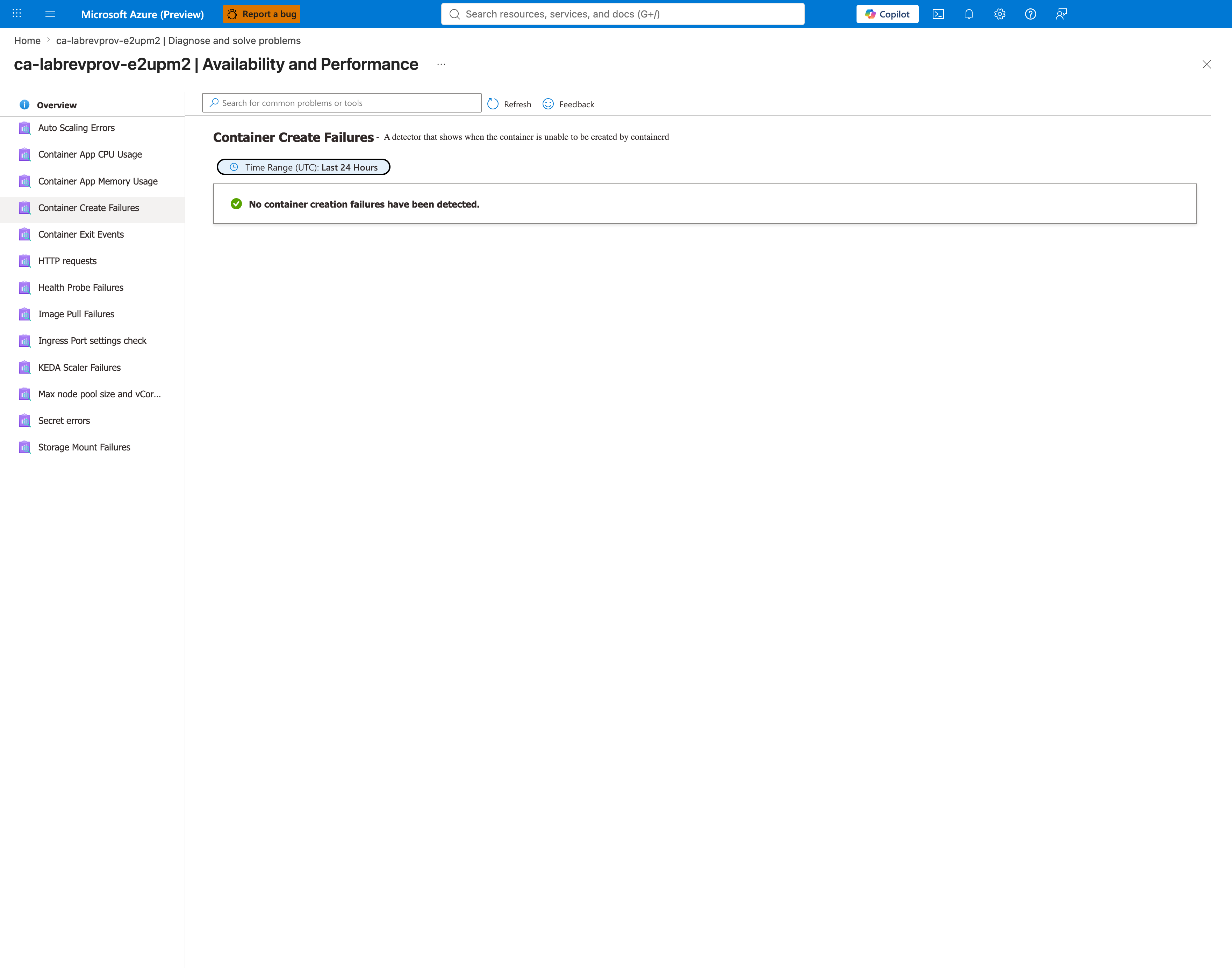
[Observed] Container Create Failures detector showing checks executed against the failing revision.
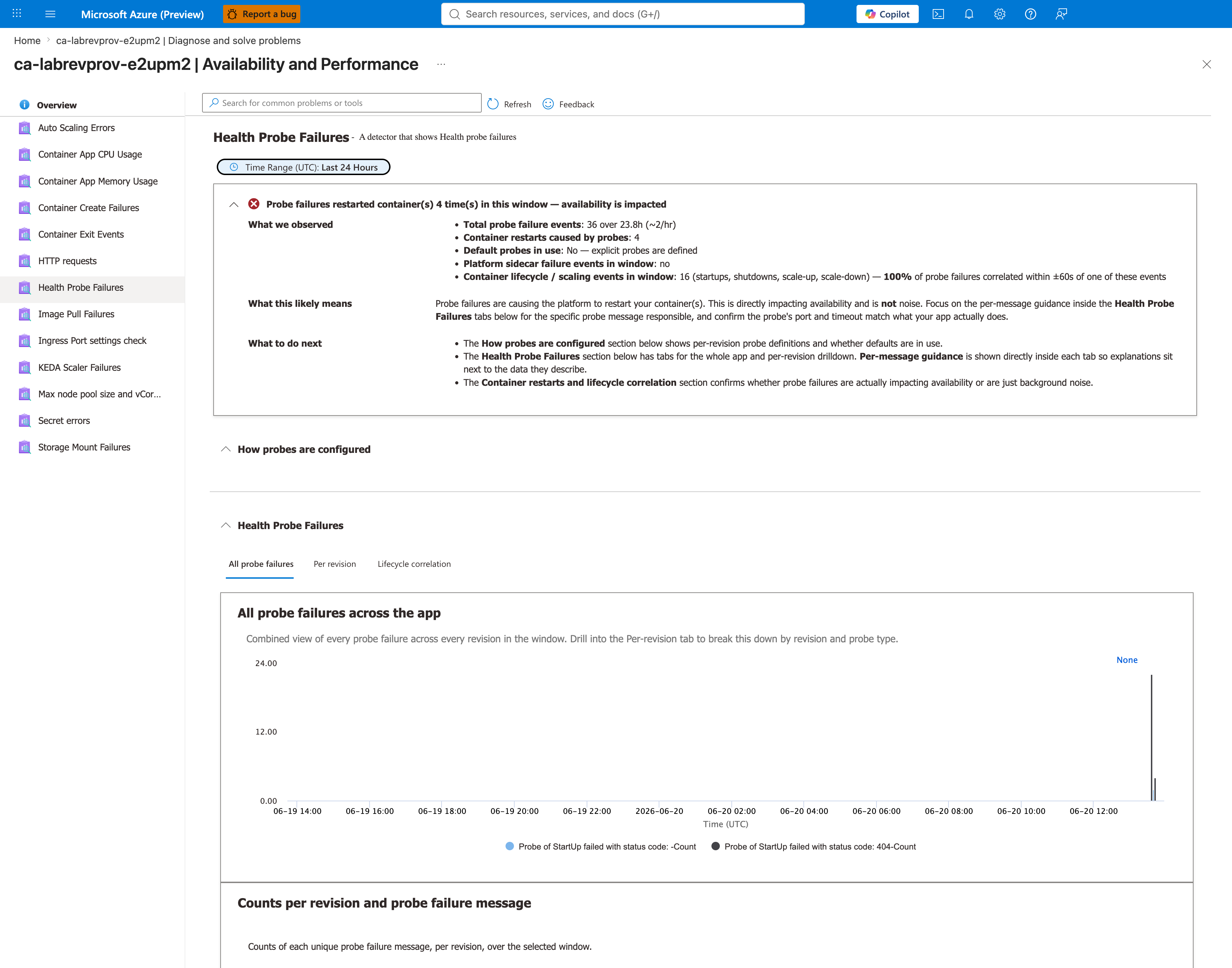
[Observed] Health Probe Failures detector — the most directly applicable detector for this failure mode — visible above the fold shows the app-level summary header Probe failures restarted container(s) 4 time(s) in this window — availability is impacted, with Total probe failure events: 36 over 23.8h (~2/hr) and Default probes in use: No — explicit probes are defined. Per-revision attribution to badpath2 is confirmed by the KQL evidence below (capture 39) and the raw artifact labs/revision-provisioning-failure/evidence/10-kql-console-logs.json, not by this above-the-fold view alone — the Per revision tab is available in this blade but is not the active tab in this capture.
[Observed] Image Pull Failures detector showing no image pull failures — ruling out image pull as the root cause and isolating the issue to probe failure (not image registry, ACR pull credentials, or network).
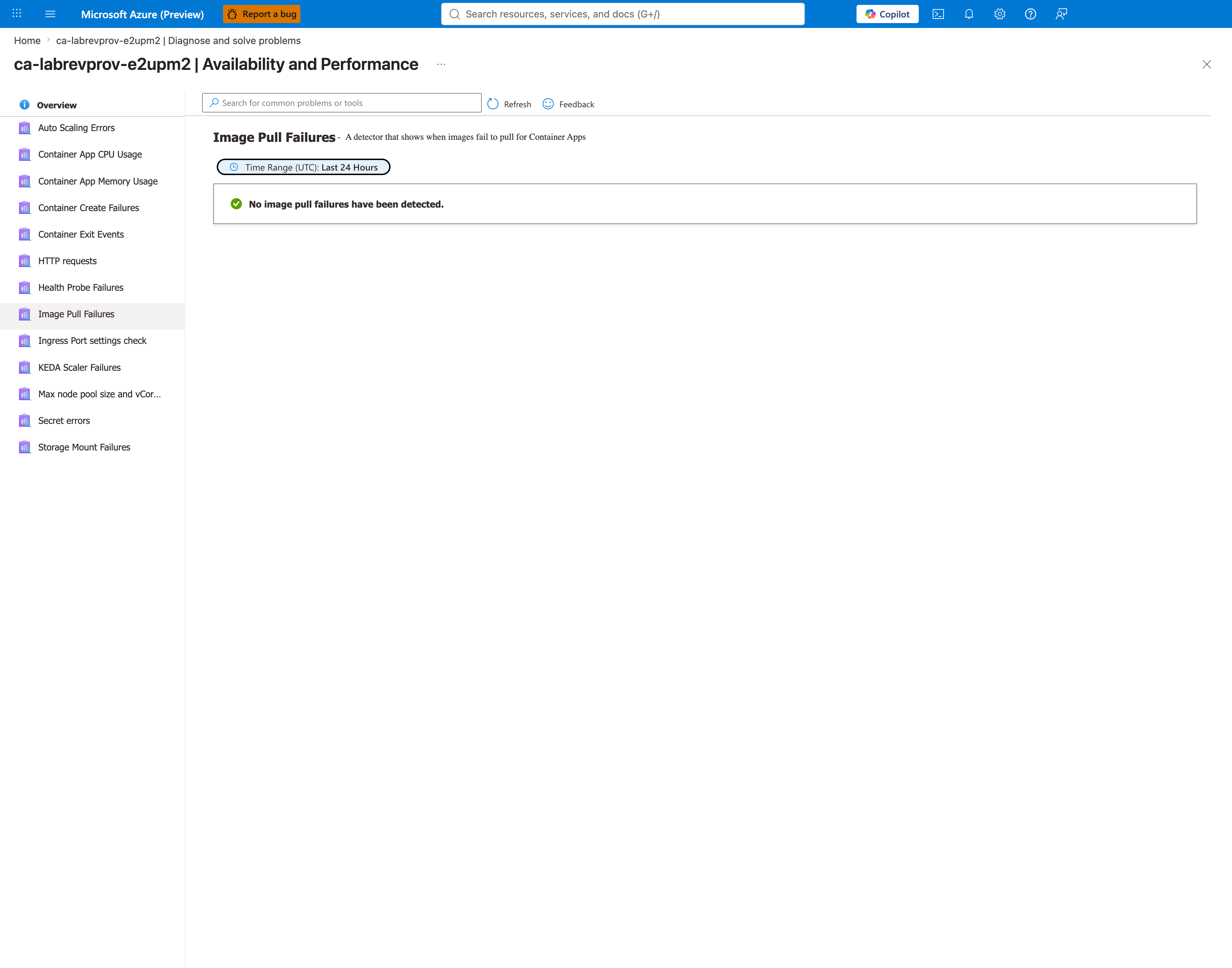
[Inferred] The detector panel acts as a structured triage tool — checking all detectors at once gives the investigator a Microsoft-recommended elimination path: rule out image pull, scaling, and port mismatch first, then drill into probe configuration.
Metrics
[Observed] Metrics blade overview showing the available Container Apps platform metrics.
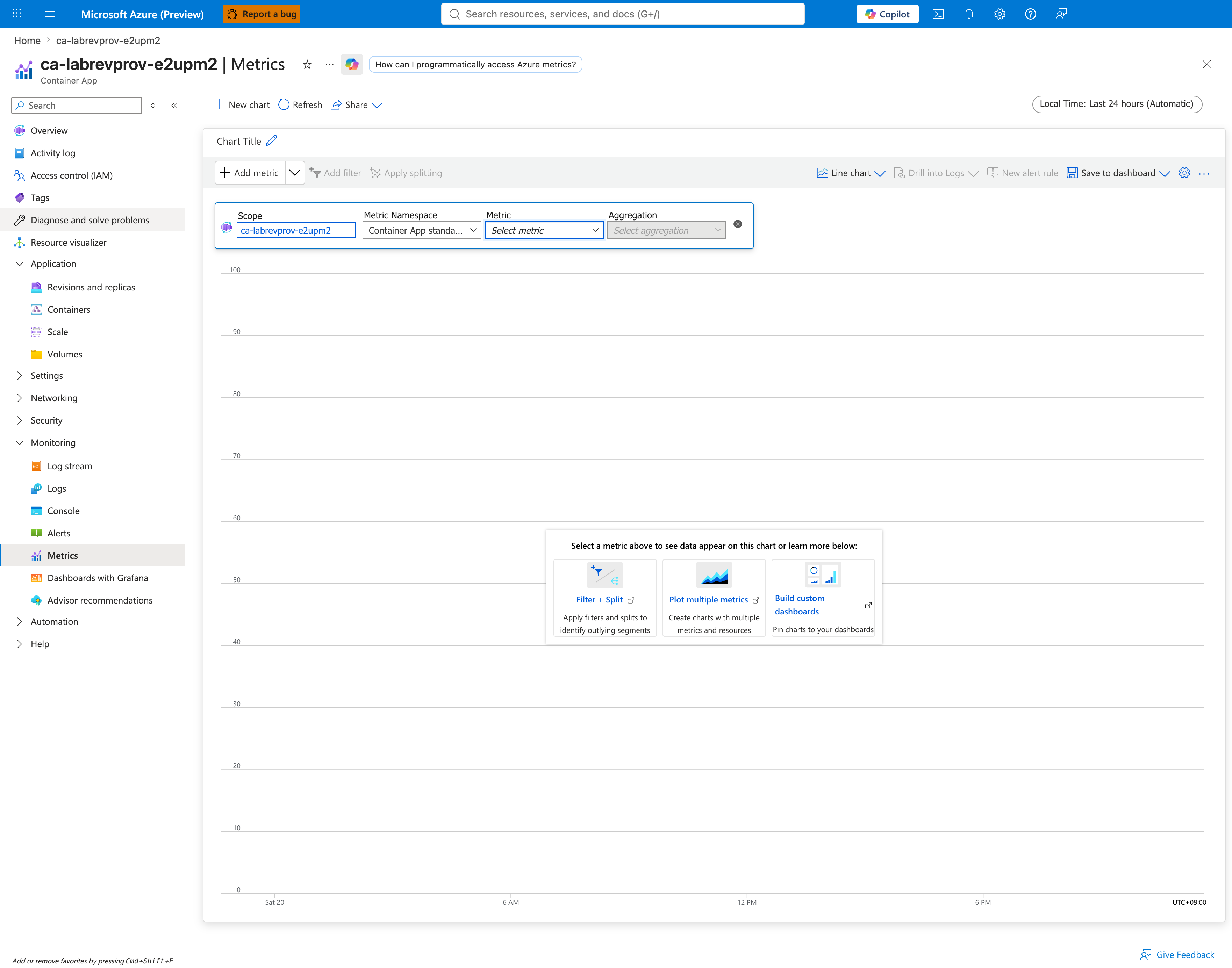
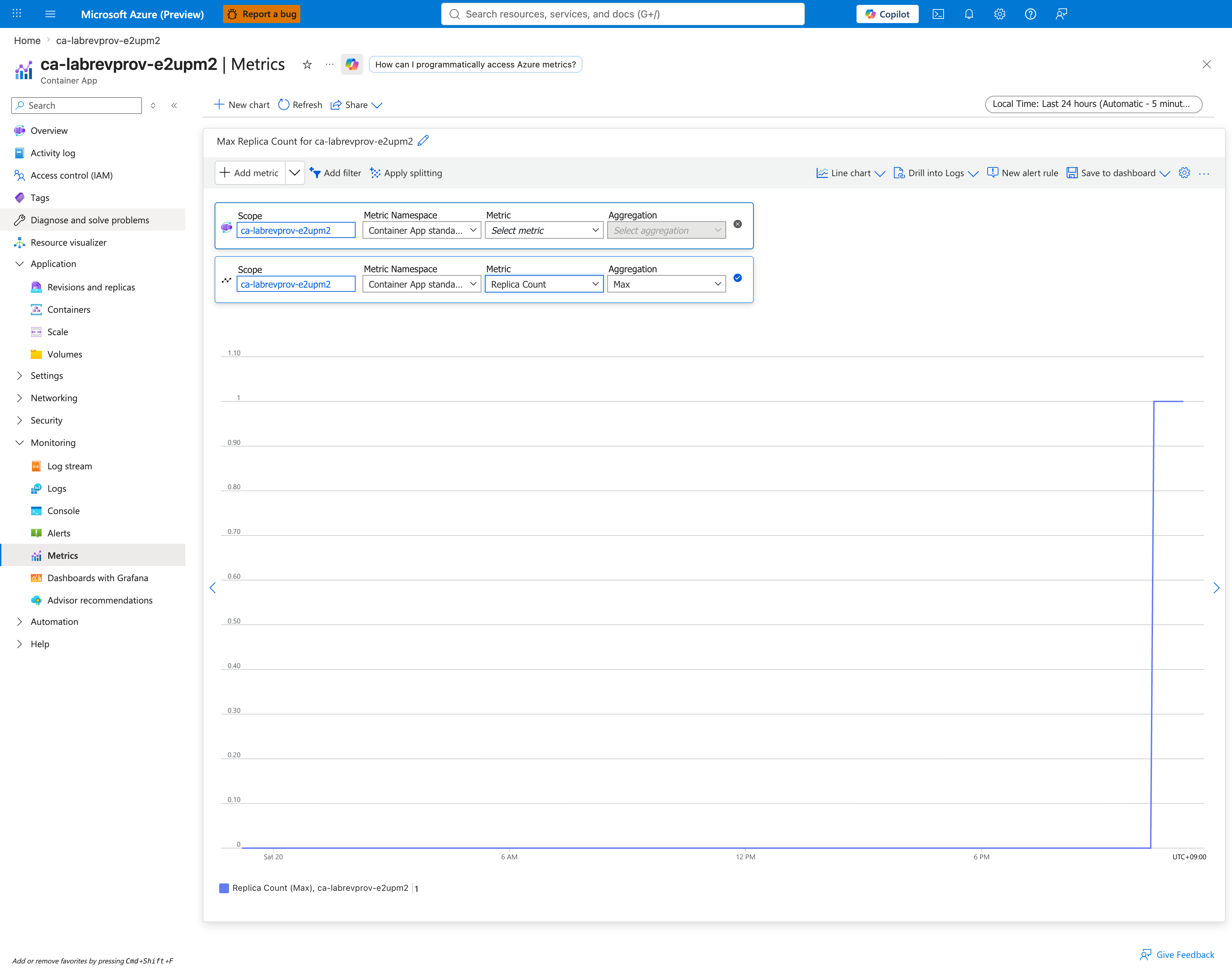
[Observed] Replica count metric (Max aggregation, Last 24 hours, 5-minute granularity) showing the max replica count flat at 0 for most of the window, then rising to 1 near the reproduction period — evidence that the platform did create a replica, although this Max-aggregated view smooths over the restart cycles. Per-restart visibility lives in the ContainerAppSystemLogs_CL event stream (captures 30, 31, 33) and in the Container Exit Events detector (capture 24), not in this chart.
KQL evidence (Log Analytics)
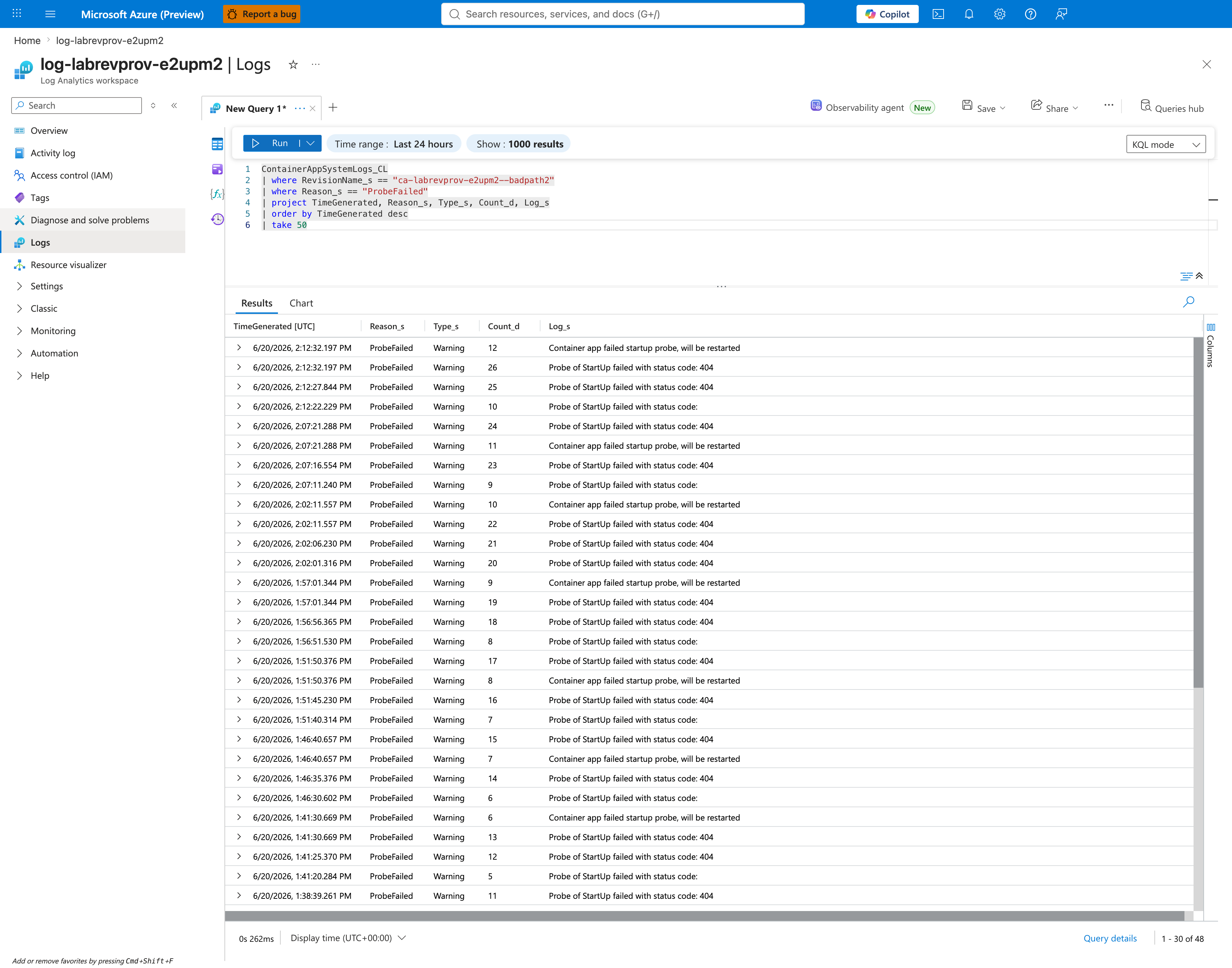
[Observed] KQL query in Logs blade querying ContainerAppSystemLogs_CL for Reason_s == "ProbeFailed" returns 56 ProbeFailed events with Log_s showing "HTTP probe failed with status code: 404".
[Observed] KQL event correlation query showing the full lifecycle sequence across ContainerCreated → PullingImage → ContainerStarted → ProbeFailed → ContainerTerminated over a 14-iteration restart loop.
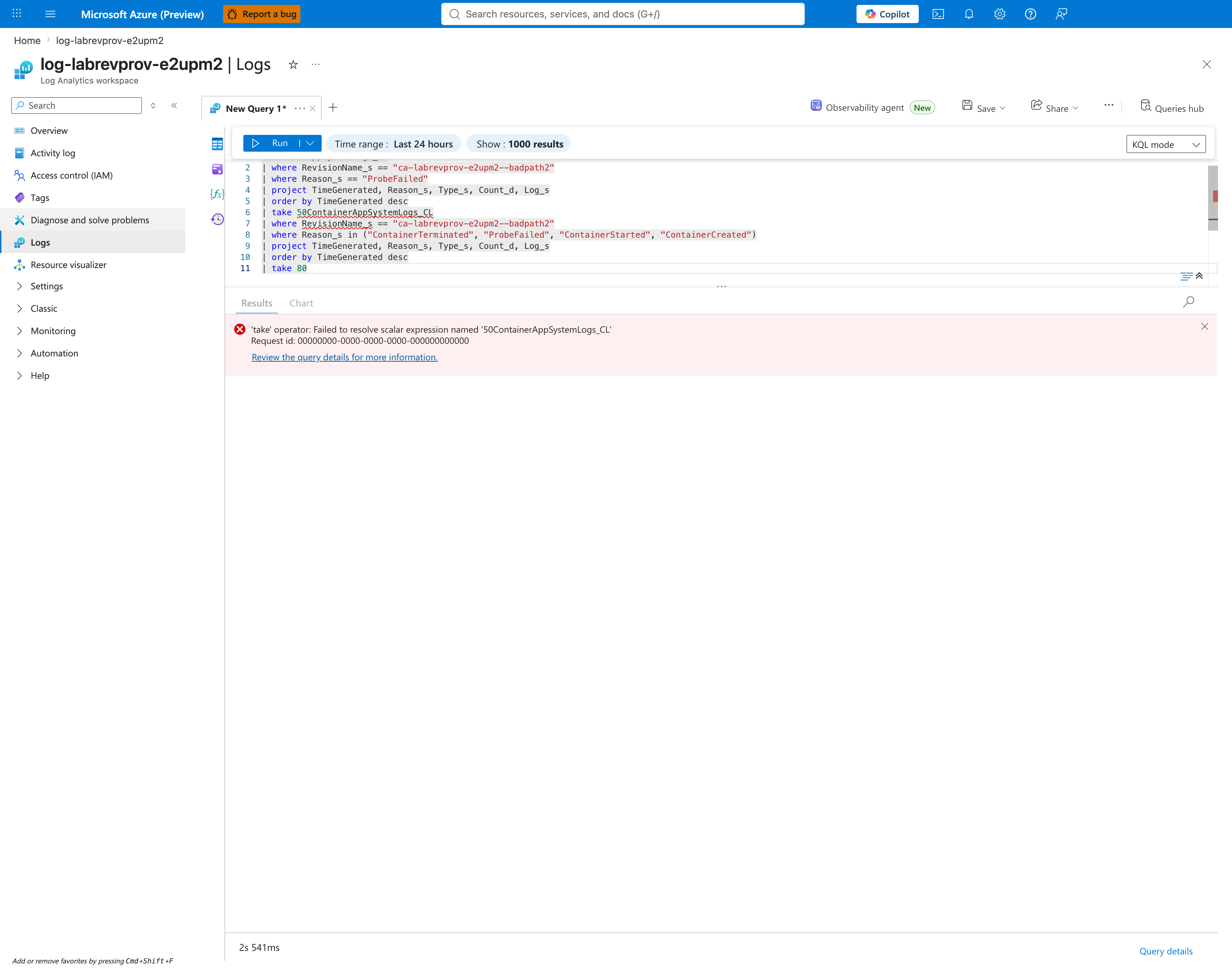
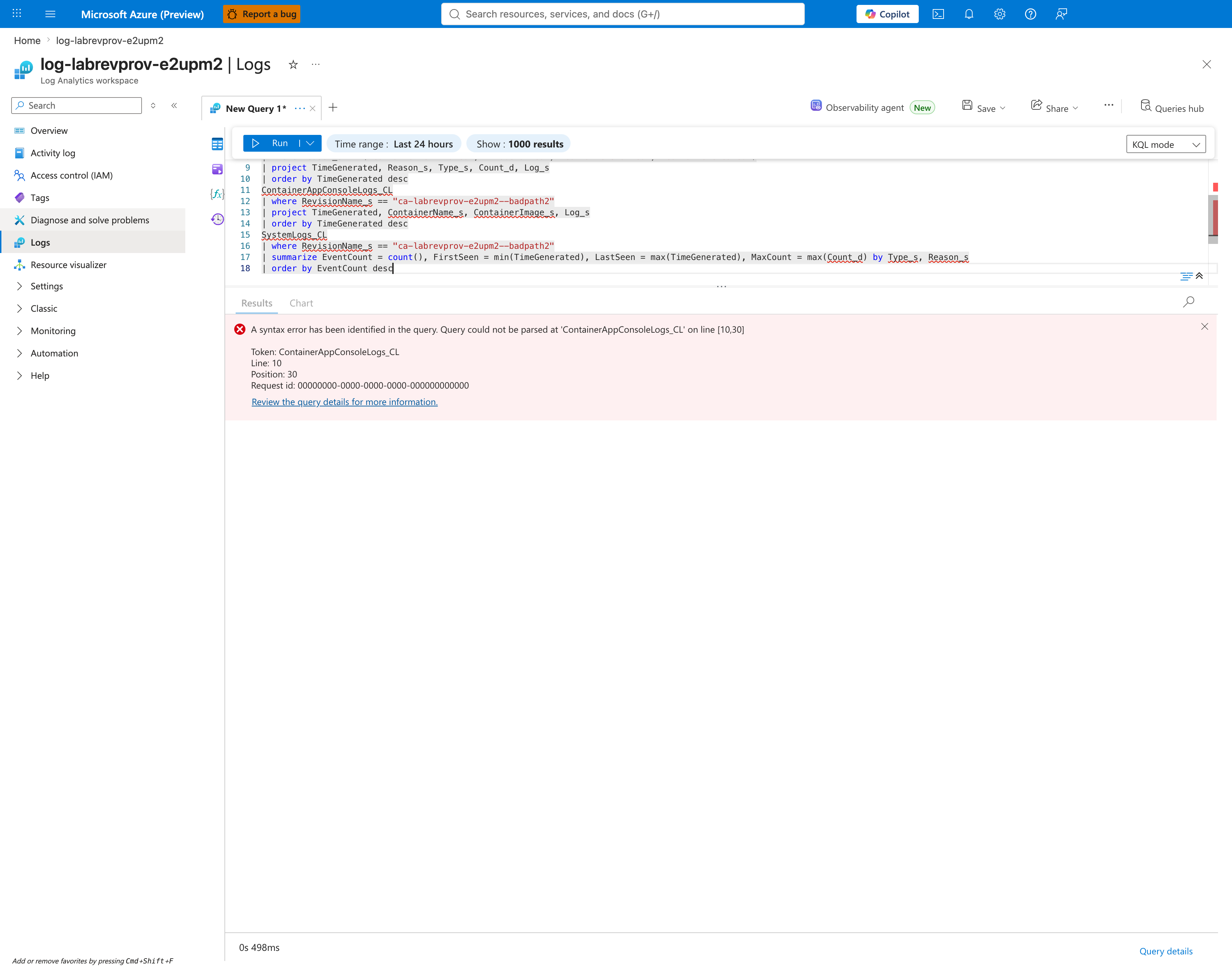
[Observed] KQL editor pitfall captured when two stacked queries were submitted in a single tab without a blank line separator — the Logs editor concatenates them and rejects the merged input with A syntax error has been identified in the query. Query could not be parsed at 'ContainerAppConsoleLogs_CL' on line [10,30]. The screenshot is preserved here as a teaching example for the most common Logs-blade authoring mistake; the actual application-level evidence (nginx 404 access logs and SIGCHLD trail) was collected via the Azure CLI and saved verbatim to labs/revision-provisioning-failure/evidence/10-kql-console-logs.json.
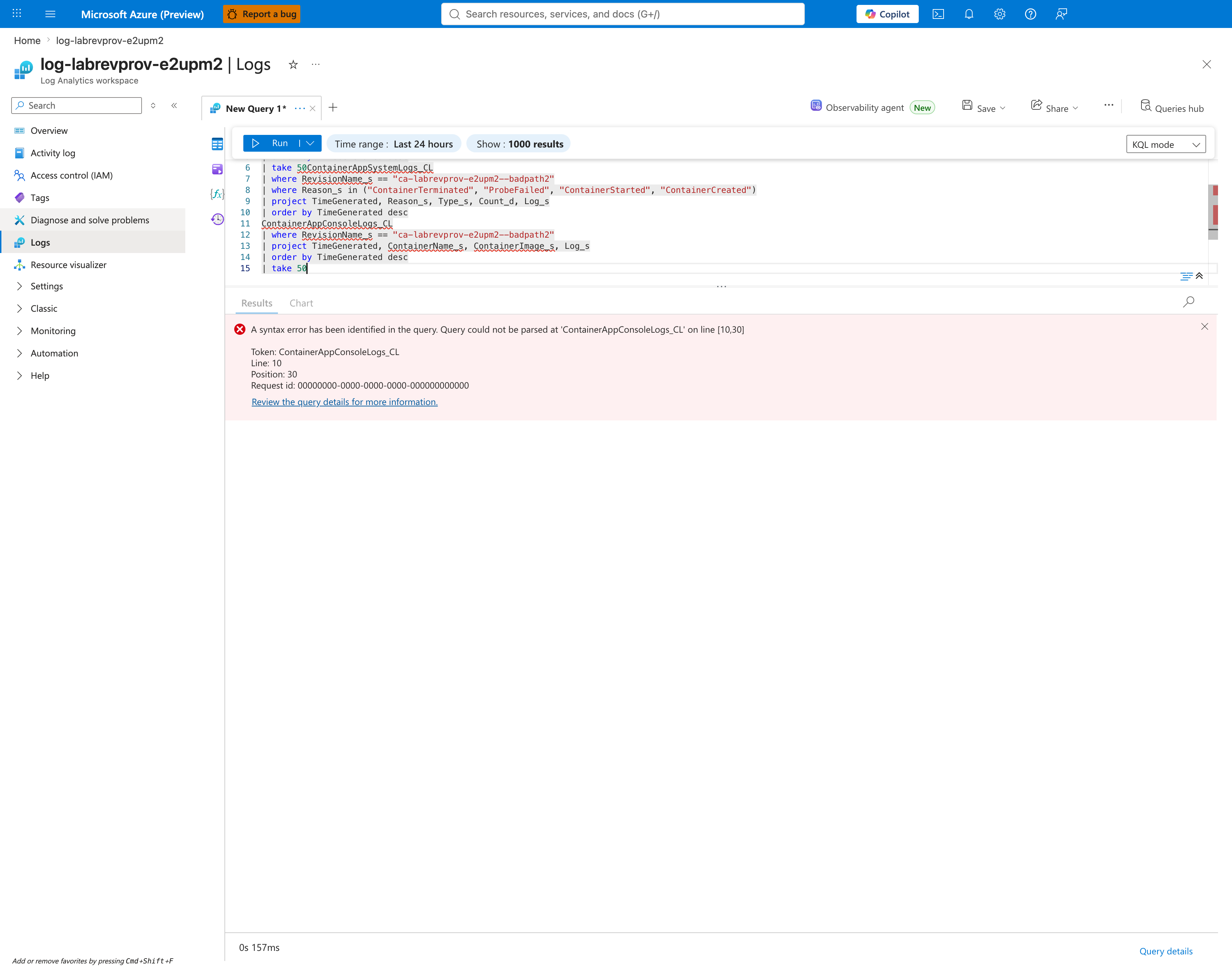
[Strongly Suggested] The raw evidence file is the application-level smoking gun: it contains the nginx access-log entries "GET /nonexistent-health-endpoint HTTP/1.1" 404 153, the matching nginx error-log entries open() "/usr/share/nginx/html/nonexistent-health-endpoint" failed (2: No such file or directory), and the graceful-shutdown SIGCHLD trail per worker. This proves the container is alive, accepting connections, and processing probe requests — but responding 404 Not Found because the startup-probe path does not exist on disk. The diagnostic distinction matters: this is NOT a "container dead" failure; it is a "container alive but probe contract violated" failure. Authoring tip: when chaining multiple table queries in one Logs tab, separate them with a blank line so the editor treats each block as an independent query, or open a second tab.
[Observed] KQL summary by reason showing the restart loop pattern: 14 each of ContainerCreated, PullingImage, ContainerStarted, plus 56 ProbeFailed events (= 4 probe attempts per restart x 14 restarts).
Falsification (KQL)
[Observed] KQL falsification query filtering to the previously healthy badpath revision shows ZERO ProbeFailed events — proving the failure is revision-scoped, not environment-scoped.
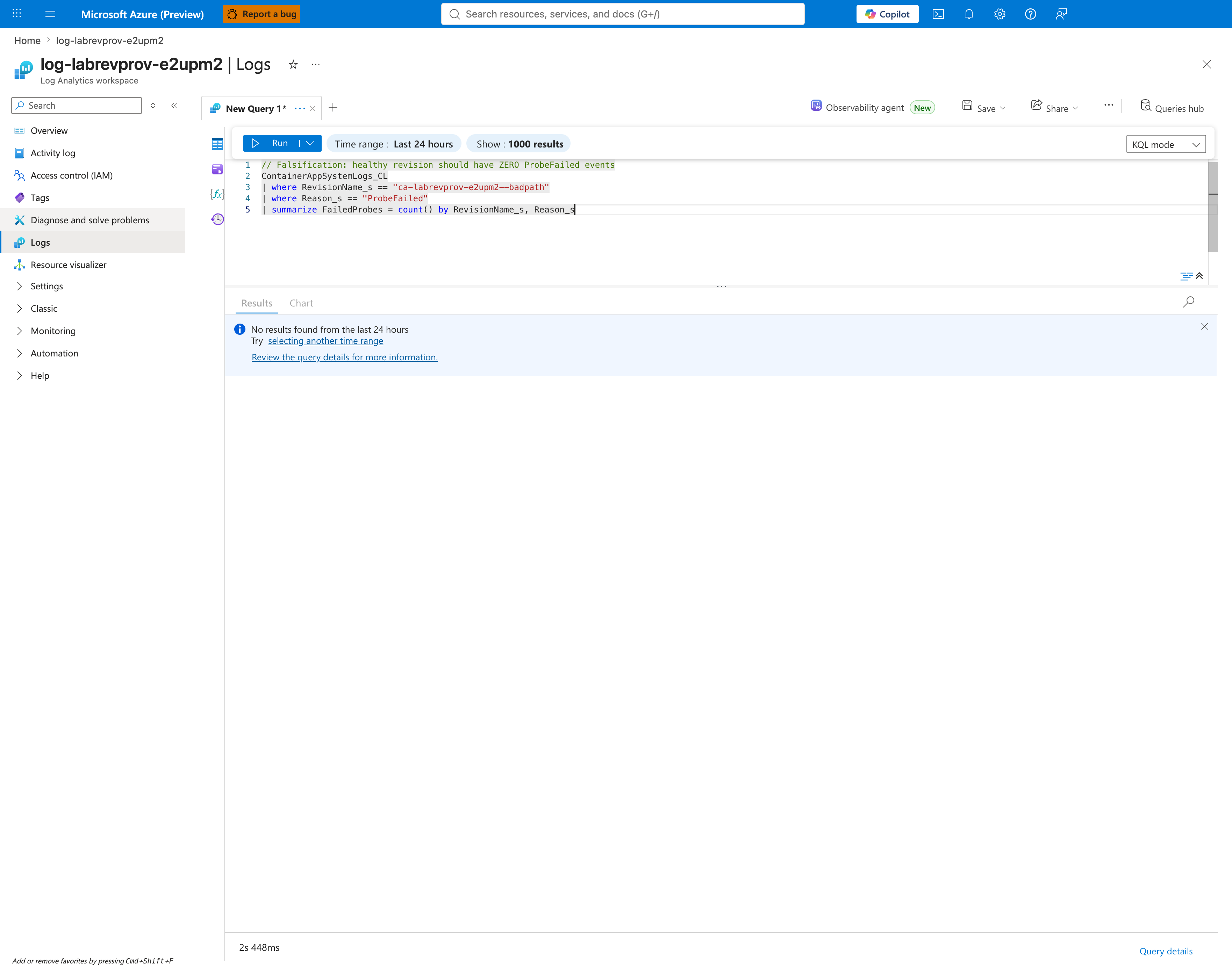
[Inferred] Falsifying the alternative hypothesis ("the environment itself is broken") confirms the failure mode is isolated to the new revision's startup-probe configuration. The environment is healthy; the evidence does not support an environment-wide failure.
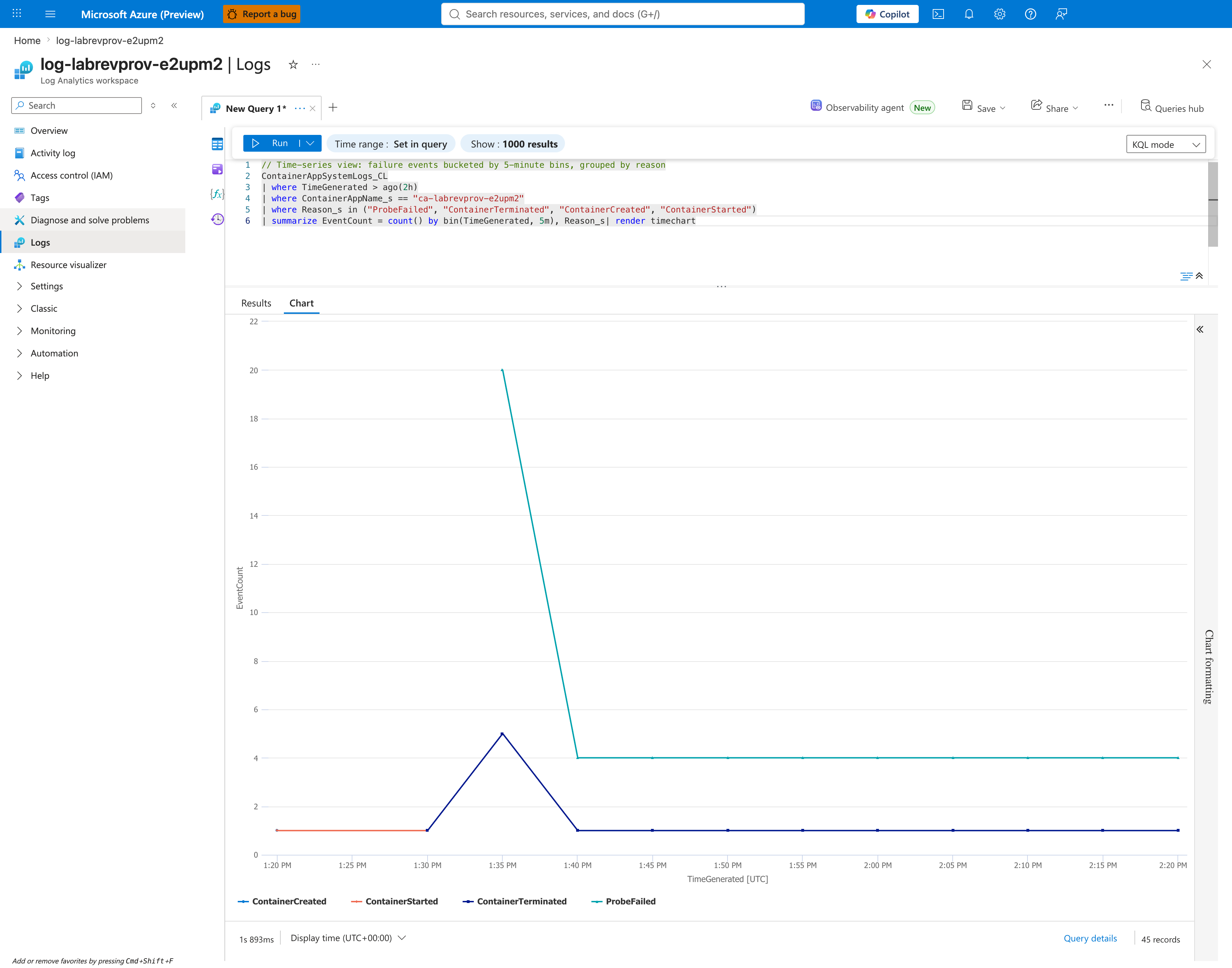
[Observed] KQL timechart rendering of probe failures over time showing the bursting pattern of probe failures every ~5 seconds (matching periodSeconds=5).
Recovery (post-fix evidence)
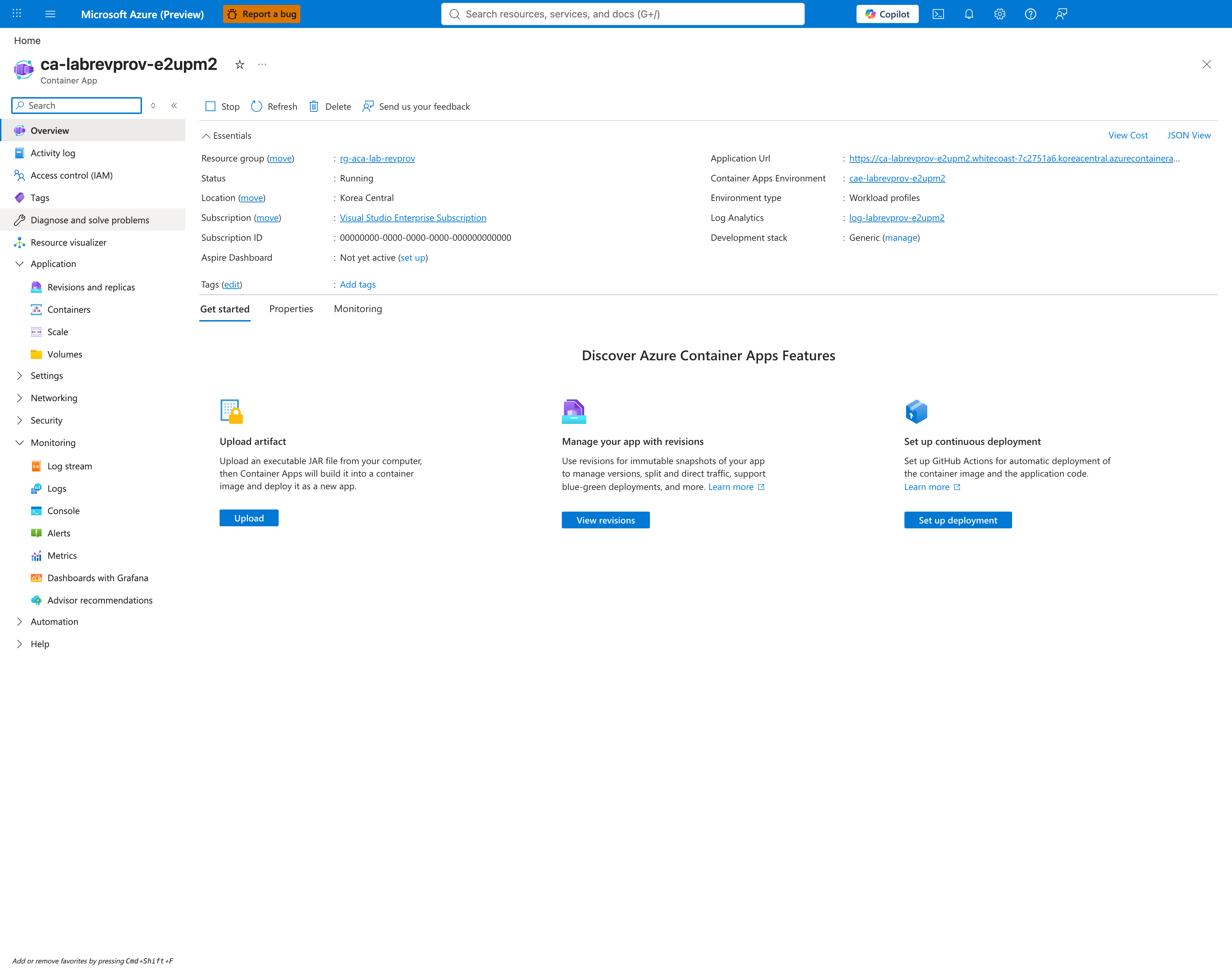
[Observed] After applying the recovery YAML patch (az containerapp update --yaml) with corrected probe path /, the Overview blade shows Status: Running and a new healthy revision badpath3.
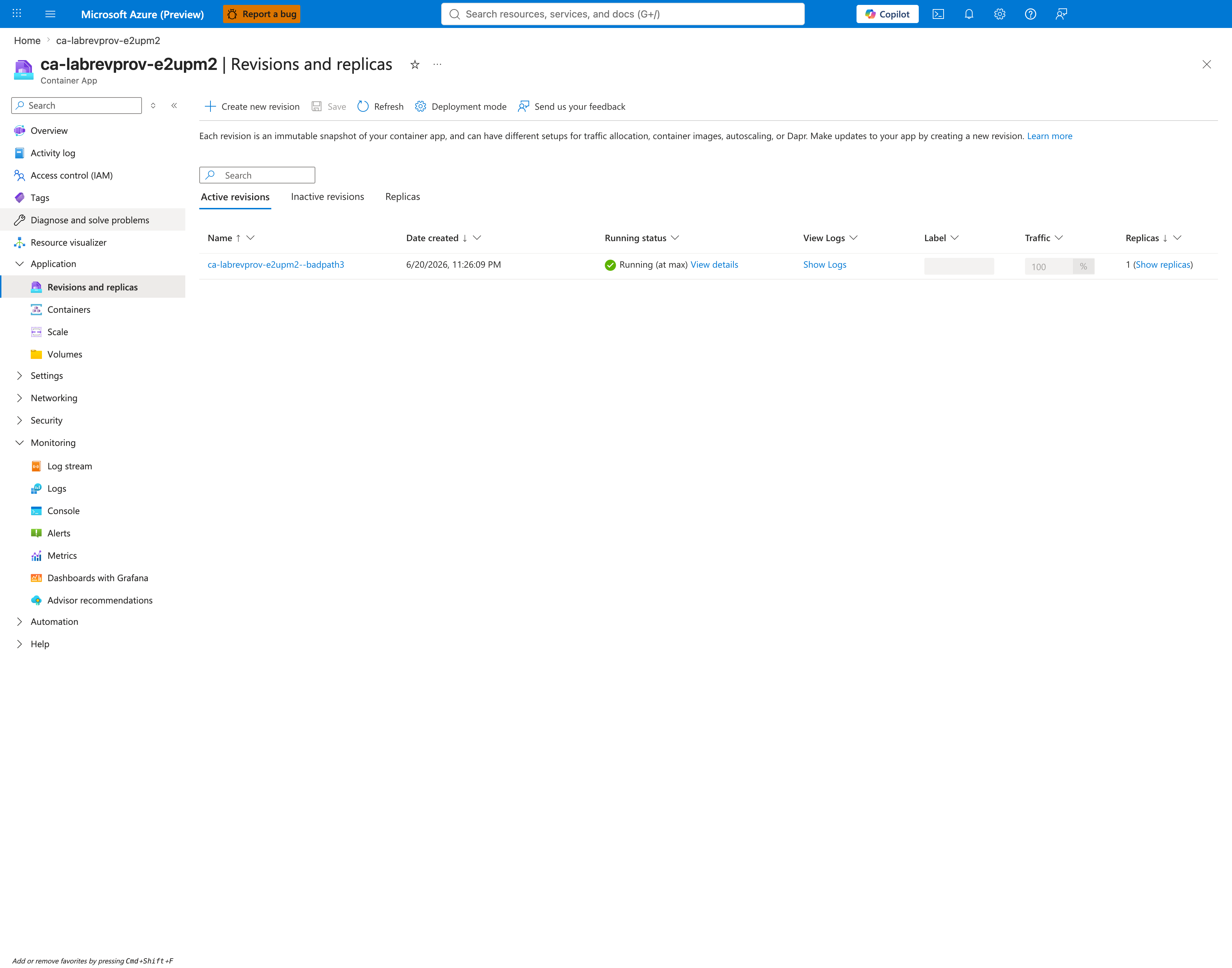
[Observed] Revisions and replicas grid showing badpath3 as the new active revision: Healthy, Provisioned, 1/1 replicas, 100% traffic. The previously failed badpath2 revision is auto-deactivated.
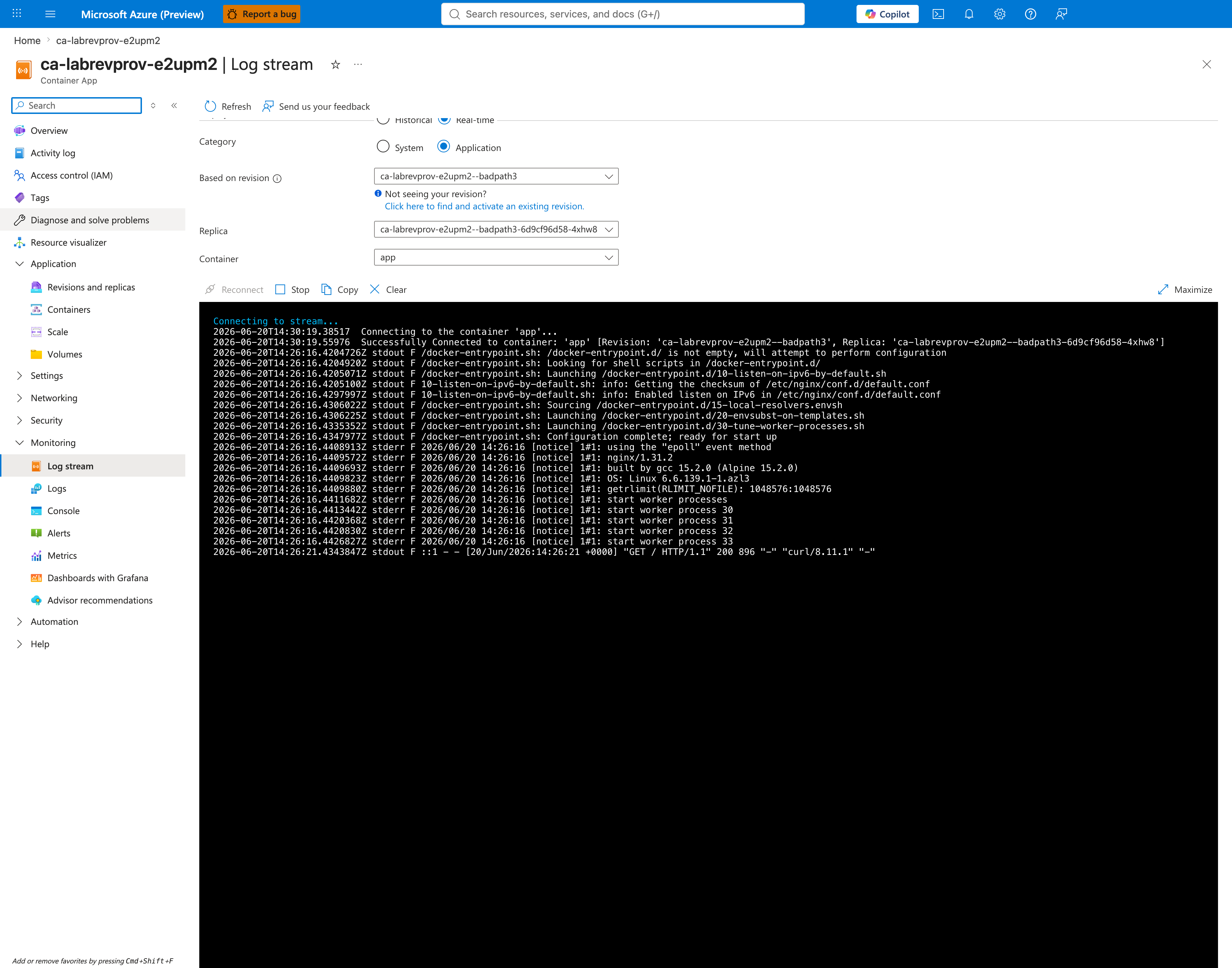
[Observed] Log stream after recovery with Category: Application selected and Based on revision: ca-labrevprov-e2upm2--badpath3, showing clean nginx startup output (epoll event method, worker processes 30–33 started) and a single successful probe request "GET / HTTP/1.1" 200 896 — no 404s, no SIGCHLD, no worker process exits. The probe is succeeding at / (nginx default index page returns 200 OK).
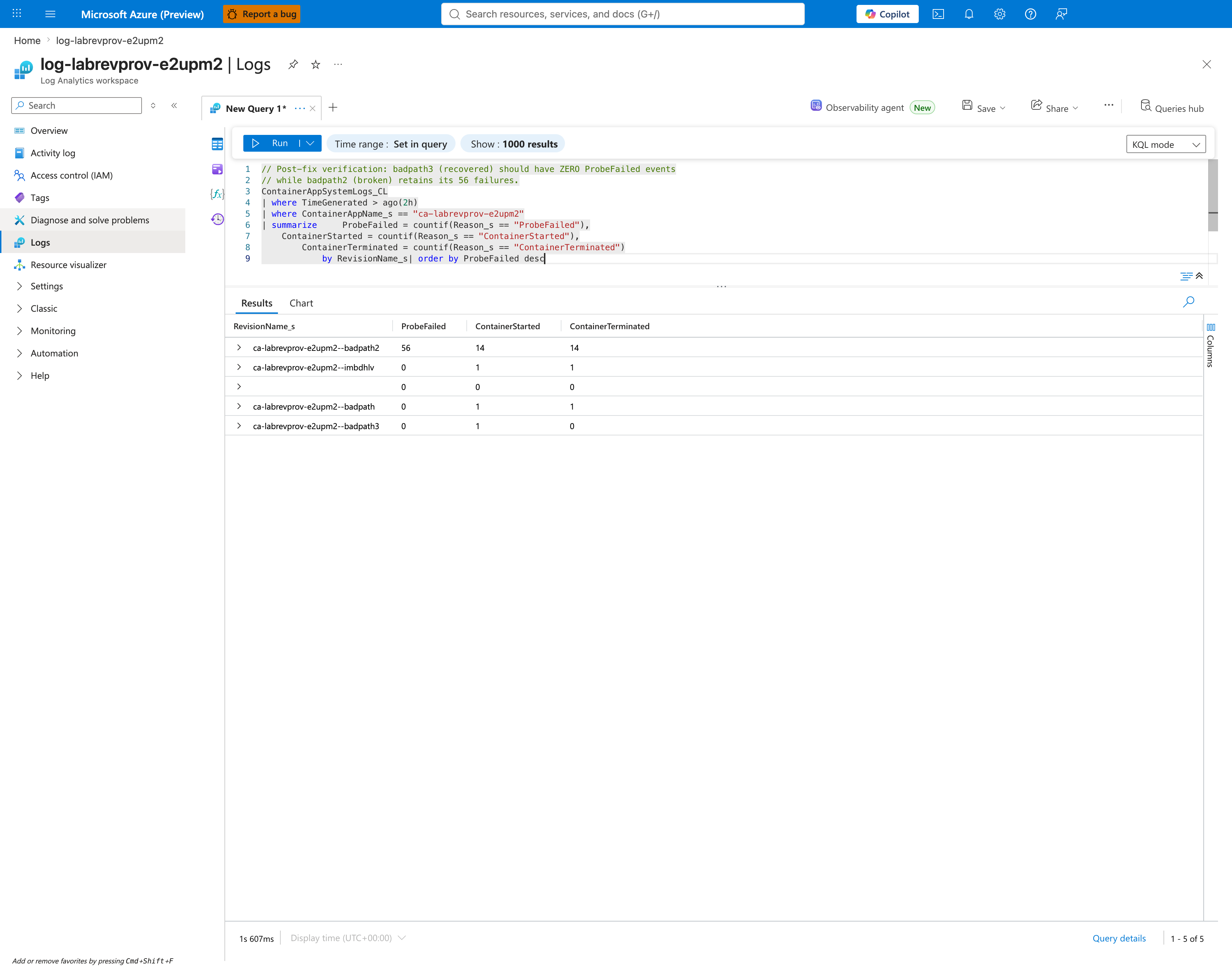
[Observed] KQL post-fix verification query summarizing ProbeFailed, ContainerStarted, and ContainerTerminated counts per revision. The recovered revision ca-labrevprov-e2upm2--badpath3 shows ProbeFailed=0, ContainerStarted=1, ContainerTerminated=0, while the failed revision ca-labrevprov-e2upm2--badpath2 retains ProbeFailed=56, ContainerStarted=14, ContainerTerminated=14 from the reproduction window. The two pre-existing healthy revisions (badpath, imbdhlv) each show ProbeFailed=0 — confirming the probe-failure mode is isolated to badpath2.
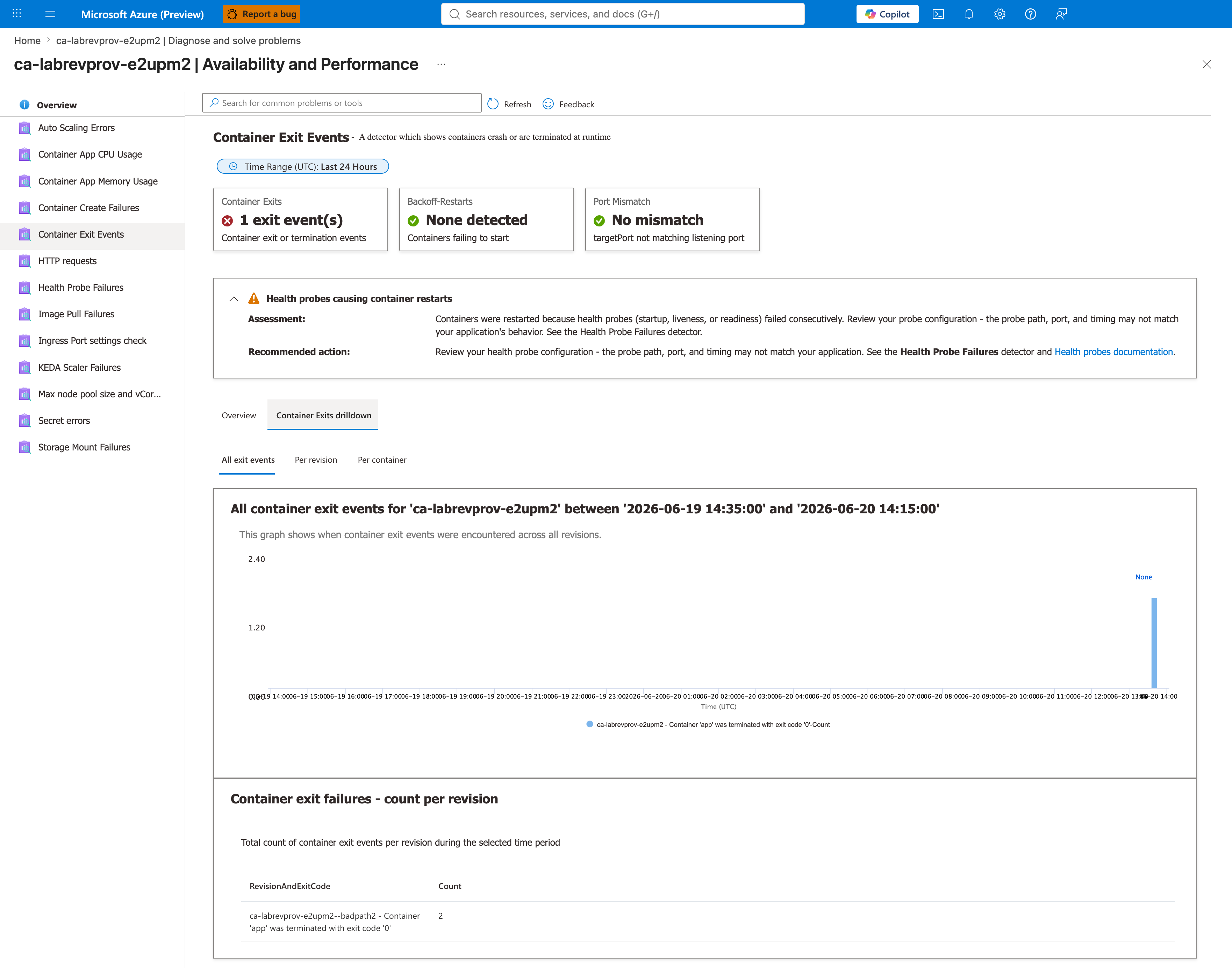
[Observed] Container Exit Events detector — Container Exits drilldown tab showing the historical exit events still visible from badpath2 in the 24-hour window, but NO new exit events from badpath3.
[Strongly Suggested] The recovery sequence (captures 36-40) supports a bounded causal claim in reverse: when badpath2 is replaced by badpath3, the startup-probe path changes from /nonexistent-health-endpoint to / and the revision becomes Healthy. Other probe-field deltas (httpGet.scheme, initialDelaySeconds, timeoutSeconds, successThreshold) remain documented confounders, so this is bounded falsification rather than single-variable proof.
Operator Takeaway
For this failure mode (revision provisioning failure due to misconfigured startup probe):
- First diagnosis stop: Overview blade ->
Revisions with Issuestab — see the failing revision name within seconds. - Configuration verification: Containers -> Health Probes tab — confirms the bad probe path or port in plain text.
- Application-level proof: Log Stream -> Application — shows the live HTTP requests from the kubelet probe and the application's responses (404 here).
- Platform-level proof: Log Stream -> System — shows
ProbeFailed -> ContainerTerminated(ProbeFailure)cascade. - Historical proof for tickets: Log Analytics KQL —
ContainerAppSystemLogs_CL | where Reason_s == "ProbeFailed". - Microsoft-managed triage: Diagnose and solve problems -> Availability and Performance -> Health Probe Failures detector.
Support Takeaway
For support engineers handling tickets where a customer reports "my new revision keeps failing":
- Ask: "What changed in the most recent deployment? Specifically, did you add or modify a health probe?"
- Have the customer share the output of:
az containerapp revision show --name <revision-name> --resource-group <rg> --query "properties.template.containers[].probes". - If a startup probe is configured, verify the
pathreturns 200 by exec-ing into the container or running the equivalent HTTP request against the app's container port from a co-located test container. - Recovery: provide the customer with the corrected probe YAML or instruct them to remove the probe via the Portal Containers blade.
Clean Up
| Command | Why it is used |
|---|---|
az group delete ... | Removes the lab resource group and its contained resources. |
Related Playbook
See Also
- Probe and Port Mismatch Lab — covers app-port mismatch; this lab covers startup-probe endpoint mismatch (bad path or bad port)
- Container Start Failure Playbook