Environment Metrics (Microsoft.App/managedEnvironments)
| Metric ID | Display name | Unit | Dimensions |
|---|---|---|---|
NodeCount | Workload Profile Node Count (Preview) | Count | Workload Profile Name |
IngressUsageNanoCores | Ingress CPU Usage (Preview) | NanoCores | Pod Name, Node Name |
IngressUsageBytes | Ingress Memory Usage Bytes (Preview) | Bytes | Pod Name, Node Name |
IngressCpuPercentage | Ingress CPU Usage Percentage (Preview) | Percent | Pod Name, Node Name |
IngressMemoryPercentage | Ingress Memory Usage Percentage (Preview) | Percent | Pod Name, Node Name |
EnvCoresQuotaLimit | Cores Quota Limit (Deprecated) | Count | None |
EnvCoresQuotaUtilization | Percentage Cores Used Out Of Limit (Deprecated) | Percent | None |
EnvCoresQuotaLimit and EnvCoresQuotaUtilization are deprecated
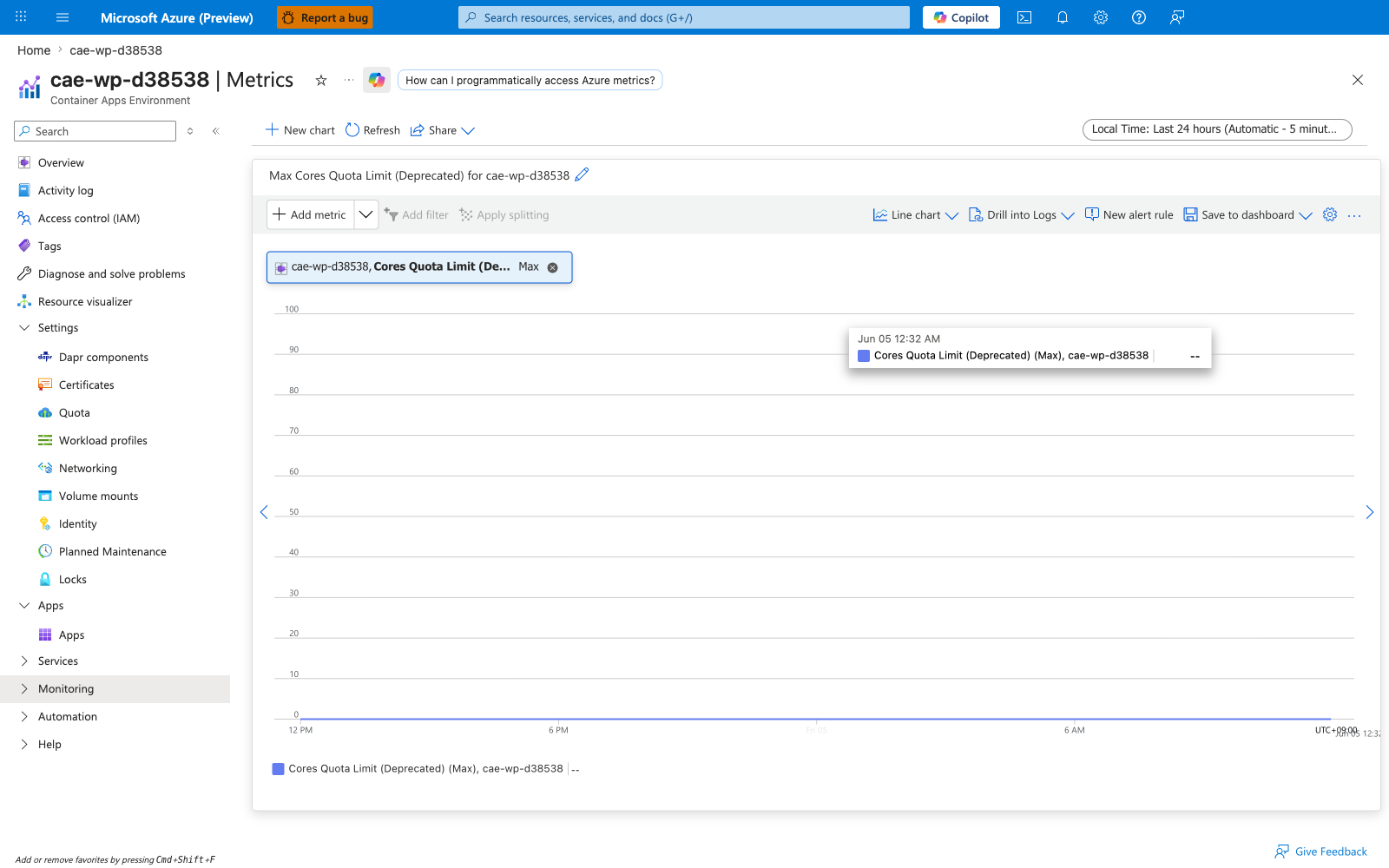
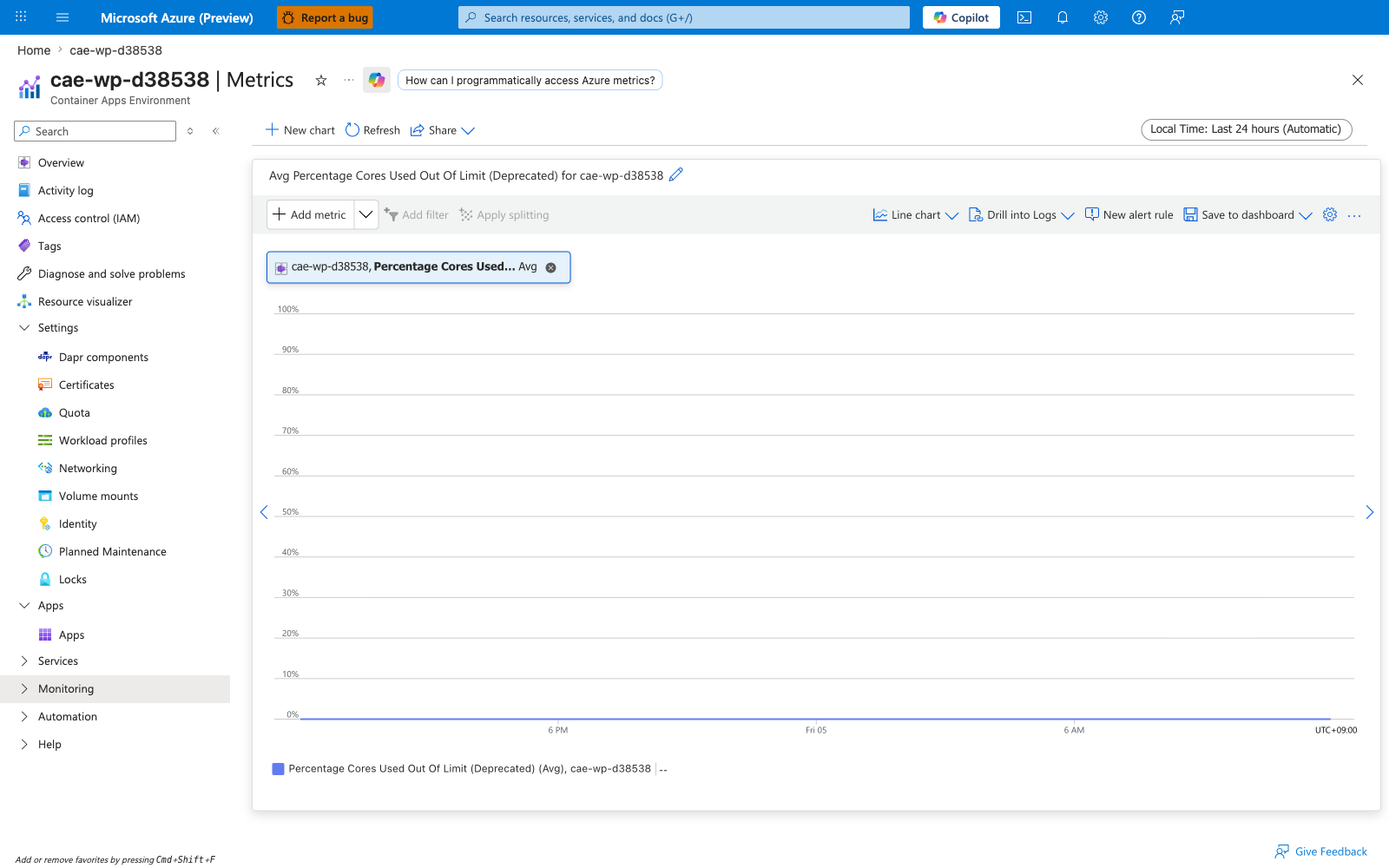
Microsoft Learn flags both of the env-cores-quota metrics with the (Deprecated) suffix in the Portal Metrics blade and they emit no values in current environments. [Observed] In cae-wp-d38538, opening either metric in the Portal returns -- in the Avg value pill and a flat empty chart. Use az containerapp env list-usages --resource-group $RG --name $ACA_ENV_NAME instead — that returns the ManagedEnvironmentConsumptionCores / ManagedEnvironmentGeneralPurposeCores counters Azure's enforcement actually checks against. See Subscription quota exceeded playbook.
Ingress metrics are env-wide, not per-app
The four Ingress* metrics measure the resource consumption of the Container Apps environment-level ingress proxy (the public Envoy gateway shared by all apps with external ingress), not the per-replica sidecar inside each app. The podName / nodeName dimensions refer to ingress-controller pods, not application replicas. To attribute ingress traffic to a specific app, use the per-app Requests and ResponseTime metrics instead.
NodeCount — Workload Profile Node Count (Preview)
Current count of underlying nodes in a workload profile within a Container Apps Environment, split by the Workload Profile Name dimension. The metric is published on the Microsoft.App/managedEnvironments namespace for environments that use the workload profiles architecture (any environment that lists profiles under properties.workloadProfiles, including the auto-managed Consumption profile and any explicitly added Dedicated profiles such as D4, D8, E4, E8, or GPU variants). For the older Consumption-only environment type (no workloadProfiles block on the environment), this metric is not emitted.
| Property | Value |
|---|---|
| Unit | Count |
| Recommended aggregation | Maximum for capacity headroom |
| Useful split | workloadProfileName to break down per profile |
| Goes up when | Apps assigned to a workload profile request enough cumulative CPU/memory to exceed the current node fleet, prompting the profile to scale within its min-nodes and max-nodes bounds |
| Stays at the minimum when | No app on that profile is requesting more capacity than the current node count provides |
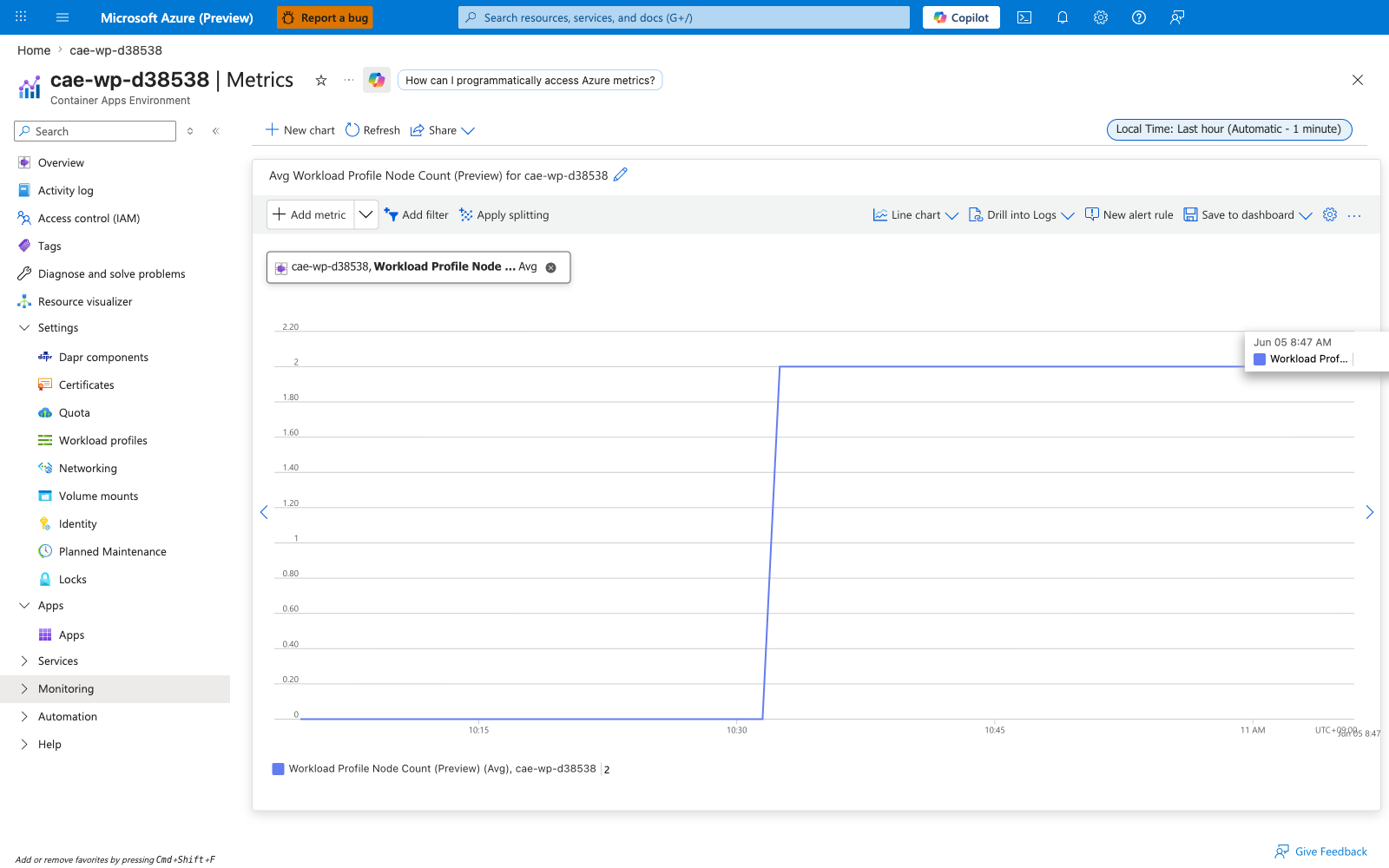
| Sample observed | [Observed] Maximum=2 on a D4 workload profile (min-nodes=2, max-nodes=2) in cae-wp-d38538 with one app pinned to that profile |
If apps land on the wrong workload profile (or no profile at all), see Workload profile mismatch playbook.
Captures
Baseline view of NodeCount on cae-wp-d38538 — no split, Maximum aggregation. The D4 workload profile is provisioned with min-nodes=2, max-nodes=2 (pinned fleet, no autoscaling headroom in this lab) and the env holds one app on that profile, so the metric sits at Max=2 throughout the test window. The Consumption profile (auto-managed) renders alongside but reports 0 because no app is currently scheduled on it.
Split by workloadProfileName
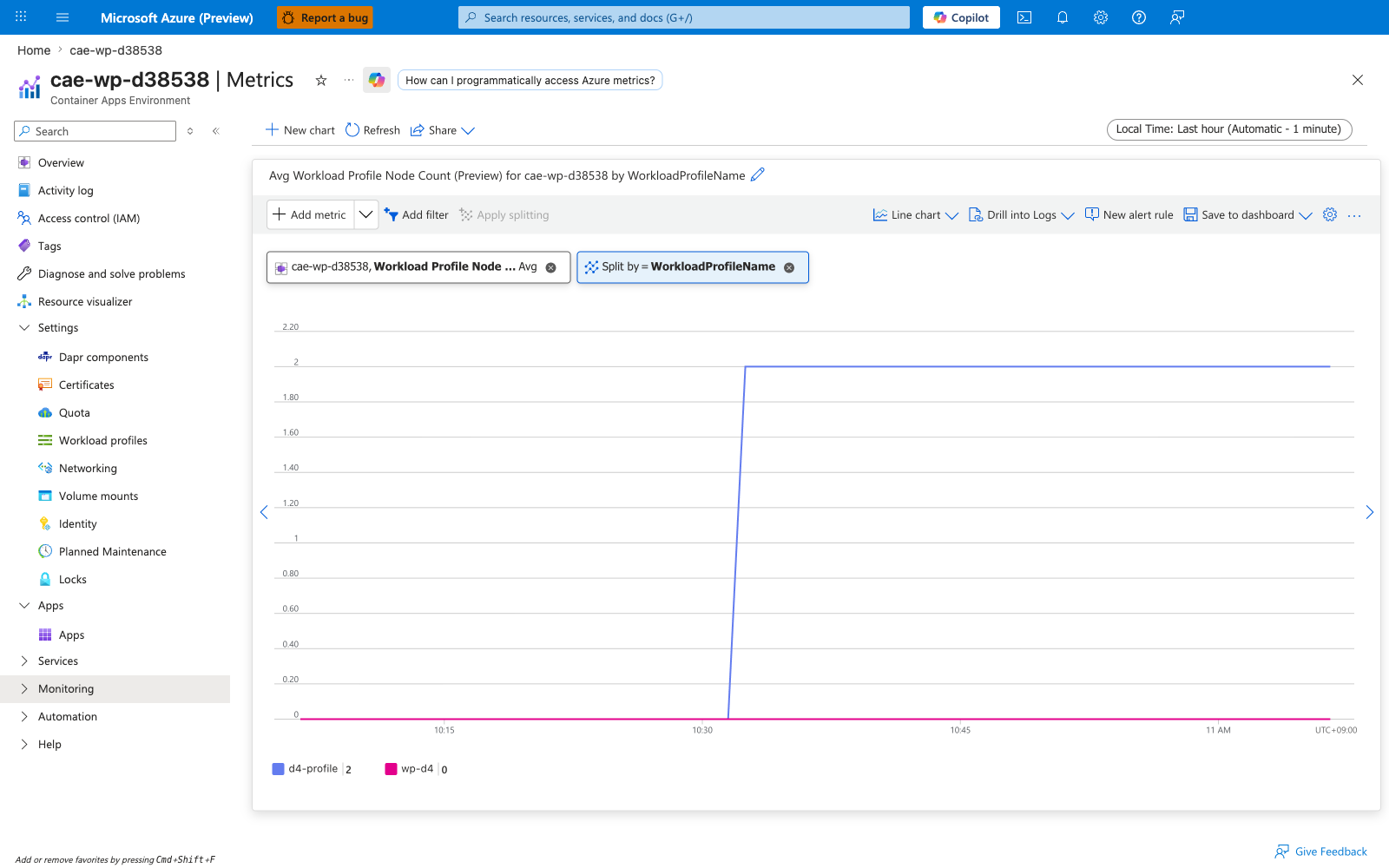
Same metric split by workloadProfileName. This is the mandatory view for capacity planning on multi-profile environments: it separates Consumption-profile node count (managed entirely by the platform) from each Dedicated profile (D4, D8, E4, etc.) you have added. Use this view to confirm a Dedicated profile is honoring its min-nodes floor and is not pinned at max-nodes — a profile stuck at max-nodes means workloads have outgrown the ceiling, see the workload profile mismatch playbook.
IngressUsageNanoCores — Ingress CPU Usage (Preview)
Absolute CPU consumption (in nanocores) of the environment-level ingress proxy — the shared Envoy gateway that fronts every app with external ingress in a Container Apps Environment. This metric is per-ingress-pod, not per-application: the podName dimension lists ingress controller pods, not your application replicas.
| Property | Value |
|---|---|
| Unit | NanoCores (1 vCPU = 1,000,000,000) |
| Recommended aggregation | Average for trend, Maximum for spike detection |
| Useful splits | podName (per ingress-controller pod), nodeName (per host) |
| Goes up when | The shared ingress proxy is serving more requests, processing larger payloads, or terminating more TLS handshakes for any app in the environment |
| Stays flat when | External request volume is steady across all apps in the environment |
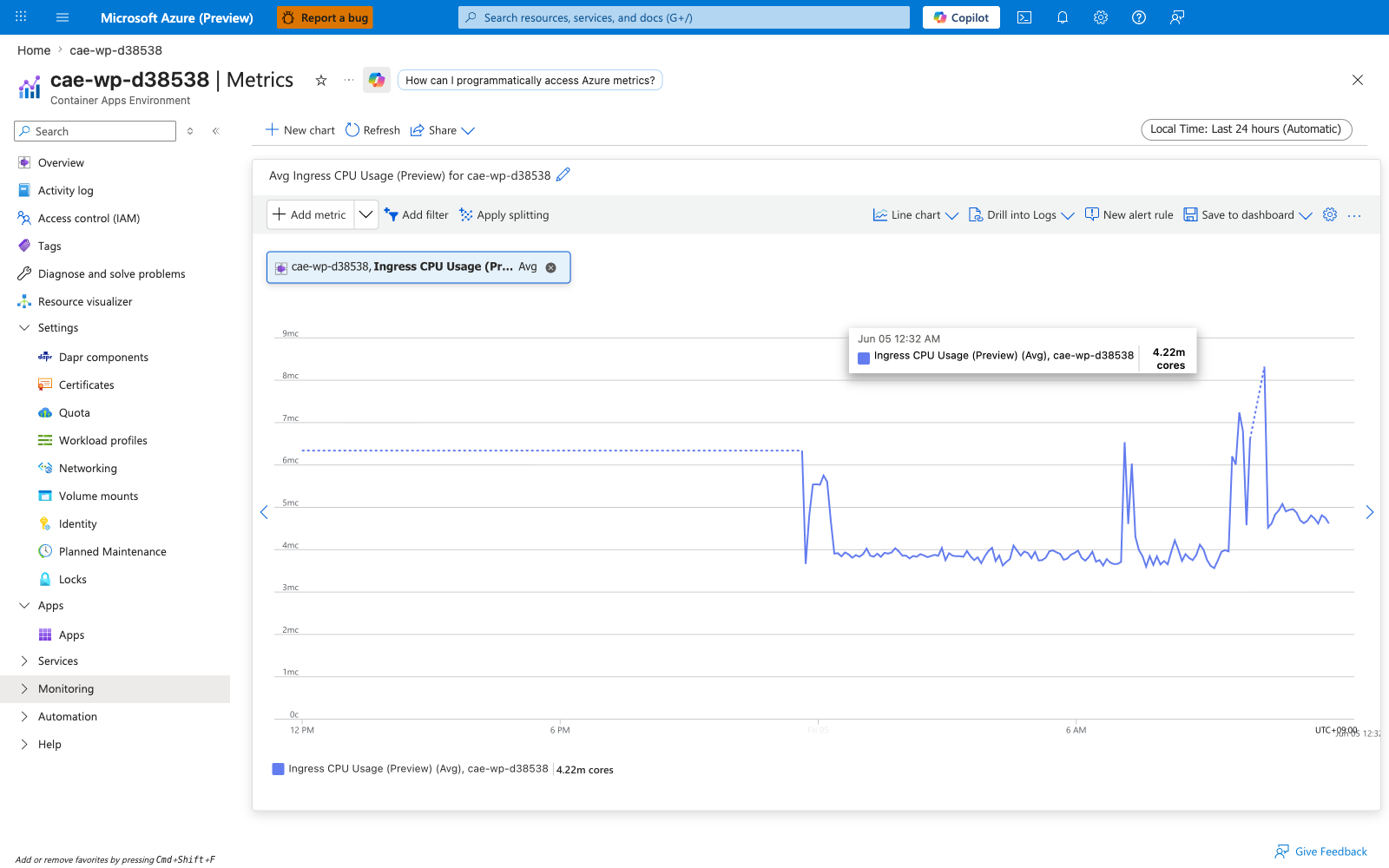
| Sample observed | [Observed] Low baseline values in cae-wp-d38538 reflecting the env-level ingress controller's own activity (this lab placed only ca-node-anchor in cae-wp-d38538, with internal-only ingress; the load-driven app ca-loadtest-d38538 lives in a separate environment cae-basics-d38538). A high-traffic example would require capturing this metric on an env that hosts external-ingress apps under sustained load. |
This metric is for environment operators investigating cross-app ingress bottlenecks, not for app owners debugging their own replica CPU — for that, use the per-app UsageNanoCores/CpuPercentage. A sustained climb here while no individual app's Requests rate has changed signals the shared ingress is saturating, which typically means the environment needs to be split or the affected apps moved to a dedicated environment.
Captures
Baseline view of IngressUsageNanoCores on cae-wp-d38538 — no split, Average aggregation. This env hosts only ca-node-anchor (internal ingress, no external traffic), so the chart reflects the env-level ingress controller's baseline cost rather than application-driven load. The load-driven app ca-loadtest-d38538 is in a separate env (cae-basics-d38538) and does not contribute to this chart.
IngressUsageBytes — Ingress Memory Usage Bytes (Preview)
Absolute memory consumption (in bytes) of the environment-level ingress proxy pods.
| Property | Value |
|---|---|
| Unit | Bytes |
| Recommended aggregation | Average for baseline drift, Maximum for OOM proximity |
| Useful splits | podName (per ingress-controller pod), nodeName (per host) |
| Goes up when | The shared ingress proxy buffers more concurrent connections, holds more TLS session state, or accumulates internal Envoy stats |
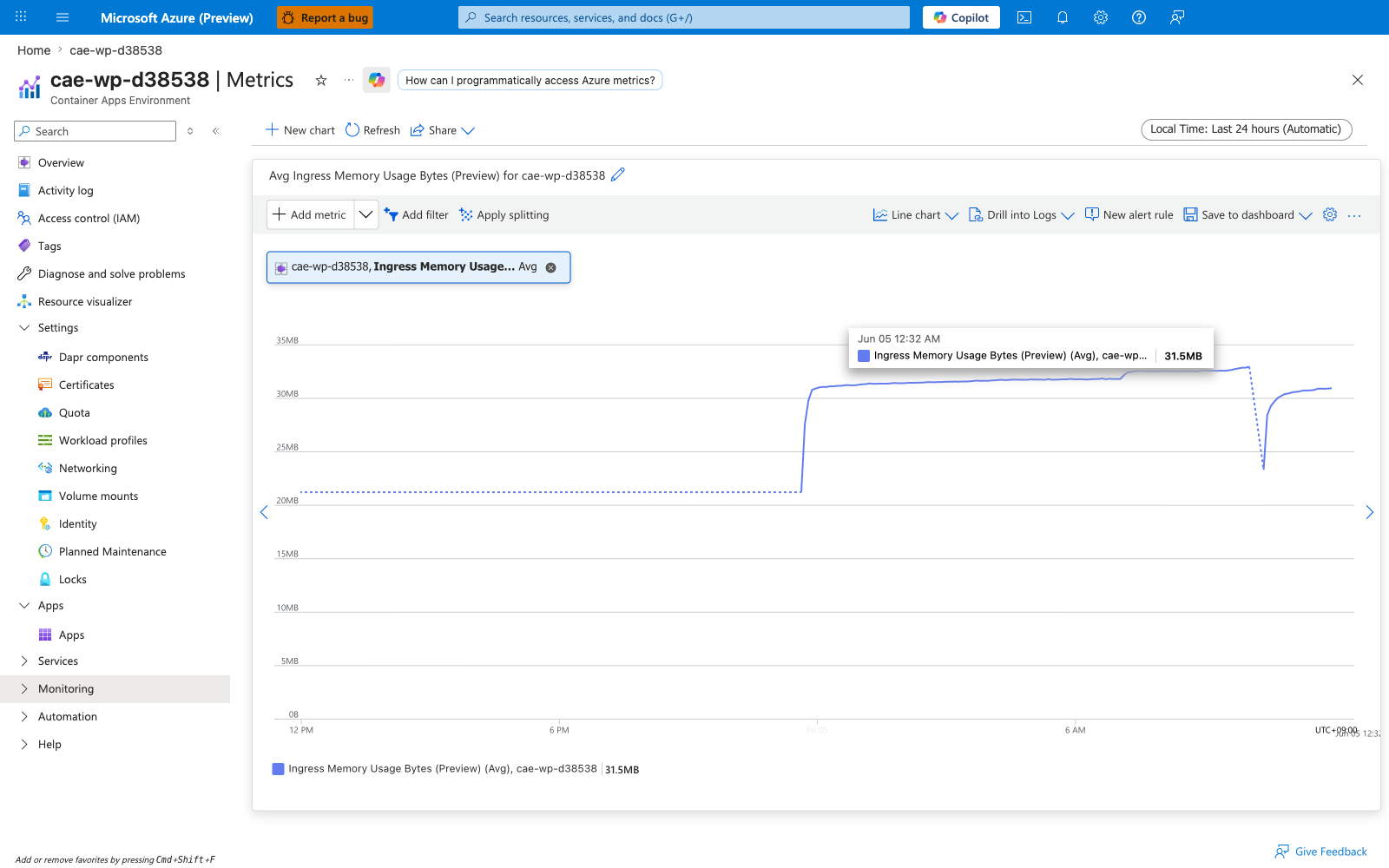
| Sample observed | [Observed] Low baseline values in cae-wp-d38538 reflecting the env-level ingress controller's working set; this env hosts only ca-node-anchor (internal ingress), so the chart does not reflect application load |
A monotonically rising IngressUsageBytes on a steady traffic profile would indicate a memory leak in the ingress data plane itself — open a support case rather than restarting the env, because the ingress is platform-managed.
Captures
Baseline view of IngressUsageBytes on cae-wp-d38538 — no split, Average aggregation. Same dual-env caveat as IngressUsageNanoCores above: this env hosts only ca-node-anchor (internal ingress), so the value reflects the ingress controller's baseline working set, not application load.
IngressCpuPercentage — Ingress CPU Usage Percentage (Preview)
Percentage of the ingress proxy pod's configured CPU limit currently in use. The denominator is the platform-managed CPU limit on the ingress controller container, not anything you control directly.
| Property | Value |
|---|---|
| Unit | Percent |
| Recommended aggregation | Average for trend, Maximum for saturation |
| Useful splits | podName, nodeName |
| Goes up when | Shared ingress is serving more requests across all apps in the environment |
| Saturates at near 100% when | The ingress proxy is CPU-bound — symptom is increased latency for all apps with external ingress in this environment simultaneously |
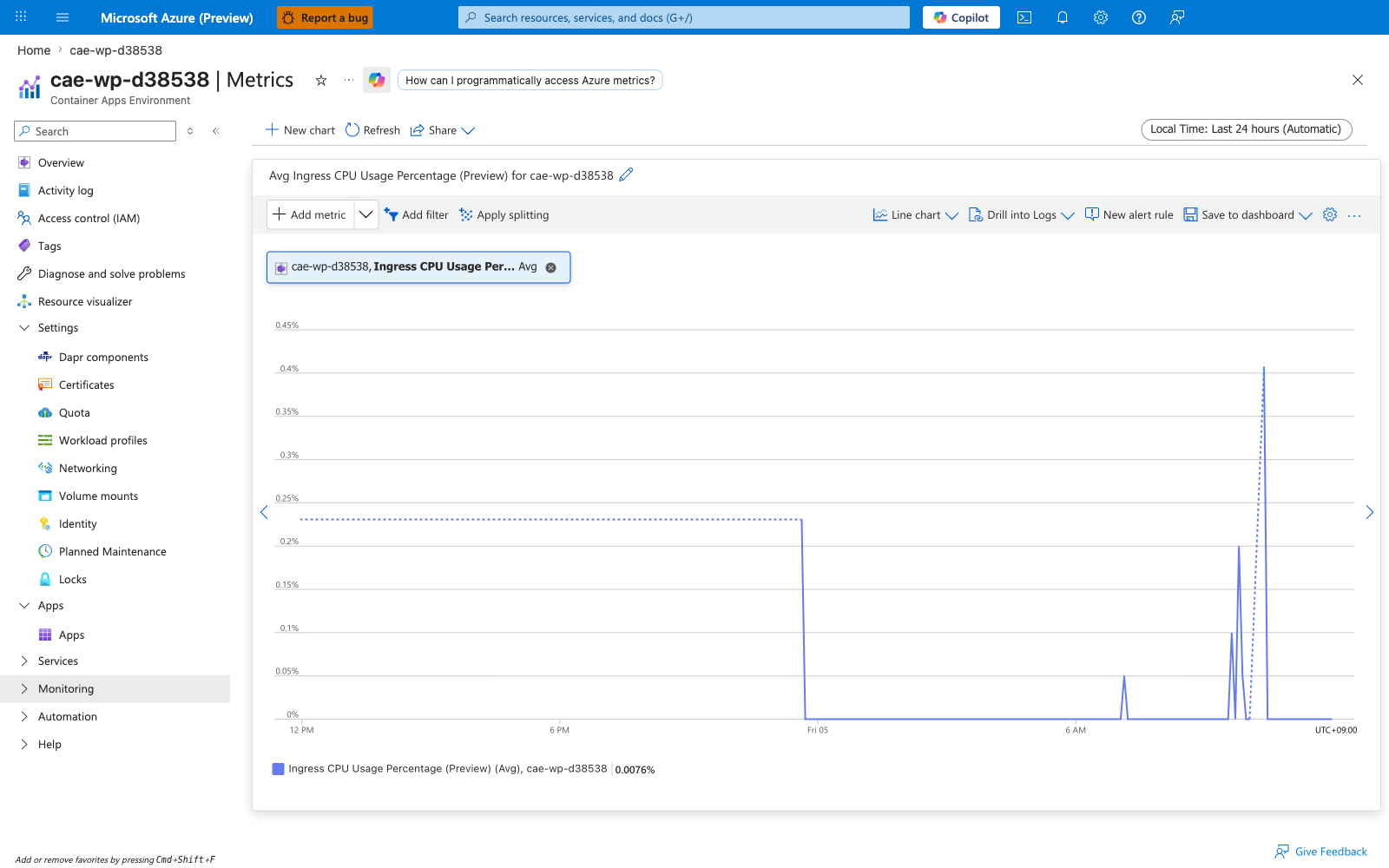
| Sample observed | [Observed] Low single-digit percentages in cae-wp-d38538 — this env hosts only ca-node-anchor (internal ingress), so the value reflects the ingress controller's baseline overhead rather than application load |
Captures
Baseline view of IngressCpuPercentage on cae-wp-d38538 — no split, Average aggregation. Same dual-env caveat as the absolute Ingress metrics: this env hosts only ca-node-anchor (internal ingress), so the chart reflects the ingress controller's baseline overhead, not application traffic.
IngressMemoryPercentage — Ingress Memory Usage Percentage (Preview)
Percentage of the ingress proxy pod's configured memory limit currently in use.
| Property | Value |
|---|---|
| Unit | Percent |
| Recommended aggregation | Average for baseline, Maximum for OOM proximity |
| Useful splits | podName, nodeName |
| Approaches 100% when | The shared ingress is buffering many concurrent in-flight connections or large response bodies across all apps in the environment |
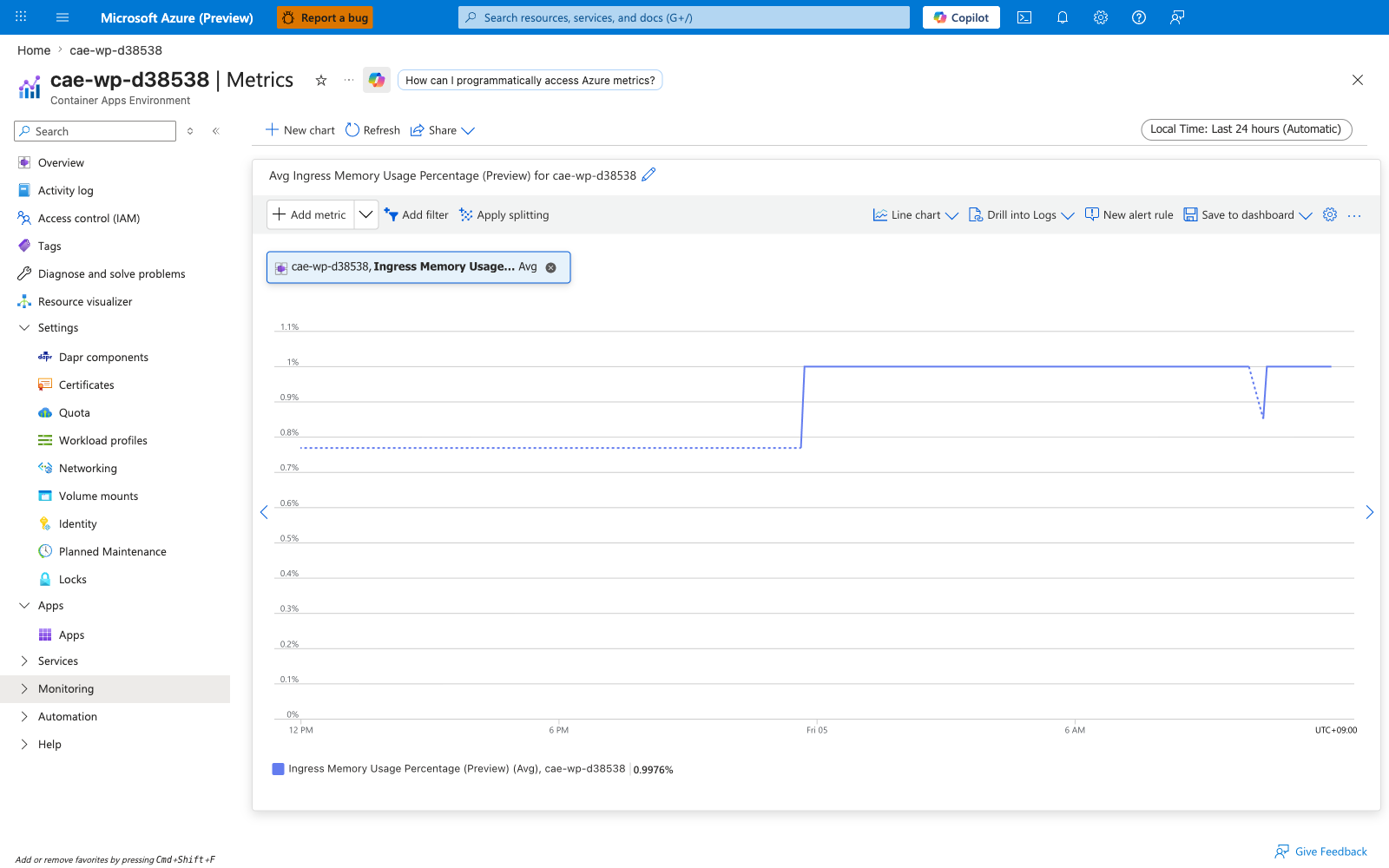
| Sample observed | [Observed] Low single-digit percentages in cae-wp-d38538 — the env hosts only ca-node-anchor (internal ingress) so this value reflects baseline ingress controller memory rather than application load |
Captures
Baseline view of IngressMemoryPercentage on cae-wp-d38538 — no split, Average aggregation. Same dual-env caveat as the other Ingress metrics: this env hosts only ca-node-anchor (internal ingress), so the value reflects baseline ingress memory rather than application load.
EnvCoresQuotaLimit and EnvCoresQuotaUtilization — Deprecated cores quota metrics
The two env-scope cores-quota metrics — EnvCoresQuotaLimit (the configured cores quota for the environment) and EnvCoresQuotaUtilization (the percentage of that quota currently consumed) — are flagged (Deprecated) by Microsoft Learn and emit no values in current environments.
| Property | Value |
|---|---|
| Unit | EnvCoresQuotaLimit = Count, EnvCoresQuotaUtilization = Percent |
| Recommended aggregation | N/A (no values emitted) |
| Useful splits | None — neither metric exposes dimensions |
| What you see in Portal | -- in the Avg value pill, empty flat chart |
| Replacement | az containerapp env list-usages --resource-group $RG --name $ACA_ENV_NAME returns the ManagedEnvironmentConsumptionCores and ManagedEnvironmentGeneralPurposeCores counters that Azure's enforcement actually checks against |
Captures
Both deprecated metrics render identically: the Portal Metrics blade accepts the metric in the dropdown but the chart is empty and the Avg value pill shows --. These captures are included to document the empty-state so support engineers can confirm at a glance that the absence of data is expected (deprecation), not a logging or permissions failure.
For the replacement workflow, see Subscription quota exceeded playbook.
See Also
- Metrics Overview
- Container App Metrics
- Environment Metrics
- Percentage Metrics
- Dimensions
- KEDA Observability
- Evidence and Captures