Image Security in Azure Container Apps
Image security in Azure Container Apps is a combination of registry authentication, revision behavior, and external governance controls. This page explains what Azure Container Apps does natively during image pulls and where you need Azure Container Registry, Azure Policy, or Defender for Cloud to complete the control set.
How Container Apps pulls images
Container Apps stores registry settings with the app configuration and uses them when deploying a revision.
Microsoft Learn documents three practical pull patterns:
- Public registry: no private registry credentials required.
- Private registry with username/password: registry credentials are stored and used during deployment.
- Private Azure Container Registry with managed identity: the app uses a system-assigned or user-assigned managed identity instead of registry credentials.
Managed identity for Azure Container Registry
For ACR, the recommended security posture is managed identity.
Requirements documented by Microsoft Learn:
- Enable the managed identity on the container app.
- Assign the identity the
AcrPullrole on the registry. - Do not configure a username and password when using managed identity.
Managed identity is the preferred ACR authentication path
Managed identity removes long-lived registry credentials from app configuration and gives you auditable RBAC-based access to the registry.
Portal view: Identity blade (ACR pull prerequisite)
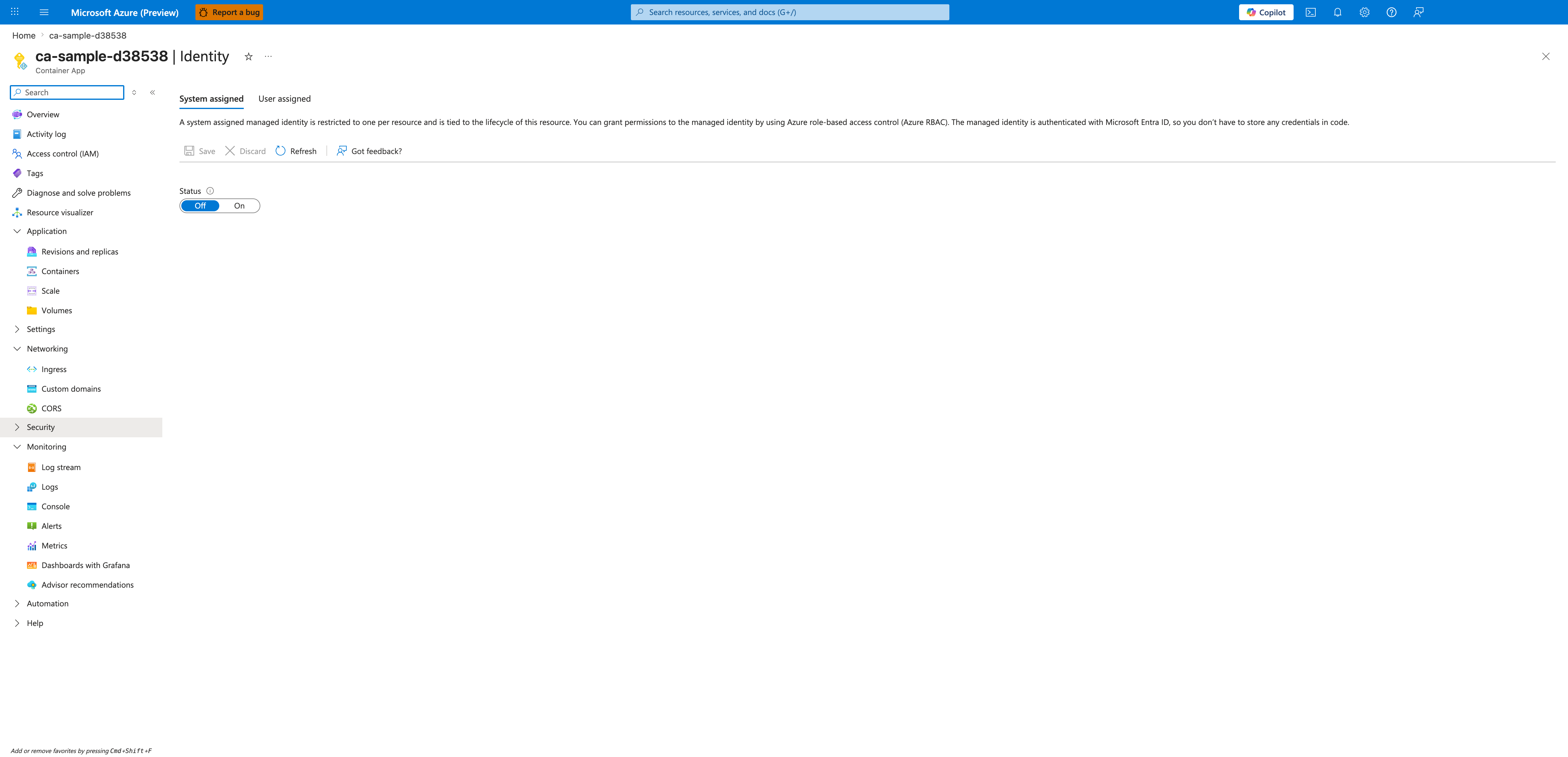
[Observed] The blade is <your-app-name> | Identity with the subtitle Container App. Two tabs are rendered: System assigned (selected) and User assigned. The command bar exposes Save, Discard, Refresh, and Got feedback?. A single form field labeled Status is rendered as an Off / On toggle, currently set to Off.
[Inferred] The two-tab split between System assigned and User assigned is consistent with the two managed identity flavors named in the Managed identity for Azure Container Registry requirements list — either flavor satisfies the "Enable the managed identity on the container app" prerequisite. The single Status toggle on the System assigned tab is consistent with this page's recommendation to prefer managed identity over username and password registry credentials, as it is the surface where identity enablement is exposed on this blade. The Save / Discard pair on the command bar is consistent with identity configuration being an explicit committed change on this blade rather than an inferred side effect of other settings.
[Not Proven] This image does not show the AcrPull role assignment itself, which lives on the Azure Container Registry resource rather than on this blade. It does not show the principal ID, tenant ID, or any user-assigned identity attachment. It does not show the registry configuration on the Container App that would consume the identity. The toggle is currently Off, so the post-enable principal ID field and any associated permissions surface are not rendered in this capture.
Username and password for private registries
Container Apps also supports private registry authorization through username and password. This is functional, but it shifts the security burden to secret storage and credential rotation.
For ACR specifically, that usually means using either:
- An admin user credential, or
- A service principal credential.
Both are weaker production defaults than managed identity.
Image pull and revision activation flow
Container Apps treats image changes as revision-scope configuration. That means a new or changed image reference creates a new revision, and the platform uses the configured registry authentication method to pull the image for that revision.
flowchart TD
    A[Revision-scope image change] --> B[New revision created]
    B --> C[Container Apps checks registry config]
    C --> D{Authentication method}
    D --> E[Public registry pull]
    D --> F[Private registry username and password]
    D --> G[ACR managed identity + AcrPull]
    E --> H[Image manifest and layers pulled]
    F --> H
    G --> H
    H --> I[Revision activates]
Security implications:
- A mutable tag can cause a new revision to pick up a different image than you expect.
- Broken registry auth blocks revision startup.
- Revision health validation should be part of image promotion, not an afterthought.
Public vs private registries
| Registry type | Authentication model | Security posture | Typical guidance |
|---|---|---|---|
| Public registry | Usually anonymous pull | Lowest control | Acceptable for experimentation, not ideal for production |
| Private registry with username/password | Stored credential | Medium to low | Use only when managed identity is not available |
| Azure Container Registry with managed identity | RBAC + managed identity | Strongest documented native Azure Container Apps option | Preferred production default |
Trusted or allowed registries
This is a common architecture review question: does Azure Container Apps natively enforce an allow-list of registries?
Conservative answer
Container Apps documentation describes how to configure registries for an app, but it does not document a native Container Apps feature called allowed registries or trusted registries that enforces image source allow-listing by itself.
Use these controls instead:
- Azure Policy for governance over approved resource configurations.
- Azure Container Registry policy and network controls for the registry surface.
- Platform review standards that require ACR or other approved registries in CI/CD.
Do not describe allowed registries as a native Container Apps enforcement feature
Microsoft Learn documents registry configuration and governance options around Azure resources, but not a built-in allow-list switch specific to Container Apps for image sources. Treat allow-listing as a policy and supply-chain governance control.
Vulnerability scanning and image assessment
Container Apps does not document a built-in native image vulnerability scanner on the app resource itself. The documented vulnerability management path is registry-centric.
Defender for Containers and ACR
Microsoft Learn documents Defender for Containers as providing vulnerability assessment for container images in Azure Container Registry.
That means the security control is primarily:
- Registry-side: scan the image in ACR.
- Governance-side: review or gate promotion based on findings.
- Container Apps side: deploy only approved image references.
What lives on Container Apps vs ACR
| Control | Native Container Apps surface | ACR / governance surface |
|---|---|---|
| Registry authentication | Yes | N/A |
| Managed identity for ACR pull | Yes | Requires AcrPull on ACR |
| Vulnerability scanning | No documented native Container Apps scanner | Yes, via Defender for Containers on ACR |
| Source allow-listing | No documented native Container Apps allow-list feature | Policy / governance pattern |
| Private network path to registry | Indirectly, through environment networking | ACR private endpoints and DNS |
Recommended image security posture
Use this as the platform baseline:
- Store production images in Azure Container Registry.
- Use managed identity + AcrPull for image pulls.
- Treat image changes as revision rollouts and validate revision health.
- Enable Defender for Containers for ACR image scanning.
- Use policy and CI/CD governance to restrict image sources.
For the operational side of pull failures, registry DNS, and rollout troubleshooting, use the operations guide rather than repeating those steps here.
See Also
- Security Overview
- Operations: Image Pull and Registry
- Managed Identity
- Private Endpoints
- Image Security Best Practices
Sources
- Manage containers in Azure Container Apps (Microsoft Learn)
- Pull images from Azure Container Registry with managed identity in Azure Container Apps (Microsoft Learn)
- Revisions in Azure Container Apps (Microsoft Learn)
- Security in Azure Container Apps (Microsoft Learn)
- Microsoft Defender for Containers overview (Microsoft Learn)