Scaling Rules Reference in Azure Container Apps
This page is a compact reference for the properties and default behaviors that matter across all Azure Container Apps scaling rules.
Common properties
| Property | Meaning | Learn-confirmed default |
|---|---|---|
minReplicas | Lower bound per revision | 0 |
maxReplicas | Upper bound per revision | 10 |
rules | Array of scale rules | n/a |
pollingInterval | Rule polling cadence for custom rules | 30 seconds |
cooldownPeriod | Scale-in cooldown for custom rules | 300 seconds |
Documented limits:
- maximum configurable replicas: 1000
flowchart TD
    A[Incoming traffic or backlog] --> B[Scale rules evaluate]
    B --> C{Any rule condition met?}
    C -->|Yes| D[Scale out begins]
    C -->|No| E[Remain at current replicas or scale in]
    D --> F[Replica count stays within minReplicas and maxReplicas]
    E --> F
Rule shapes by category
| Category | Shape |
|---|---|
| HTTP | http.metadata.concurrentRequests |
| TCP | tcp.metadata.concurrentConnections |
| Custom / event-driven | custom.type, custom.metadata, optional auth |
Scale-to-zero behavior
- Scale-to-zero depends on rule type and
minReplicas. - HTTP rules can scale to zero when
minReplicasis0. - CPU and memory rules do not allow scale-to-zero.
- Microsoft Learn also warns that apps without ingress and without a custom rule or
minReplicas >= 1can scale to zero and have no incoming trigger to start back up.
Multiple-rule evaluation
Microsoft Learn explicitly documents one key rule:
- If you define more than one scale rule, the container app begins to scale once the first condition of any rule is met.
That means:
- one aggressive rule can dominate scale-out behavior
- validation must cover rule interaction, not just individual thresholds
Practical interpretation
| Design goal | Primary setting | Typical choice |
|---|---|---|
| Lowest idle cost | minReplicas | 0 |
| Warm interactive API | minReplicas | 1+ |
| Dependency protection | maxReplicas | conservative cap |
| Faster event response | scaler metadata threshold | lower backlog trigger |
| Slower scale-in churn | cooldownPeriod | keep default unless tested |
Treat defaults as a starting point, not a production tuning recommendation
The documented defaults are safe references, but production settings should be based on latency SLOs, backlog objectives, and downstream capacity.
Portal view: Scale blade
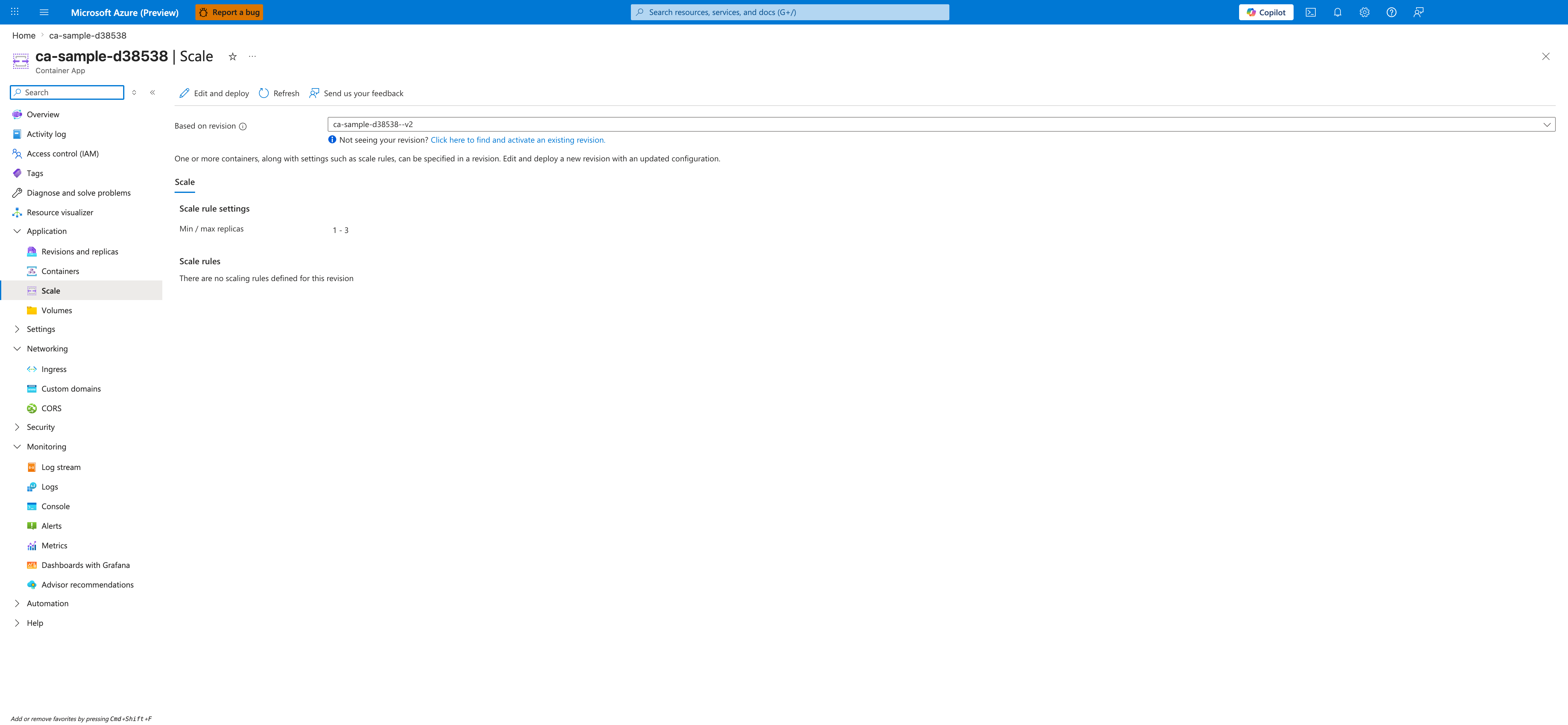
[Observed] The blade header reads <your-app-name> | Scale with the subtitle Container App. The command bar exposes Edit and deploy, Refresh, and Send us your feedback. A Based on revision dropdown is set to <your-app-name>--<revision-suffix> with a helper link reading Not seeing your revision? Click here to find and activate an existing revision. A description below the dropdown explains that containers and scale rules can be specified in a revision and that updates require deploying a new revision. A single Scale tab is selected. Under Scale rule settings, the row Min / max replicas shows the value 1 - 3. Under Scale rules, the empty-state message reads There are no scaling rules defined for this revision. The left navigation highlights Scale under Application.
[Inferred] The Min / max replicas value of 1 - 3 appears to map to the minReplicas and maxReplicas properties in the Common properties table above. The empty-state message under Scale rules is consistent with the rules row in the Common properties table, where rules is described as an array of scale rules. The presence of the Based on revision dropdown is consistent with the "Lower bound per revision" and "Upper bound per revision" wording in the minReplicas and maxReplicas rows of that same table.
[Not Proven] The screenshot does not show any configured HTTP, TCP, or custom rule details from the "Rule shapes by category" table. It does not show the pollingInterval or cooldownPeriod properties. It does not show the scale-to-zero behavior described in the "Scale-to-zero behavior" section or the first-condition-wins evaluation described in the "Multiple-rule evaluation" section. The dialog that opens after clicking Edit and deploy is not visible.
See Also
- Scaling Overview
- HTTP Scaler
- CPU & Memory Scalers
- Event Scalers
- Custom Scalers
- Scaling Best Practices