HTTP Scaler in Azure Container Apps
The HTTP scaler is the default platform fit for interactive APIs and web frontends. It scales a revision based on concurrent request pressure instead of waiting for resource saturation.
HTTP rule shape
The HTTP scale rule uses concurrentRequests inside the rule metadata.
template:
  scale:
    minReplicas: 0
    maxReplicas: 5
    rules:
      - name: http-rule
        http:
          metadata:
            concurrentRequests: "100"
Documented defaults from Microsoft Learn:
concurrentRequestsdefault: 10- documented minimum: 1
flowchart TD
    A[Incoming HTTP requests] --> B[Ingress measures concurrent load]
    B --> C[HTTP scaler compares concurrentRequests threshold]
    C --> D[Desired replica count]
    D --> E[More or fewer revision replicas]
    E --> F[Observed latency and throughput]
Cold start and scale-to-zero
The HTTP scaler can scale a revision down to zero when minReplicas is 0.
That is attractive for:
- low-frequency APIs
- admin tools
- internal services with loose first-request latency targets
It is risky for:
- public APIs with strict latency SLOs
- apps with heavy startup paths
- services that must respond instantly after idle periods
When to prefer HTTP over CPU or memory
Prefer HTTP scaling when the user-facing bottleneck is request concurrency.
| Signal | Best for | Limitation |
|---|---|---|
| HTTP concurrency | Interactive web and API workloads | Can still produce cold-start bias if minReplicas is 0 |
| CPU | Sustained compute pressure | Reacts later than direct request pressure |
| Memory | Sustained memory pressure | Usually a lagging signal for traffic bursts |
Use HTTP scaling for request-driven apps first
Microsoft Learn explicitly recommends preferring HTTP scale rules to CPU or memory rules when possible.
Practical tuning guidance
- Lower
concurrentRequestsfor CPU-heavy handlers. - Raise
minReplicasabove 0 when cold starts are user-visible. - Keep
maxReplicasaligned with downstream capacity, not just frontend demand.
az containerapp update \
  --name "$APP_NAME" \
  --resource-group "$RG" \
  --min-replicas 1 \
  --max-replicas 20 \
  --scale-rule-name "http-concurrency" \
  --scale-rule-type http \
  --scale-rule-metadata "concurrentRequests=50"
| Command | Why it is used |
|---|---|
az containerapp update ... | Updates the existing Container App configuration without recreating the app. |
Portal view: Scale blade
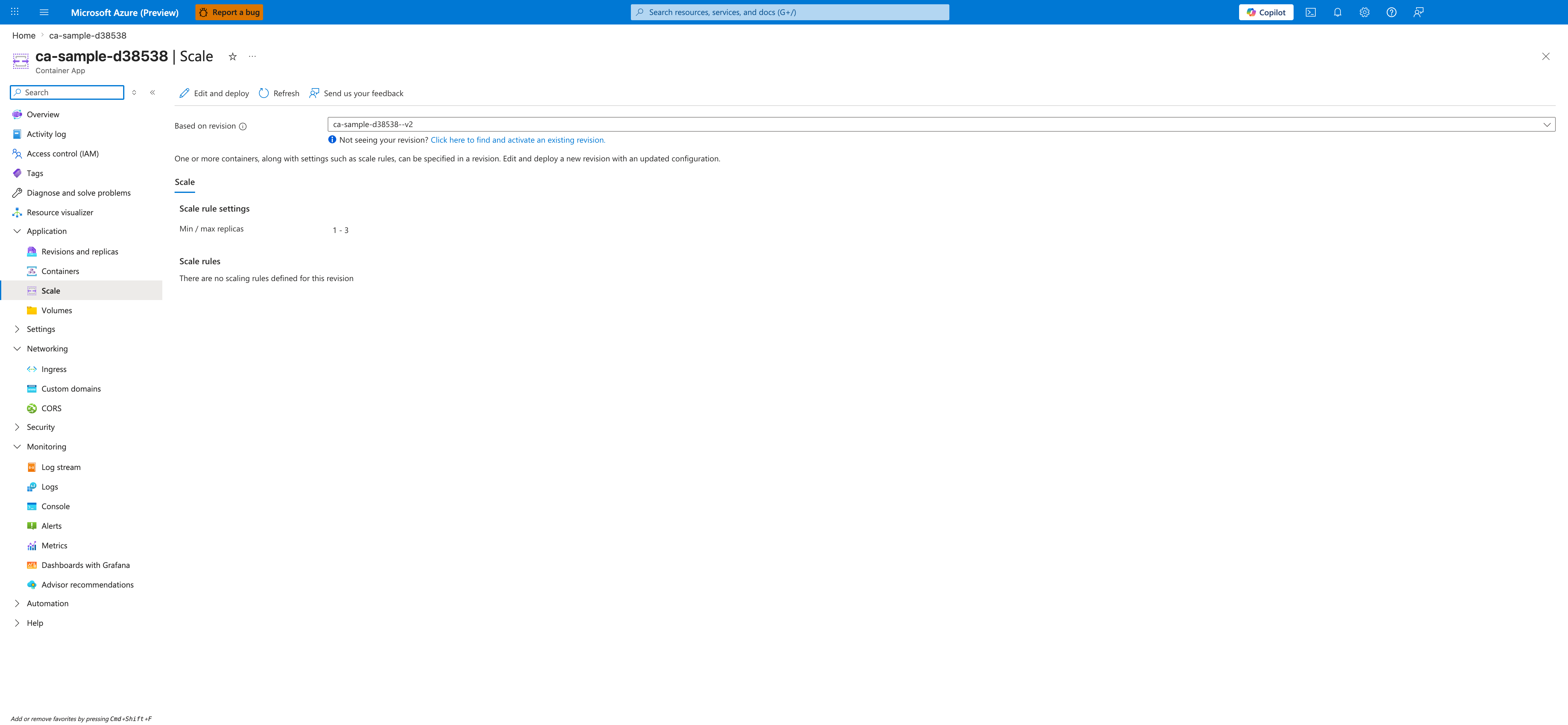
[Observed] The blade header reads <your-app-name> | Scale with the subtitle Container App. The command bar exposes Edit and deploy, Refresh, and Send us your feedback. A Based on revision selector is rendered with a <your-app-name>--<revision-suffix> value selected, followed by an info line "Not seeing your revision? Click here to find and activate an existing revision." A description below reads "One or more containers, along with settings such as scale rules, can be specified in a revision. Edit and deploy a new revision with an updated configuration." A single Scale tab is selected. The body contains a Scale rule settings section with Min / max replicas shown as 1 - 3, and a Scale rules section that displays the text "There are no scaling rules defined for this revision". The left navigation highlights Scale under Application.
[Inferred] The presence of a Based on revision selector with a specific revision value rendered before the Scale rule settings section is consistent with the documentation above that scale rules are configured per revision. The Edit and deploy command on this blade appears to map to the az containerapp update flow shown in the previous code block, since both surfaces target the same revision-scoped scale configuration. The Scale rules section rendering an empty-state message is consistent with the YAML example above showing where an http rule would be added under template.scale.rules.
[Not Proven] The screenshot does not include the contents of the Edit and deploy panel, so it does not show how an HTTP rule is added through the Portal. The Min / max replicas value 1 - 3 is visible, but the screenshot does not show the editor controls that change those values. The Click here to find and activate an existing revision link is present but the screenshot does not show the panel that opens when it is followed.
See Also
- Scaling Overview
- Scaling Rules Reference
- CPU & Memory Scalers
- Scaling Best Practices
- HTTP Scaling Not Triggering