Custom Scalers in Azure Container Apps
Custom scalers let you bring KEDA-backed trigger types into Azure Container Apps when HTTP, CPU, memory, or the common event examples are not enough. The Container Apps platform documents this as custom scaling based on ScaledObject scalers.
Custom rule shape
template:
  scale:
    minReplicas: 0
    maxReplicas: 20
    rules:
      - name: custom-rule
        custom:
          type: <scaler-type>
          metadata:
            <key>: <value>
          auth:
            - secretRef: <secret-name>
              triggerParameter: <parameter-name>
flowchart TD
    A[Choose workload signal] --> B{Built-in rule enough?}
    B -->|Yes| C[Use HTTP or resource rule]
    B -->|No| D[Use custom KEDA scaler type]
    D --> E[Provide metadata and auth]
    E --> F[Test scaler behavior before production]
What Microsoft Learn confirms
- Container Apps supports custom scale rules.
- These rules are based on KEDA ScaledObject scalers.
- Authentication can be wired with secret mappings or managed identity.
Authentication patterns
Use these patterns when the scaler needs credentials:
secretReffor trigger parameters that expect a named secretidentitywhen the scaler supports managed identity
Example: generic custom scaler shape
{
  "name": "custom-trigger",
  "custom": {
    "type": "<scaler-type>",
    "metadata": {
      "<key>": "<value>"
    },
    "auth": [
      {
        "secretRef": "<secret-name>",
        "triggerParameter": "<parameter-name>"
      }
    ]
  }
}
Example: cron or Prometheus-style bring-your-own scaler
Cron and Prometheus metadata examples are not currently documented in Azure Container Apps Microsoft Learn pages
Microsoft Learn confirms the custom-scaler extension path through KEDA, but it does not provide a first-party Azure Container Apps example for every scaler family. Treat any cron- or Prometheus-specific metadata as scaler-contract validation work, not as a service default.
A safe operating pattern is:
- define the custom scaler type and metadata in infrastructure code
- wire secrets or identity explicitly
- validate scaling in a non-production environment
- keep
maxReplicasconservative until observed behavior is understood
Portal view: Scale blade (empty rules section where a custom scaler would appear)
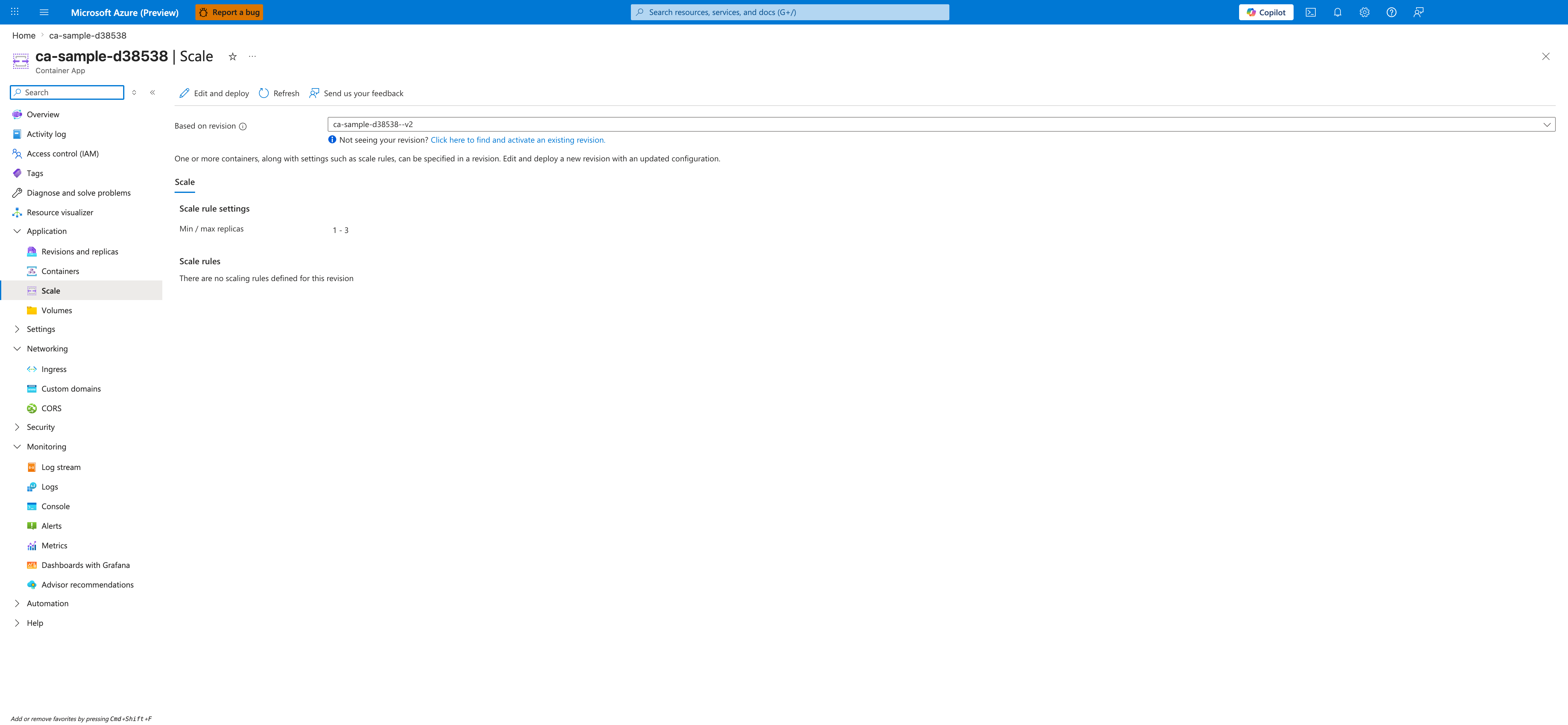
[Observed] The selected Scale tab shows a Scale rules section whose body is the empty-state message There are no scaling rules defined for this revision. No row of the type custom-trigger, no type field, no metadata block, and no auth block is visible inside the Scale rules section.
[Inferred] The Scale rules section header rendered above the empty-state message is consistent with this page's description under Custom rule shape of custom scalers as entries living inside template.scale.rules. The empty state on this revision is consistent with the Example: generic custom scaler shape JSON snippet describing what a custom entry's type, metadata, and auth fields would look like once added.
[Not Proven] This image does not show any configured custom rule row, and the <scaler-type>, metadata, and auth fields from the YAML and JSON examples above are not visualized here. It does not show any secretRef or identity field corresponding to the choices described under Authentication patterns. It does not show the Edit and deploy panel.
Review Matrix
| Review area | Page-specific check |
|---|---|
| Scope | Confirm the guidance applies to Custom Scalers in Azure Container Apps. |
| Source basis | Validate the recommendation against the Microsoft Learn sources in this page. |
| Evidence | Capture command output, portal state, metrics, logs, or screenshots before treating the result as proven. |