CPU and Memory Scalers in Azure Container Apps
CPU and memory scalers protect a revision when the real bottleneck is sustained resource pressure. They are useful, but they should rarely be your only scaling signal for user-facing traffic.
Rule shape
CPU and memory scalers use custom rules with the scaler type set to cpu or memory.
template:
  scale:
    minReplicas: 1
    maxReplicas: 10
    rules:
      - name: cpu-rule
        custom:
          type: cpu
          metadata:
            type: Utilization
            value: "70"
      - name: memory-rule
        custom:
          type: memory
          metadata:
            type: Utilization
            value: "80"
flowchart TD
    A[Workload demand rises] --> B[Request or queue pressure increases]
    B --> C[CPU and memory usage increase later]
    C --> D[Resource scaler requests more replicas]
    D --> E[Revision returns toward utilization target]
What Microsoft Learn confirms
- CPU scaling can add replicas when average CPU utilization reaches the configured threshold.
- Memory scaling can add replicas when average memory utilization reaches the configured threshold.
- CPU and memory scaling do not allow scale-to-zero.
Workload profiles requirement
Dedicated workload profile requirement is unverified in current Microsoft Learn documentation
Microsoft Learn documents workload profiles and documents CPU and memory scale rules, but the current Learn pages do not state that CPU or memory scalers require a Dedicated workload profile. If your architecture review depends on that claim, treat it as unverified and validate against the current product documentation before enforcing it as policy.
What Learn does confirm is that workload profiles define the compute and billing model for the environment:
- Consumption
- Dedicated
- Consumption + Dedicated mix
- Flex Consumption preview behavior
When to use CPU and memory rules
Use CPU or memory scaling when:
- requests are CPU-heavy and sustained
- memory growth tracks real work
- you need a protective signal against saturation
Do not rely on CPU or memory alone when:
- incoming work is visible sooner through HTTP or queue backlog
- bursts arrive faster than resource counters react
Common gotchas
- Lagging signal — resource utilization usually rises after demand arrives.
- Oscillation risk — mismatched thresholds and low
maxReplicascan cause noisy scaling. - No scale-to-zero — these rules keep at least one replica.
az containerapp update \
  --name "$APP_NAME" \
  --resource-group "$RG" \
  --min-replicas 1 \
  --max-replicas 10 \
  --scale-rule-name "cpu-protect" \
  --scale-rule-type cpu \
  --scale-rule-metadata "type=Utilization" "value=70"
| Command | Why it is used |
|---|---|
az containerapp update ... | Updates the existing Container App configuration without recreating the app. |
Portal view: Scale blade (no-scale-to-zero lower bound)
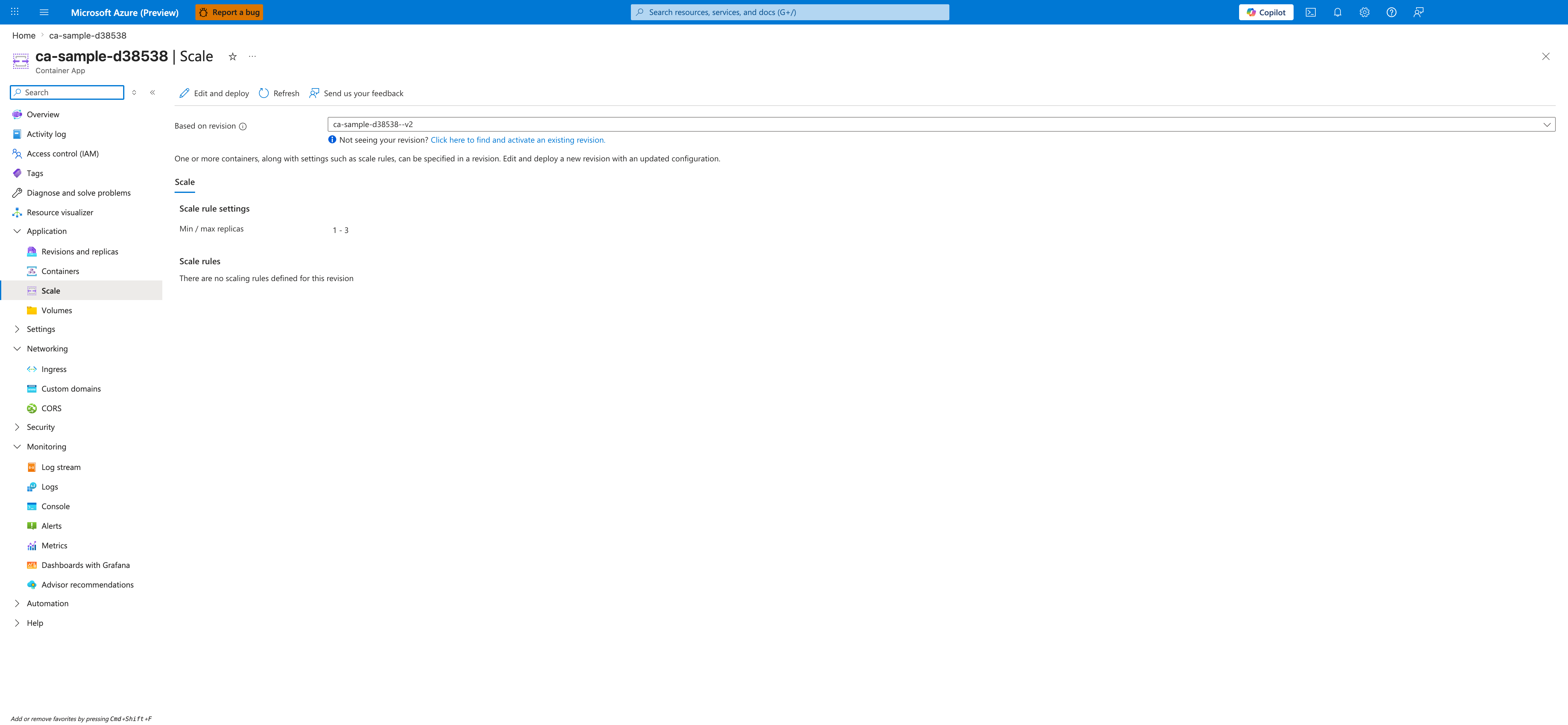
[Observed] On the Scale tab, the Scale rule settings section shows a Min / max replicas row with the value 1 - 3. The Scale rules section shows the empty-state message There are no scaling rules defined for this revision.
[Inferred] The Min / max replicas lower bound rendered as 1 (rather than 0) is consistent with this page's note under Common gotchas that CPU and memory rules keep at least one replica. The empty Scale rules state is consistent with the YAML example under Rule shape, where cpu and memory rules would appear as entries under template.scale.rules rather than as values on the Min / max replicas row.
[Not Proven] This image does not show any cpu or memory rule configured. The type=Utilization and value metadata fields shown in the YAML and az containerapp update examples above are not visualized here. It does not show the Edit and deploy panel that would surface the rule-type picker. The Portal control that maps to --scale-rule-type cpu is outside the scope of this capture. It does not show any utilization metric or live replica count, and the lagging-signal and oscillation behaviors described under Common gotchas are not represented in this image.
See Also
- Scaling Overview
- HTTP Scaler
- Scaling Rules Reference
- Scaling Best Practices
- CrashLoop OOM and Resource Pressure