Jobs vs Apps
Container Apps and Container Apps Jobs share the same environment capabilities, but they solve different workload shapes.
Main Content
Decision matrix
| Decision area | Container Apps Job | Container App |
|---|---|---|
| Lifetime | Bounded execution with a start and finish | Continuous process that can stay warm |
| Trigger | Manual, schedule, or event-driven execution creation | Ingress traffic or scaler-driven replica changes |
| Processing style | One-shot pull and exit | Continuous consumption or request serving |
| Best fit | Batch, replay, reconciliation, queue drains | APIs, background workers, long-lived consumers |
| Replay model | Start a new execution | Keep serving with scaled replicas |
| Operational artifact | Execution history | Revision/replica state |
Cost model framing
Use this simple operator model:
- Jobs concentrate cost into execution windows.
- Apps can still scale to zero in some designs, but they are optimized for a continuously available service or worker model.
This page uses an operator cost model, not a billing quote
Actual billing depends on plan, workload profile, resource sizing, and execution duration. Confirm pricing with the current Azure Container Apps pricing documentation before making a cost commitment.
When Jobs are the better choice
Use Jobs when:
- Completion matters more than low-latency warm handling.
- The workload can cleanly start, process, and exit.
- Operators need explicit replay and execution history.
When Apps are the better choice
Use Apps when:
- The workload must stay ready for inbound requests.
- You need persistent worker connections or warm caches.
- Scaling should add or remove replicas of a continuously running process.
Event-driven Jobs vs event-driven apps
For event processing:
- Job: create an execution, pull a bounded work unit, exit.
- App: keep a worker process alive and scale that worker fleet up or down.
Choose Jobs when each event batch should map to a discrete run. Choose apps when the worker should keep polling or receiving continuously.
Decision tree
flowchart TD
    A[New workload] --> B{Must stay available for inbound requests?}
    B -->|Yes| C[Use Container App]
    B -->|No| D{Does work have a clear finish boundary?}
    D -->|No| C
    D -->|Yes| E{Do you want a discrete execution record and replay model?}
    E -->|Yes| F[Use Container Apps Job]
    E -->|No| G{Will a warm continuous worker improve throughput materially?}
    G -->|Yes| C
    G -->|No| F
Portal View: Container App Job as a Distinct Resource Type
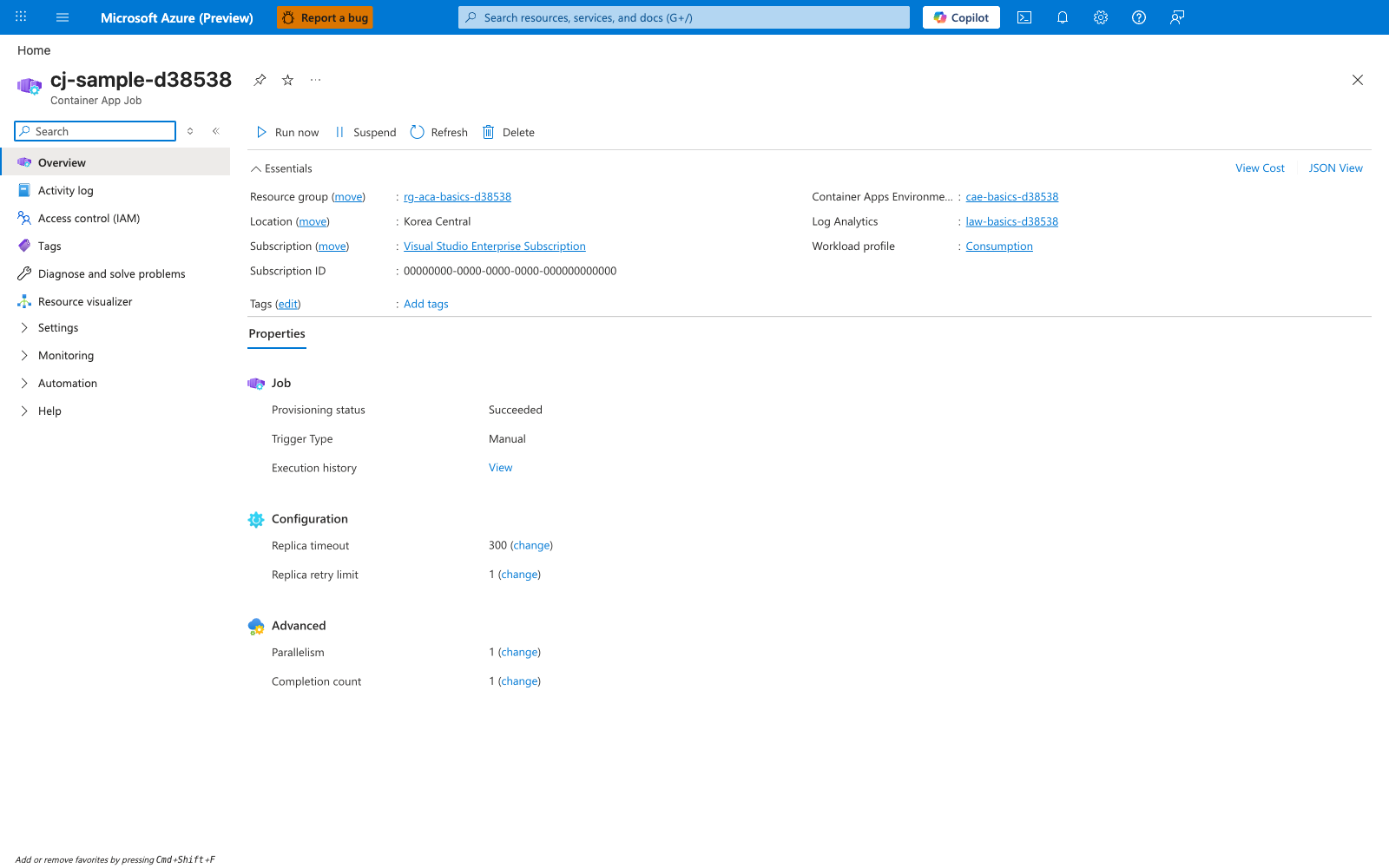
[Observed] cj-sample-d38538. Container App Job. Run now. Suspend. Refresh. Delete. Resource group. rg-aca-basics-d38538. Location. Korea Central. Subscription. Visual Studio Enterprise Subscription. Subscription ID. 00000000-0000-0000-0000-000000000000. Container Apps Environme.... cae-basics-d38538. Log Analytics. law-basics-d38538. Workload profile. Consumption. Properties. Job. Provisioning status. Succeeded. Trigger Type. Manual. Execution history. View. Configuration. Replica timeout. 300. Replica retry limit. 1. Advanced. Parallelism. 1. Completion count. 1.
[Inferred] The resource label Container App Job appears to map to the Container Apps Job column of the Decision matrix. The Trigger Type field appears to correspond to the Trigger row of the Decision matrix, and the Execution history field is consistent with the Operational artifact row entry Execution history.
[Not Proven] Additional comparison detail, alternate trigger detail, and environment-relationship detail are not visible on this view.