Execution Lifecycle
Understanding the execution lifecycle is the key to sizing parallelism, handling retries safely, and building useful monitoring for Jobs.
Main Content
Conceptual execution states
At a high level, a Job execution moves through trigger, runtime, and terminal phases.
| Phase | Operator meaning |
|---|---|
| Triggered / Created | The platform has registered a new execution |
| Running | One or more replicas are executing |
| Succeeded | Completion criteria were met |
| Failed | Retries were exhausted or the execution could not complete |
| Stopped | An operator or platform action ended the run before successful completion |
State labels below are conceptual unless re-verified against the live API
Use this page to understand transitions, not to hard-code enum values. Before parsing execution status in automation, verify the exact current labels exposed by Azure CLI or the management API.
Replica fan-out: parallelism and replicaCompletionCount
An execution can fan out to multiple replicas.
parallelismlimits how many replicas can run at once.replicaCompletionCountdefines how many successful replicas are required before the execution is treated as complete.
This gives you two useful models:
- All replicas required: every partition must succeed.
- n-of-m completion: a subset of replicas can satisfy the execution.
Choose n-of-m only when downstream correctness explicitly allows partial success.
Retry and timeout controls
Use replicaRetryLimit and replicaTimeout together:
| Setting | Primary purpose | Failure mode if mis-tuned |
|---|---|---|
replicaRetryLimit | Recover from transient failure | Retry storms or repeated side effects |
replicaTimeout | Stop stuck or unexpectedly long replicas | Silent hangs or premature termination |
Design guidance:
- Measure normal and p95 duration.
- Set timeout above p95 with headroom.
- Retry only failures that are truly transient.
- Make all external writes idempotent before increasing retry counts.
History retention
The current repository already documents that scheduled and event-based Jobs retain only the most recent 100 successful and failed executions.
Operational implications:
- Export important execution evidence to dashboards or tickets quickly.
- Keep longer-term success-rate reporting in Log Analytics or Application Insights.
- Do not rely on the platform execution list alone for long-term audit history.
Manual-job retention behavior should be confirmed before using it as an audit log
The 100-execution retention statement is already cited for scheduled and event-driven Jobs in this repository. Re-verify manual execution retention separately if long-running audit history matters for your workload.
Lifecycle state model
stateDiagram-v2
    [*] --> Triggered
    Triggered --> Running
    Running --> Succeeded: completion count met
    Running --> Failed: retries exhausted
    Running --> Stopped: operator/platform stop
    Failed --> Running: retry permitted
    Succeeded --> [*]
    Failed --> [*]
    Stopped --> [*]
Portal view of execution history
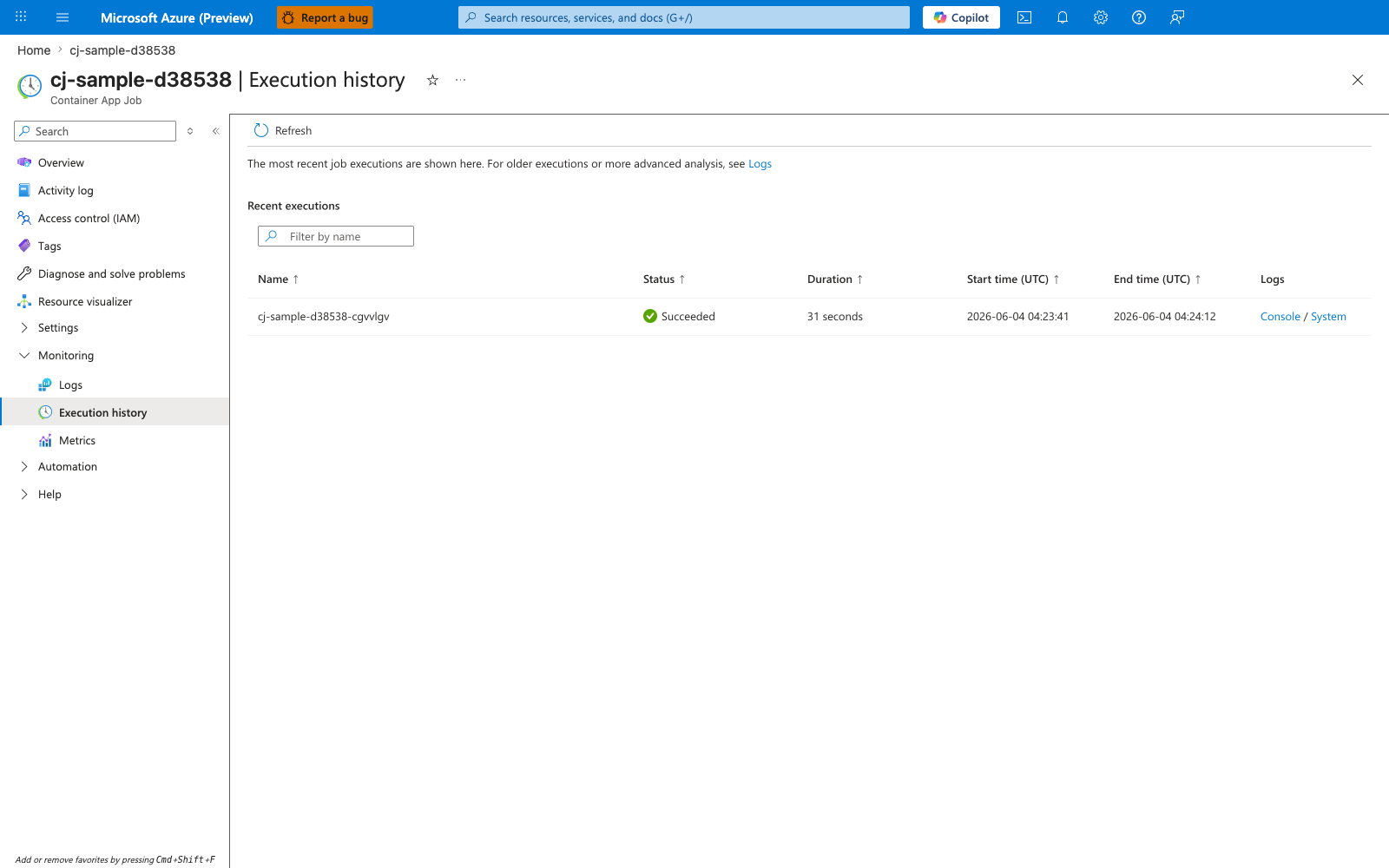
[Observed] Container App Job. Execution history. Logs. Execution history. Metrics. Refresh. The most recent job executions are shown here. For older executions or more advanced analysis, see Logs. Recent executions. Filter by name. Name. Status. Duration. Start time (UTC). End time (UTC). Logs. Succeeded. 31 seconds. 2026-06-04 04:23:41. 2026-06-04 04:24:12. Console. System.
[Inferred] The Status column of Succeeded appears consistent with the Succeeded terminal state in the Conceptual execution states table. The Duration, Start time (UTC), and End time (UTC) columns appear to surface the runtime window referenced by replicaTimeout in Retry and timeout controls. The presence of a single row alongside the For older executions or more advanced analysis, see Logs text is consistent with the bounded-retention point made in History retention.
[Not Proven] Additional execution history detail, replica detail, retry detail, and trigger detail are not shown on this blade.