Passwordless Access with Managed Identity
Azure Container Apps supports managed identities, allowing your Python application to securely access other Azure services without managing credentials like connection strings or API keys.
Architecture
flowchart TD
    C[Client] --> I[Container Apps Ingress]
    I --> APP[Container App]
    APP --> COSMOS[Azure Cosmos DB]
    APP --> SQL[Azure SQL Database]
    APP --> REDIS[Azure Cache for Redis]
    APP --> KV[Azure Key Vault]
    APP --> STG[Azure Storage]
    APP -.-> MI[Managed Identity]
    MI -.-> ENTRA[Microsoft Entra ID]
    MI -.-> COSMOS
    MI -.-> SQL
    MI -.-> REDIS
    MI -.-> KV
    MI -.-> STG
Solid arrows show runtime data flow. Dashed arrows show identity and authentication.
How RBAC Connects Identity to Resources
A managed identity alone does not grant access. Azure RBAC binds three elements into a role assignment:
flowchart TD
    P[Principal<br/>Who: Managed Identity or Service Principal] --> RA[Role Assignment<br/>Unique GUID per binding]
    RD[Role Definition<br/>What: AcrPush, Key Vault Secrets User, etc.] --> RA
    S[Scope<br/>Where: Subscription, Resource Group, or Resource] --> RA
    RA --> ACCESS[Access Granted]

style RA fill:#f5c542,stroke:#333,color:#000| Element | Question it answers | Example |
|---|---|---|
| Principal | Who needs access? | Container App's managed identity |
| Role Definition | What permission? | AcrPush, Key Vault Secrets User |
| Scope | On which resource? | A specific ACR, Key Vault, or resource group |
| Role Assignment | The binding itself | Unique GUID — one per (principal + role + scope) combination |
Azure RBAC enforces a uniqueness constraint: only one role assignment can exist for the same (principal, role definition, scope) triple. Attempting to create a duplicate with a different assignment GUID results in a RoleAssignmentExists conflict.
Types of Managed Identity
- System-assigned: Tied to the lifecycle of the Container App.
- User-assigned: Created as a separate resource and can be shared among multiple apps.
| Identity Type | Lifecycle | Best Use Case |
|---|---|---|
| System-assigned | Deleted with the app | Single app, simplest setup |
| User-assigned | Independent resource | Shared identity across multiple apps/jobs |
Role assignment propagation is eventually consistent
Newly assigned RBAC roles can take time to become effective. Build retries into startup checks for first-time deployments.
Enabling Managed Identity
To enable a system-assigned managed identity for your app:
az containerapp identity assign \
  --name my-python-app \
  --resource-group my-aca-rg \
  --system-assigned
| Command | Why it is used |
|---|---|
az containerapp identity assign ... | Assigns or inspects managed identity configuration for the Container App. |
Portal view: Identity blade
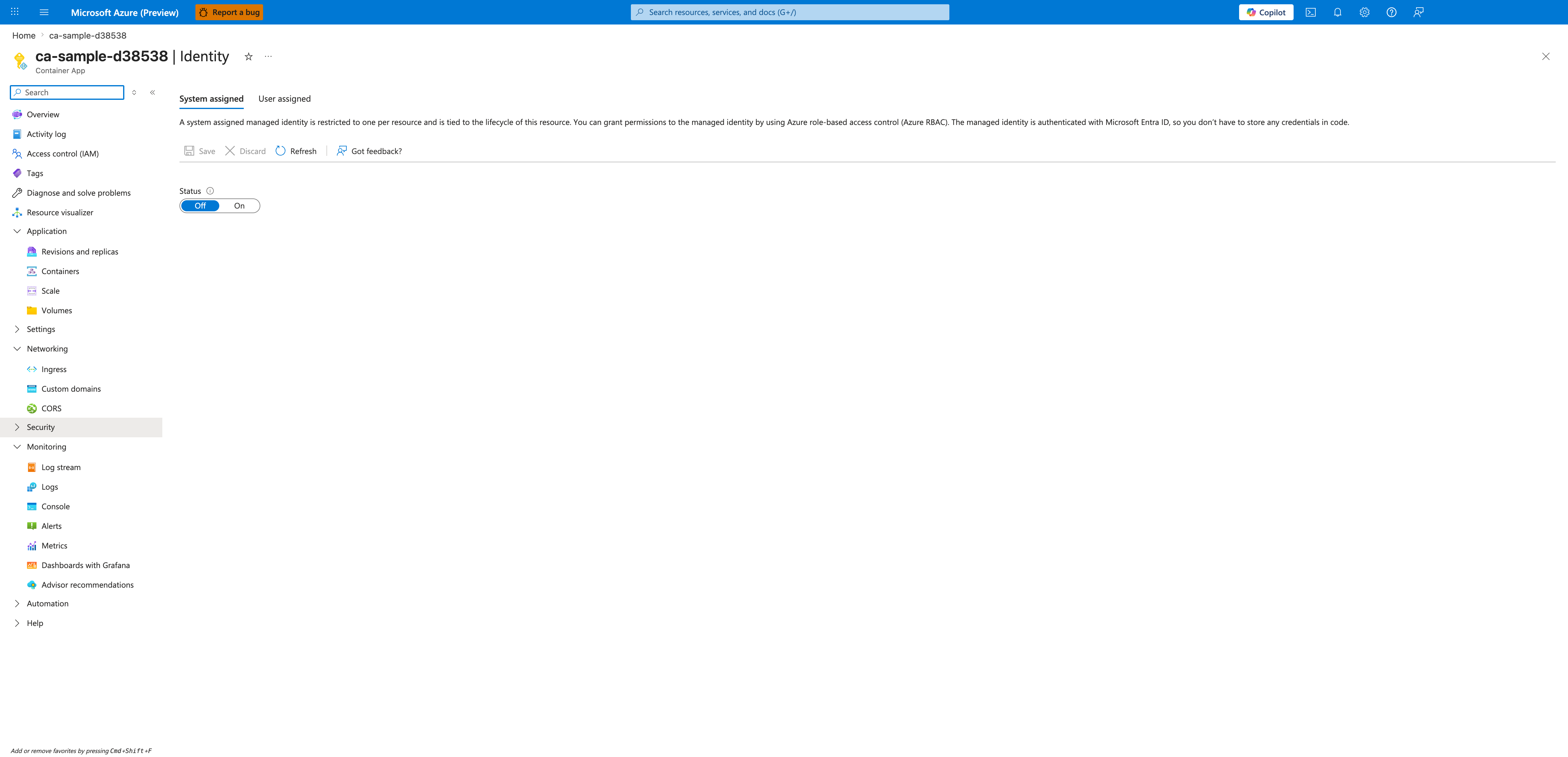
[Observed] The Identity blade for the ca-sample-d38538 Container App is open. The content area shows two tabs labeled System assigned (selected) and User assigned. Below the description text, a command bar exposes Save, Discard, Refresh, and Got feedback? controls. A single form field labeled Status is rendered as an Off / On toggle, currently set to Off.
[Inferred] The two-tab layout appears to map to the two identity types described in this page: System assigned for an identity whose lifecycle is tied to the Container App, and User assigned for a standalone Azure resource that can be attached to one or more apps. The presence of a single Status toggle on the System assigned tab is consistent with the documented constraint that a Container App can have at most one system-assigned identity. The Save / Discard command-bar pattern is consistent with the typical Portal edit-then-commit workflow for identity configuration.
[Not Proven] Additional identity attribute detail, RBAC detail, user-assigned tab detail, and runtime behavior detail are not visible on this view.
Assigning Roles
Assign roles to the managed identity to grant access to other resources (e.g., Azure SQL, Blob Storage, Key Vault).
# Get the principal ID of the system-assigned identity
principalId=$(az containerapp show --name my-python-app --resource-group my-aca-rg --query identity.principalId --output tsv)

# Assign the 'Storage Blob Data Reader' role
az role assignment create \
  --assignee $principalId \
  --role "Storage Blob Data Reader" \
  --scope /subscriptions/<SUBSCRIPTION_ID>/resourceGroups/my-aca-rg/providers/Microsoft.Storage/storageAccounts/mystorageaccount
| Command | Why it is used |
|---|---|
az containerapp show --name ... | Reads the Container App configuration so the documented setting can be verified. |
Python Implementation
Use the azure-identity library in your Python code to authenticate using the managed identity.
from azure.identity import DefaultAzureCredential
from azure.storage.blob import BlobServiceClient

# DefaultAzureCredential will automatically pick up the managed identity
credential = DefaultAzureCredential()

# Connect to the storage account using the credential
blob_service_client = BlobServiceClient(
    account_url="https://mystorageaccount.blob.core.windows.net",
    credential=credential
)
Use service-specific SDK clients with DefaultAzureCredential
Keep authorization centralized in managed identity and avoid embedding keys or SAS tokens in app configuration.
Why use Managed Identity?
- Zero Secret Management: No need to rotate passwords or API keys.
- Improved Security: Access is granted based on the identity of the application itself.
- Simplified Configuration: No more connection strings in environment variables or secrets.