Built-in Authentication (Easy Auth)
Azure Container Apps provides built-in authentication and authorization, often referred to as "Easy Auth." This allows you to secure your Python application without writing complex authentication code.
How it Works
When you enable authentication, the platform's built-in authentication middleware intercepts incoming requests and validates the user's identity before forwarding the request to your application container.
sequenceDiagram
    participant U as User Browser
    participant P as Easy Auth Middleware
    participant I as Identity Provider
    participant A as Container App
    U->>P: Request /protected
    P->>I: Redirect for sign-in
    I-->>P: Token/claims
    P->>A: Forward request with X-MS-* headers
    A-->>U: Authenticated response
Easy Auth does not replace app authorization
Easy Auth authenticates users, but your application still must enforce role/tenant/resource-level authorization rules.
Enabling Authentication
To enable authentication with Microsoft Entra ID (formerly Azure AD):
export RG="rg-myapp"
export APP_NAME="ca-myapp"
export CLIENT_ID="<client-id>"
export CLIENT_SECRET="<client-secret>"
export TENANT_ID="<tenant-id>"
az containerapp auth microsoft update \
  --name "$APP_NAME" \
  --resource-group "$RG" \
  --client-id "$CLIENT_ID" \
  --client-secret "$CLIENT_SECRET" \
  --tenant-id "$TENANT_ID" \
  --action RedirectToLoginPage
| Command | Why it is used |
|---|---|
az containerapp auth microsoft ... | Runs the Azure CLI operation required by the documented step. |
Use secret references for client secrets
Avoid storing raw client secrets directly in scripts. Use secure secret handling workflows and rotate credentials regularly.
Portal view: Authentication blade (no providers configured)
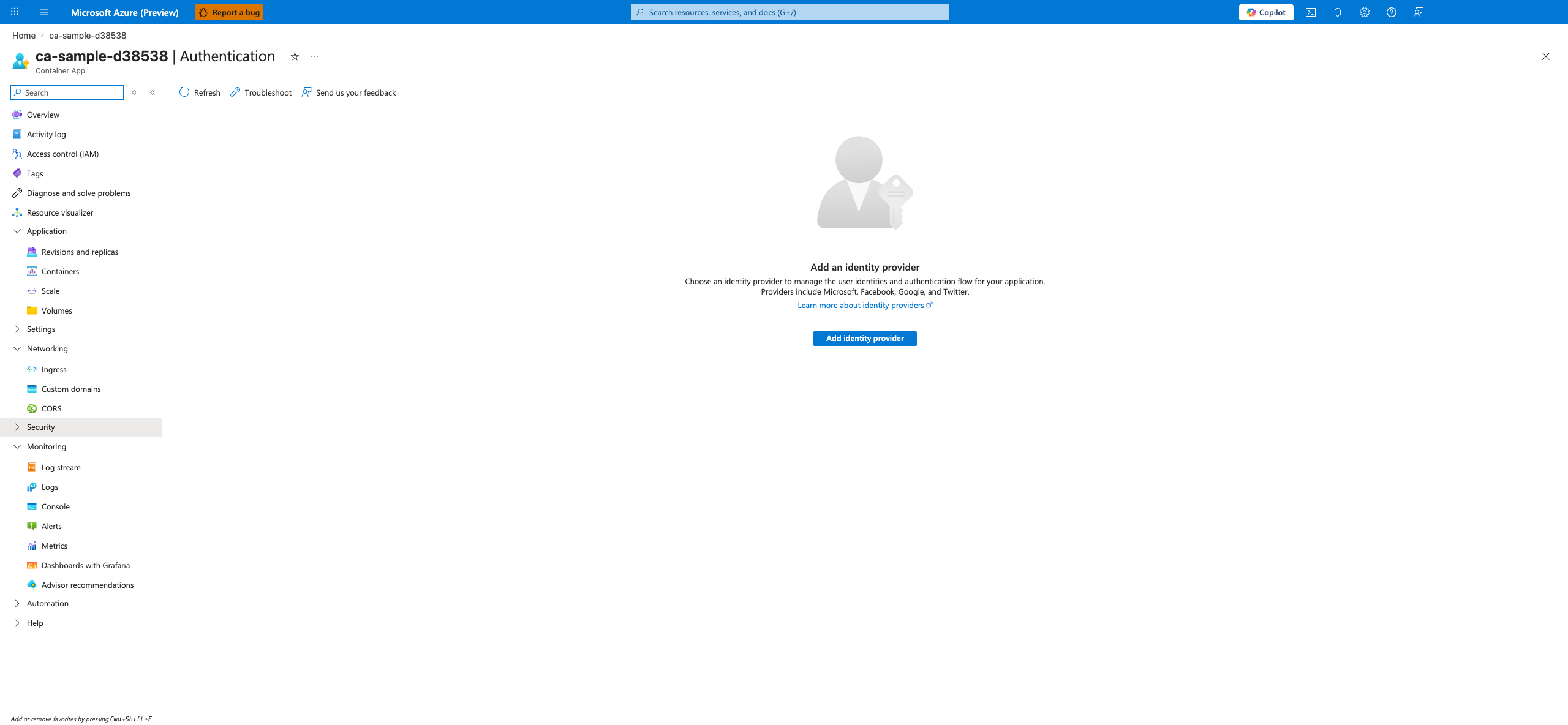
[Observed] The Authentication blade for the ca-sample-d38538 Container App is open. The command bar exposes Refresh, Troubleshoot, and Send us your feedback controls. The main content area shows an empty-state illustration above the heading Add an identity provider, followed by descriptive text reading "Choose an identity provider to manage the user identities and authentication flow for your application. Providers include Microsoft, Facebook, Google, and Twitter.", a Learn more about identity providers link, and a primary Add identity provider button.
[Inferred] The presence of an "Add an identity provider" empty state is consistent with this Container App having no identity provider configured yet. The provider list mentioned in the description (Microsoft, Facebook, Google, Twitter) appears to map to the built-in providers documented for Easy Auth on this page. The single primary Add identity provider button appears to be the starting point for provider configuration in the portal.
[Not Proven] Additional provider configuration detail and runtime behavior detail are not visible on this view.
Accessing User Information
Once a user is authenticated, the platform middleware adds headers to the request that your Python application can use:
X-MS-CLIENT-PRINCIPAL-NAME: The user's username or email.X-MS-CLIENT-PRINCIPAL-ID: The user's unique identifier.X-MS-CLIENT-PRINCIPAL: A base64-encoded JSON object containing the user's claims.
Python Example
import base64
import json
from flask import Flask, request

app = Flask(__name__)

@app.route('/')
def home():
    principal_header = request.headers.get('X-MS-CLIENT-PRINCIPAL')
    if principal_header:
        # Decode the principal header
        principal = json.loads(base64.b64decode(principal_header).decode('utf-8'))
        user_name = principal.get('name', 'Unknown User')
        return f"Hello, {user_name}!"
    return "Hello, anonymous user!"
Why use Easy Auth?
- Simplicity: No need to implement OAuth/OpenID Connect flows in your Python code.
- Security: Managed by Azure, ensuring it's always up to date with the latest security standards.
- Flexibility: Supports multiple identity providers, including Google, Facebook, and GitHub.
Easy Auth Capability Matrix
| Capability | Easy Auth Coverage | App Responsibility |
|---|---|---|
| Authentication handshake | Built-in | Configure provider correctly |
| Token/header injection | Built-in (X-MS-*) | Validate claim assumptions |
| Business authorization | Partial | Enforce route/resource policies |
| Session/user experience | Partial | Handle app-specific redirects and UX |