Environment Limits and Quotas
Azure Container Apps mixes fixed platform limits with quotas that vary by subscription, region, and environment. Use this page as a planning reference before you size environments or request production increases.
Topic Groups
Scope stack
flowchart TD
    A[Subscription scope] --> B[Region scope]
    B --> C[Environment scope]
    C --> D[Application scope]
    D --> E[Revision scope]
    E --> F[Replica scope]
What Microsoft Learn publishes directly
| Item | Current Learn guidance | Type |
|---|---|---|
| Maximum replicas per revision | 1,000 | Fixed application/revision limit |
| Inactive revisions retained by default | 100 | Adjustable behavior |
| Managed Environment Count | Region-scoped quota | Quota, not a single universal hardcoded number |
| Managed Environment Consumption Cores | Environment-scoped quota | Adjustable quota |
| Managed Environment General Purpose Cores | Environment-scoped quota | Adjustable quota |
| Managed Environment Memory Optimized Cores | Environment-scoped quota | Adjustable quota |
| GPU quotas | Environment and region scoped | Adjustable quota |
Limits the current Learn pages do not publish as one universal number
| Requested planning question | Conservative answer |
|---|---|
| Max apps per environment | Current Microsoft Learn quota pages reviewed for this guide do not publish one universal numeric cap; quota guidance focuses on environment count and environment cores. |
| Max environments per region per subscription | Microsoft Learn documents the Managed Environment Count quota, but states that default quotas depend on your subscription and service use instead of publishing one fixed number for all tenants. |
Do not copy old quota screenshots into design docs
The current Learn guidance explicitly says default quotas depend on subscription factors. Check your tenant's actual values before load testing or production rollout.
Usage Notes
Soft vs. hard boundaries
Use this model when reading the tables:
- Hard / platform-style limits: examples include the 1,000 maximum configurable replicas per revision.
- Quota-style limits: region and environment quotas that can be increased through Azure Quota Management System.
How to request increases
Microsoft Learn documents two request paths:
| Request path | Best fit |
|---|---|
| Integrated request | Region and subscription-scoped quotas via Azure portal |
| Manual request | Environment-scoped quotas via Azure CLI workflow |
Useful Learn-backed checkpoints:
- Review current quotas in Azure Quota Management System.
- For environment-scoped values, inspect usage with
az containerapp env list-usages. - Request increases before production events, not during incident response.
Planning guidance
- Validate quota headroom before rollout if you expect thousands of requests per minute.
- Treat replica limits, subnet limits, and environment core quotas as separate constraints.
- Re-check quotas whenever you introduce GPU, new regions, or multi-team environments.
Portal view: per-profile capacity column at the environment scope
The Workload profiles blade on a v2 environment surfaces per-profile capacity and usage columns at the environment scope.
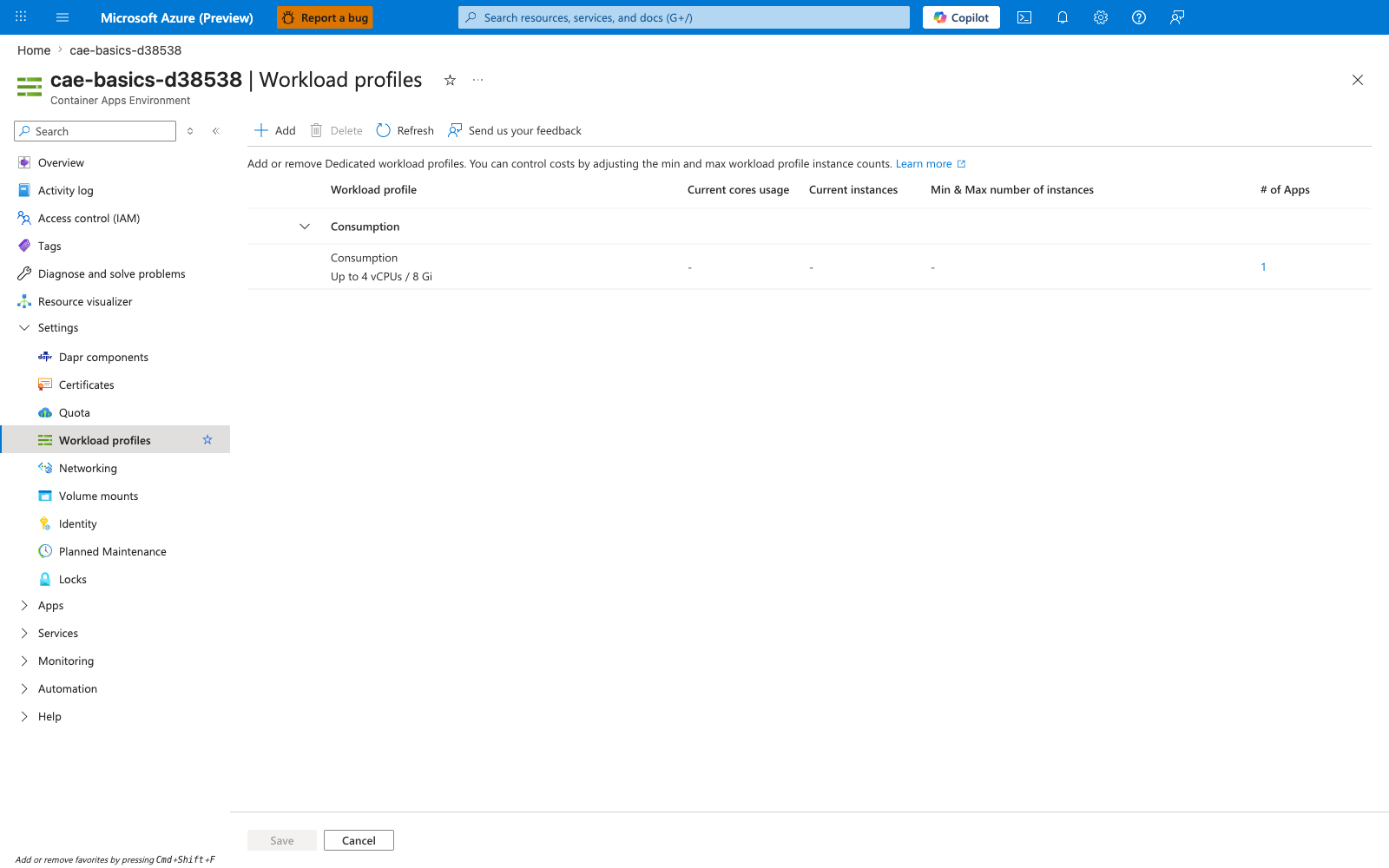
[Observed] The blade renders one row grouped under a Consumption header with capacity Up to 4 vCPUs / 8 Gi and # of Apps : 1. The columns Current cores usage, Current instances, and Min & Max number of instances are dashed for the visible row. The Add button is enabled in the command bar.
[Inferred] The presence of per-profile Up to 4 vCPUs / 8 Gi, Current cores usage, Current instances, and Min & Max number of instances columns on this blade appears to map to the environment layer of this page's Scope stack diagram. The separate dashed Current cores usage and Current instances columns alongside the static Up to 4 vCPUs / 8 Gi capacity column are consistent with this page's Soft vs. hard boundaries framing that quota-style and platform-style limits are different categories of constraint.
[Not Proven] This image does not visualize the Managed Environment Count, Managed Environment Consumption Cores, Managed Environment General Purpose Cores, Managed Environment Memory Optimized Cores, or GPU quota items listed in this page's What Microsoft Learn publishes directly table. It does not visualize the 1,000 maximum replicas per revision limit. It does not visualize the integrated or manual quota request paths described in this page's How to request increases section.