Dedicated GPU Profiles
Dedicated GPU profiles are the Azure Container Apps option for GPU-backed workloads that need reserved hardware instead of serverless GPU allocation. Microsoft Learn does not label these dedicated GPU profiles as preview, but it does document important region and capacity limits.
Main Content
Capacity and region limits apply
Microsoft Learn states that GPU-enabled Dedicated profiles are available only in select regions and that capacity is allocated on a per-case basis. Plan capacity requests early and validate regional availability before you commit to a design.
Current GPU profile names
| GPU model | Current Dedicated profile names | Allocation |
|---|---|---|
| A100 | NC24-A100, NC48-A100, NC96-A100 | Per node |
Microsoft Learn also lists serverless Consumption GPU profile names separately:
Consumption-GPU-NC24-A100Consumption-GPU-NC8as-T4
That means T4 currently appears in Consumption GPU profiles, not in the Dedicated GPU list reviewed for this guide.
Placement model
flowchart TD
    ENV[Workload profiles environment] --> GP[Dedicated GPU profile]
    GP --> APP1[Inference API]
    GP --> APP2[Batch scoring worker]
    APP1 --> N1[GPU-backed nodes]
    APP2 --> N1
    N1 --> B[Dedicated plan instance billing]
When Dedicated GPU is the better fit
Choose Dedicated GPU profiles when you need:
- Stable GPU-backed inference capacity.
- Multiple apps sharing the same dedicated GPU node pool.
- A reserved environment design instead of per-replica serverless GPU billing.
Typical examples include:
- Real-time model inference APIs.
- Batch image or document processing.
- GPU-heavy background workers with predictable utilization.
Cost considerations
Dedicated GPU placement changes the cost model:
- Billing follows workload profile instances, not individual apps.
- Extra instances add cost as profiles scale out.
- Dedicated plan management charges apply when you use dedicated workload profiles.
Compare serverless GPU and dedicated GPU deliberately
If your workload is sporadic, Consumption GPU may fit better. If you need reserved GPU capacity or multiple apps sharing the same GPU pool, Dedicated GPU is usually the cleaner design.
Portal view: GPU profile rows are not present by default
The Workload profiles blade on a v2 environment is the surface where Dedicated GPU profile rows would appear once added.
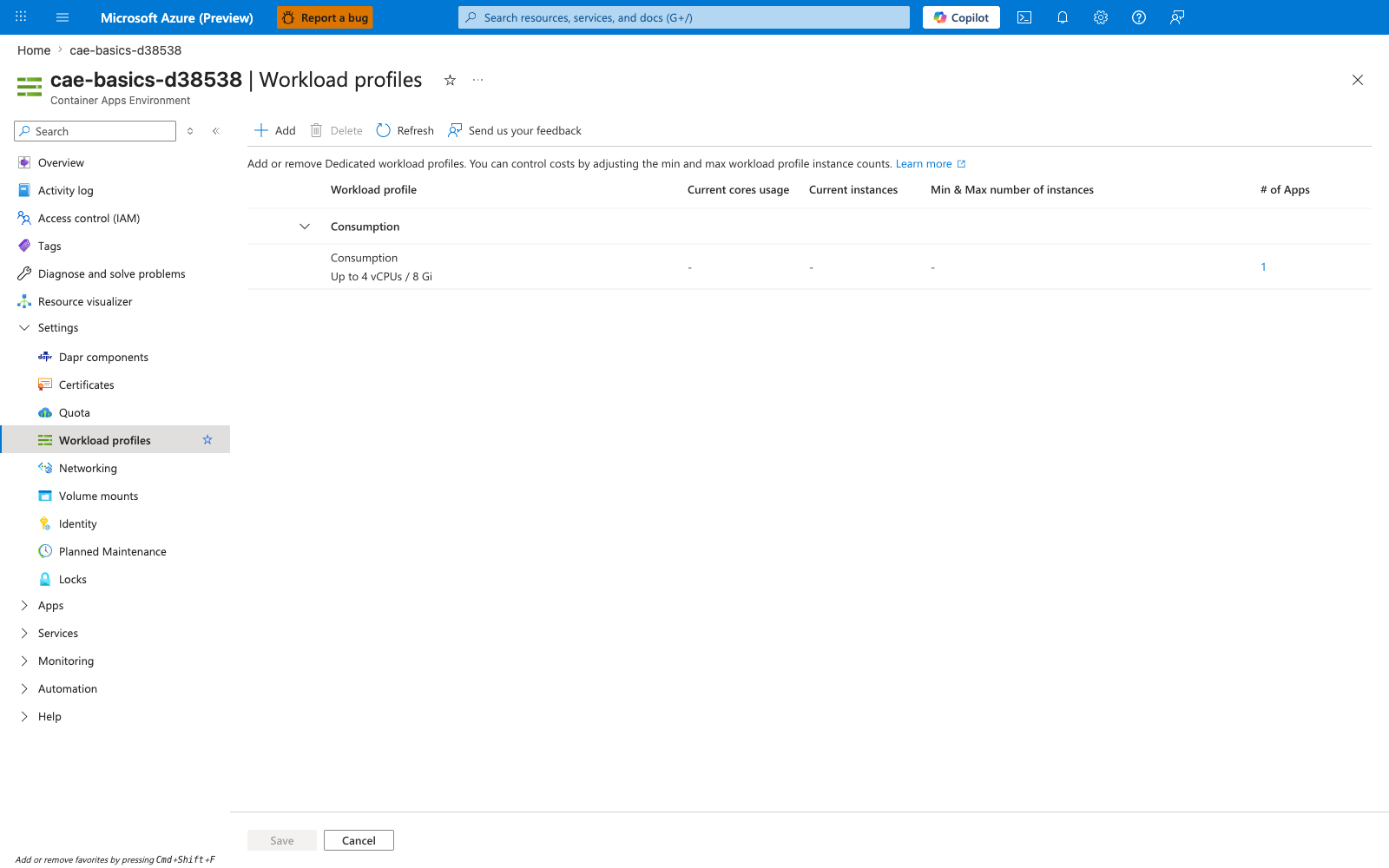
[Observed] The blade renders one row grouped under a Consumption header: profile Consumption, capacity Up to 4 vCPUs / 8 Gi, # of Apps : 1. No NC24-A100, NC48-A100, or NC96-A100 row is visible on the blade. The Add button is enabled in the command bar. The Current cores usage, Current instances, and Min & Max number of instances columns are dashed for the visible row.
[Inferred] The absence of any NC24-A100, NC48-A100, or NC96-A100 row on this blade is consistent with this page's Capacity and region limits apply warning that GPU-enabled Dedicated profiles are available only in select regions and that capacity is allocated on a per-case basis.
[Not Proven] This image does not visualize the Consumption-GPU-NC24-A100 or Consumption-GPU-NC8as-T4 serverless GPU profile names listed in this page's Current GPU profile names section. It does not visualize the per-instance billing model from this page's Cost considerations section. It does not visualize the GPU-backed node or Dedicated plan instance billing nodes from this page's Placement model Mermaid diagram.