Java Tutorial Index
This tutorial walks you from local development to revisions and traffic management for Java apps on Azure Container Apps.
Prerequisites
Install and verify:
- Java 17+
- Maven
- Docker
- Azure CLI
Tutorial Flow
flowchart TD
    S01[01 Local Development] --> S02[02 First Deploy]
    S02 --> S03[03 Configuration]
    S03 --> S04[04 Logging & Monitoring]
    S04 --> S05[05 Infrastructure as Code]
    S05 --> S06[06 CI/CD]
S06 --> S07[07 Revisions & Traffic]Steps
| Step | Title | Purpose |
|---|---|---|
| 01-local-development | Local Development | Build and run the Java app locally with Docker. |
| 02-first-deploy | First Deploy | Publish the image and create the first Container App. |
| 03-configuration | Configuration | Set environment variables and secrets safely. |
| 04-logging-monitoring | Logging & Monitoring | Collect logs, metrics, and traces. |
| 05-infrastructure-as-code | Infrastructure as Code | Provision the environment with Bicep. |
| 06-ci-cd | CI/CD | Automate build and deployment with GitHub Actions. |
| 07-revisions-traffic | Revisions & Traffic | Use revisions and traffic splitting for safe releases. |
Verify in Azure Portal
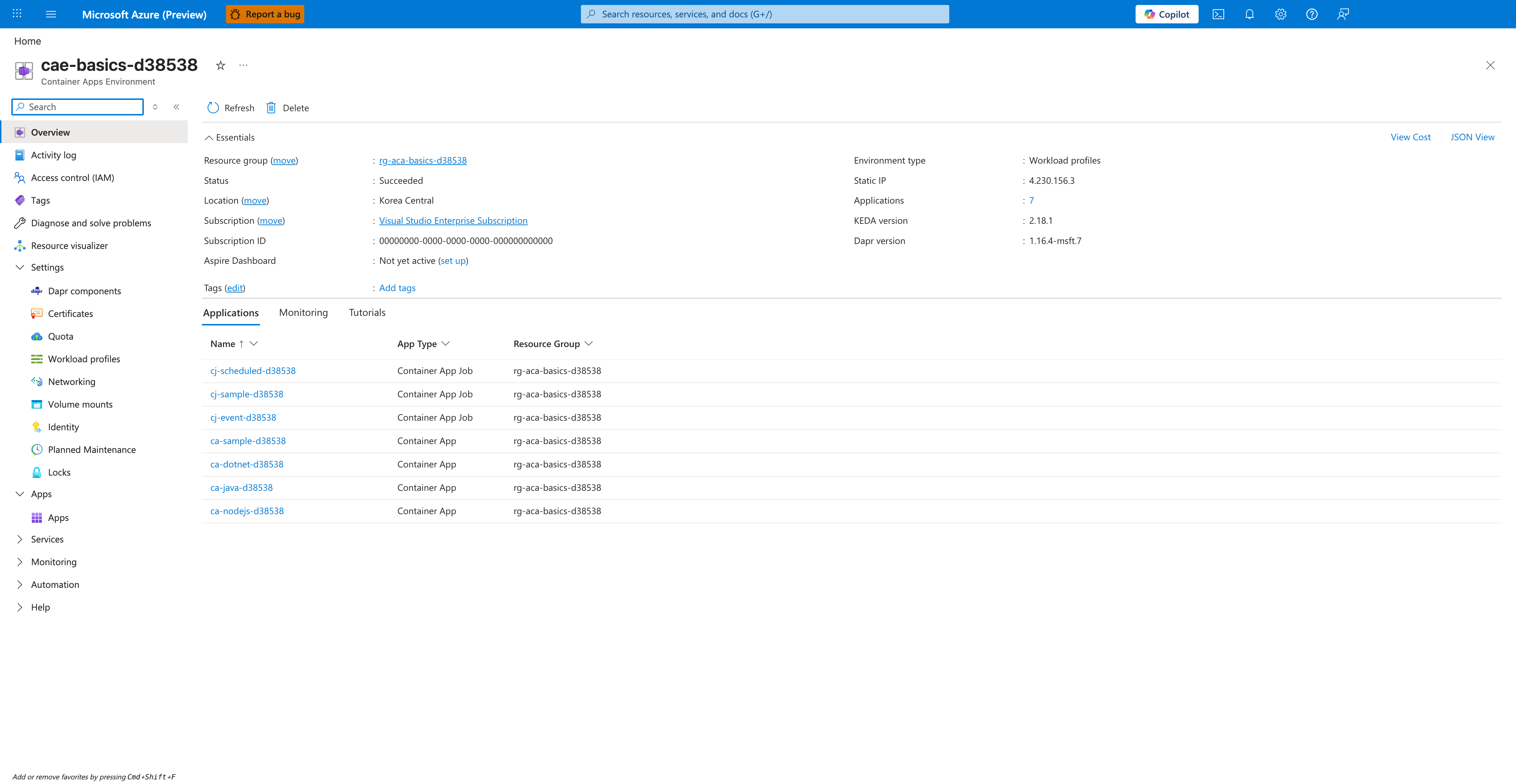
[Observed] Microsoft Azure (Preview). Report a bug. Search resources, services, and docs (G+/). Copilot. Home. Search. cae-basics-d38538. Container Apps Environment. Refresh. Delete. Essentials. Resource group (move). rg-aca-basics-d38538. Status. Succeeded. Location (move). Korea Central. Subscription (move). Visual Studio Enterprise Subscription. Subscription ID. 00000000-0000-0000-0000-000000000000. Aspire Dashboard. Not yet active (set up). Tags (edit). Add tags. Environment type. Workload profiles. Static IP. 4.230.156.3. Applications. 7. KEDA version. 2.18.1. Dapr version. 1.16.4-msft.7. View Cost. JSON View. Applications. Monitoring. Tutorials. Name. App Type. Resource Group. cj-scheduled-d38538. Container App Job. cj-sample-d38538. cj-event-d38538. ca-sample-d38538. Container App. ca-dotnet-d38538. ca-java-d38538. ca-nodejs-d38538. Overview. Activity log. Access control (IAM). Tags. Diagnose and solve problems. Resource visualizer. Settings. Dapr components. Certificates. Quota. Workload profiles. Networking. Volume mounts. Identity. Planned Maintenance. Locks. Apps. Services. Monitoring. Automation. Help.
[Inferred] The Container App row ca-java-d38538 in the Applications tab appears consistent with the Container App created by Steps Step 02-first-deploy, whose Purpose column states "Publish the image and create the first Container App". The Environment type value Workload profiles appears consistent with the environment that Steps Step 05-infrastructure-as-code provisions, whose Purpose column states "Provision the environment with Bicep". The Resource group value rg-aca-basics-d38538 appears consistent with the resource group that hosts the environment provisioned in Steps Step 05-infrastructure-as-code, whose Purpose column states "Provision the environment with Bicep". The Status value Succeeded appears consistent with the healthy provisioning end-state targeted by the Bicep run in Steps Step 05-infrastructure-as-code.
[Not Proven] Additional tutorial step output and traffic-split detail from earlier steps are not visible on this view.