Azure Container Apps Compliance Baseline
This baseline turns Microsoft Learn security guidance into a practical production checklist for Azure Container Apps. Use it to validate a workload before promotion, while keeping a clear distinction between verified service features and governance controls that must be enforced outside the app resource.
Why This Matters
Compliance reviews usually fail because teams mix together supported service controls, optional governance controls, and undocumented assumptions. Azure Container Apps works best when you validate each control category explicitly and record where the enforcement actually lives.
Recommended Practices
Start from the Microsoft baseline, then map to your platform standard
Microsoft publishes an Azure security baseline for Azure Container Apps. Use it as the control reference point, then convert it into a deployment checklist for your own environment.
Common benchmark areas you can verify directly on Microsoft Learn include:
- IM: identity management
- NS: network security
- DP: data protection
- PV: posture and vulnerability management
- LT: logging and threat detection
- AM: asset management and governance
flowchart TD
    A[Identity controls] --> B[Network controls]
    B --> C[Data and secret controls]
    C --> D[Image and supply-chain controls]
    D --> E[Logging and audit controls]
    E --> F[Policy and governance controls]
    F --> G[Production approval]
Production baseline checklist by category
Identity
Mapped benchmark themes: IM-1, IM-3, IM-8
- Enable managed identity on every production container app.
- Prefer Key Vault references over inline secrets for sensitive values.
- Avoid embedding registry or service credentials where managed identity is supported.
Validation examples:
az containerapp identity show \
  --name "$APP_NAME" \
  --resource-group "$RG" \
  --output json

az role assignment list \
  --assignee-object-id "<principal-id>" \
  --output table
| Command | Why it is used |
|---|---|
az containerapp identity show ... | Assigns or inspects managed identity configuration for the Container App. |
Network
Mapped benchmark themes: NS-1, NS-2
- Use an internal environment for private-only workloads.
- Use private endpoints for private inbound exposure or downstream Azure PaaS access where required.
- Use internal ingress or no ingress for non-edge services.
- Use egress lockdown only with supported environment networking features and validated dependency allow-lists.
Validation examples:
az containerapp env show \
  --name "$ACA_ENV_NAME" \
  --resource-group "$RG" \
  --query "properties.vnetConfiguration.internal" \
  --output tsv

az containerapp show \
  --name "$APP_NAME" \
  --resource-group "$RG" \
  --query "properties.configuration.ingress.external" \
  --output tsv
| Command | Why it is used |
|---|---|
az containerapp env show ... | Reads managed environment settings for networking, logging, or workload profile verification. |
Data and secrets
Mapped benchmark themes: DP-3, DP-4, DP-6, DP-7
- Use TLS in transit for exposed application paths.
- Use Key Vault-backed secrets for centralized lifecycle and auditability.
- Use Key Vault certificate integration where certificate lifecycle must be governed centrally.
Do not assume Azure Container Apps environment CMK support
Microsoft Learn currently documents Key Vault-backed secrets and certificate integration, but not customer-managed keys for Container Apps environment encryption at rest. If your control framework requires environment-level CMK, record this as a gap or platform selection constraint.
Validation examples:
az containerapp secret list \
  --name "$APP_NAME" \
  --resource-group "$RG" \
  --output table

az containerapp show \
  --name "$APP_NAME" \
  --resource-group "$RG" \
  --query "properties.configuration.ingress.transport" \
  --output tsv
| Command | Why it is used |
|---|---|
az containerapp secret list ... | Manages Container Apps secrets without exposing secret values in plain configuration. |
Image
Mapped benchmark themes: PV-3
- Use ACR + managed identity for production image pulls.
- Prefer immutable tags or digests.
- Enable Defender for Containers for ACR vulnerability assessment.
- Restrict image sources with Azure Policy and CI/CD governance.
Validation examples:
az containerapp registry show \
  --name "$APP_NAME" \
  --resource-group "$RG" \
  --server "$ACR_NAME.azurecr.io" \
  --output json

az containerapp show \
  --name "$APP_NAME" \
  --resource-group "$RG" \
  --query "properties.template.containers[].image" \
  --output table
| Command | Why it is used |
|---|---|
az containerapp registry show ... | Runs the Azure CLI operation required by the documented step. |
Logging and audit
Mapped benchmark themes: LT-4
- Send diagnostic data to Log Analytics.
- Retain Azure Activity Log data according to policy.
- Review authentication failures, revision failures, and system logs.
Validation examples:
az monitor diagnostic-settings list \
  --resource "/subscriptions/<subscription-id>/resourceGroups/$RG/providers/Microsoft.App/managedEnvironments/$ACA_ENV_NAME" \
  --output json
| Command | Purpose |
|---|---|
az monitor diagnostic-settings list | Lists the diagnostic-settings configured on the Container Apps environment so logging/audit destinations can be verified. |
ContainerAppSystemLogs_CL
| where TimeGenerated > ago(24h)
| summarize Count=count() by Reason_s
| order by Count desc
Encryption and service-to-service security
Mapped benchmark themes: DP-3, DP-4
- Use standard TLS for ingress and private dependency calls.
- Use peer-to-peer mTLS where documented for your workload pattern.
- Record that environment-level CMK is not a documented Container Apps feature surface today.
Verify compliance baseline surfaces in Azure Portal
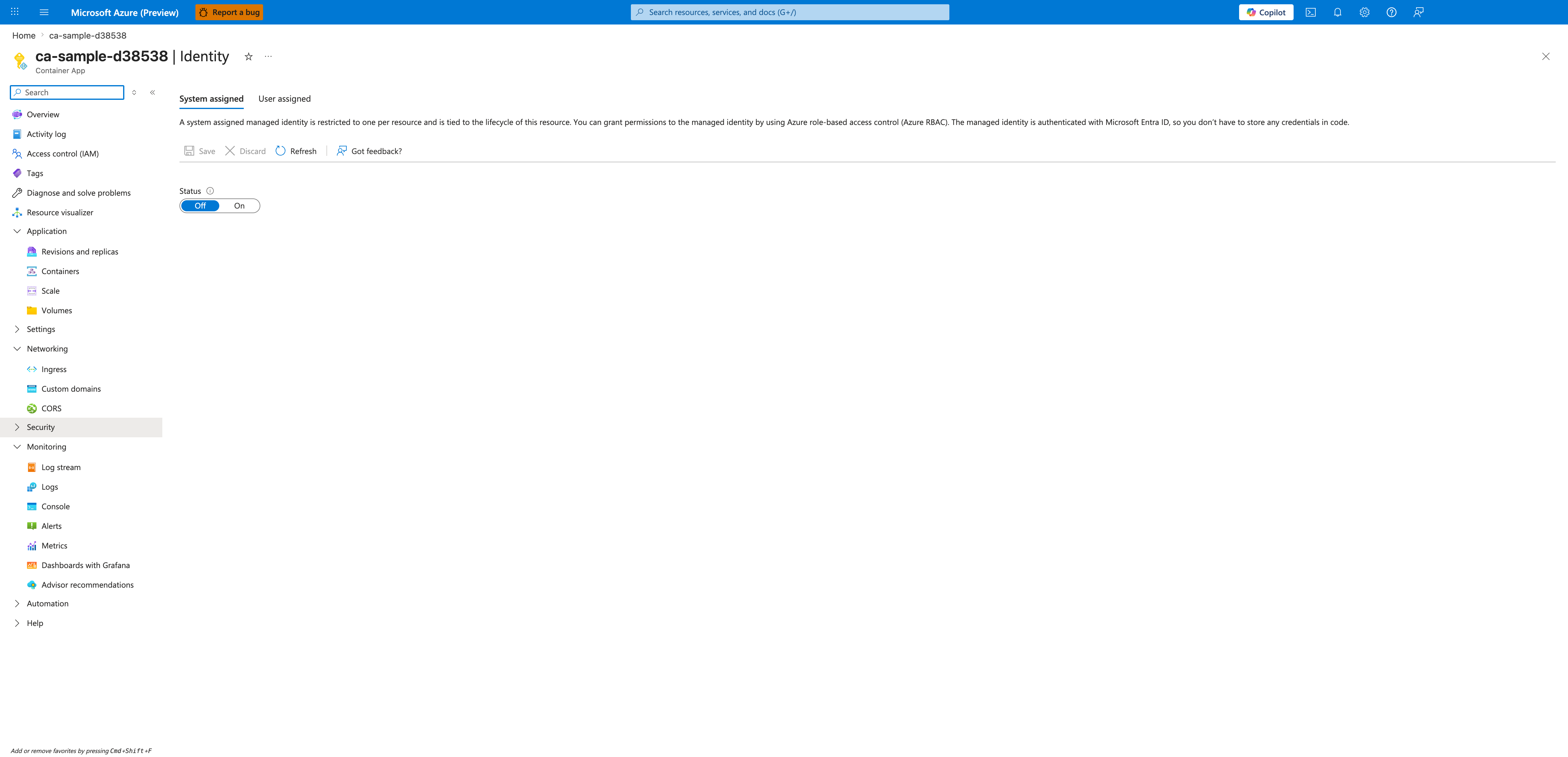
[Observed] ca-sample-d38538 | Identity Container App System assigned User assigned Save Discard Refresh Got feedback? Status Off On.
[Inferred] The System assigned and User assigned tabs appear to map to the managed-identity expectation in the Identity baseline checklist, which is consistent with treating managed identity as the required authentication surface. The Status Off and On toggle is consistent with the explicit-activation posture documented in Start from the Microsoft baseline, then map to your platform standard, which treats security defaults as deliberate baseline decisions. The Refresh toolbar control is consistent with the periodic-attestation expectation in the Logging and audit baseline checklist, which treats current-state inspection as a recurring baseline activity. The User assigned tab appears to map to the shared-credential scoping discussed in the Image baseline checklist, which is consistent with binding registry pulls to a managed identity rather than admin credentials.
[Not Proven] Additional identity configuration detail, secret binding detail, and policy detail are not visible on this view.
Common Mistakes / Anti-Patterns
| Anti-pattern | Compliance risk | Better approach |
|---|---|---|
| Treating undocumented features as approved controls | Audit finding and architecture drift | Cite only what Microsoft Learn documents |
| External ingress on every app | Excessive attack surface | Edge-only public exposure |
| Secrets stored directly in environment variables without lifecycle control | Weak secret governance | Key Vault references |
| Registry passwords used where MI is available | Credential management risk | Managed identity + AcrPull |
| No diagnostic settings on environments | Weak investigation trail | Log Analytics + retention policy |
| Assuming CMK is available for Container Apps environment encryption | Incorrect compliance assertion | Record as unsupported/not documented |
Validation Checklist
- [ ] Managed identity enabled on each production app.
- [ ] Role assignments scoped to least privilege.
- [ ] Internal environment used where public access is not required.
- [ ] Internal ingress or no ingress used for non-edge apps.
- [ ] Private endpoints configured for sensitive Azure dependencies where required.
- [ ] Key Vault references used for sensitive secrets.
- [ ] TLS enforced on exposed endpoints.
- [ ] ACR image pulls use managed identity.
- [ ] Defender for Containers enabled for ACR image scanning.
- [ ] Diagnostic settings stream logs to Log Analytics.
- [ ] Azure Policy coverage reviewed for Container Apps.
- [ ] CMK requirement assessed explicitly and documented as unsupported/not documented for Container Apps environment encryption at rest.
See Also
- Security Overview (Platform)
- Image Security (Platform)
- Secrets (Platform)
- Network Isolation (Platform)
- Customer-Managed Keys (Platform)
- Security Best Practices
- Landing Zone Accelerator
Sources
- Azure security baseline for Azure Container Apps (Microsoft Learn)
- Security in Azure Container Apps (Microsoft Learn)
- Networking in Azure Container Apps (Microsoft Learn)
- Manage secrets in Azure Container Apps (Microsoft Learn)
- Pull images from Azure Container Registry with managed identity in Azure Container Apps (Microsoft Learn)
- Policy reference for Azure Container Apps (Microsoft Learn)