Blue/Green Deployment for Azure Container Apps
Blue/green deployment in Azure Container Apps keeps the current production revision and the candidate revision alive at the same time, then swaps traffic when validation passes. The safest implementation uses multiple revision mode plus label-based routing.
Why This Matters
Blue/green is the right pattern when you need:
- deterministic pre-cutover validation
- instant rollback without rebuilding artifacts
- a stable validation endpoint that does not disturb production users
flowchart TD
    A[Blue revision serves production] --> B[Deploy green revision]
    B --> C[Attach green label URL]
    C --> D[Run verification on green]
    D --> E{Healthy?}
    E -->|Yes| F[Move production label or weight to green]
    E -->|No| G[Keep blue on production and investigate]
    F --> H[Retain blue briefly for rollback]
Recommended Practices
1. Use multiple revision mode first
| Command | Why it is used |
|---|---|
az containerapp revision set-mode ... | Runs the Azure CLI operation required by the documented step. |
2. Keep production traffic on blue while green is created
az containerapp ingress traffic set \
  --name "$APP_NAME" \
  --resource-group "$RG" \
  --label-weight "blue=100"
| Command | Why it is used |
|---|---|
az containerapp ingress traffic ... | Runs the Azure CLI operation required by the documented step. |
3. Attach a stable label to the green revision
az containerapp revision label add \
  --name "$APP_NAME" \
  --resource-group "$RG" \
  --revision "$APP_NAME--20260425-1" \
  --label "green"
| Command | Why it is used |
|---|---|
az containerapp revision label ... | Runs the Azure CLI operation required by the documented step. |
This gives you a deterministic revision-specific URL before production cutover.
4. Verify green before swap
Recommended verification gates:
- readiness and startup success
- core smoke tests against the green label URL
- request success rate and latency
- downstream dependency checks
For operational commands and telemetry checks, reuse the release validation flow in the revision and monitoring docs rather than duplicating it here.
5. Swap with a label move or weight change
Use a label move when you want a stable production endpoint pattern, or a 100/0 weight change when production uses the main app FQDN.
az containerapp ingress traffic set \
  --name "$APP_NAME" \
  --resource-group "$RG" \
  --label-weight "green=100" "blue=0"
| Command | Why it is used |
|---|---|
az containerapp ingress traffic ... | Runs the Azure CLI operation required by the documented step. |
6. Keep blue warm for a short rollback window
Do not deactivate blue immediately. Give on-call and release automation a short confidence window.
Bicep baseline for blue/green-ready apps
Use Bicep to set the app into multiple revision mode and define a traffic block that production automation can later update.
resource app 'Microsoft.App/containerApps@2026-01-01' = {
  name: appName
  location: location
  properties: {
    configuration: {
      activeRevisionsMode: 'Multiple'
      ingress: {
        external: true
        targetPort: 8080
        traffic: [
          {
            latestRevision: true
            weight: 100
          }
        ]
      }
    }
  }
}
Verify blue/green surfaces in Azure Portal
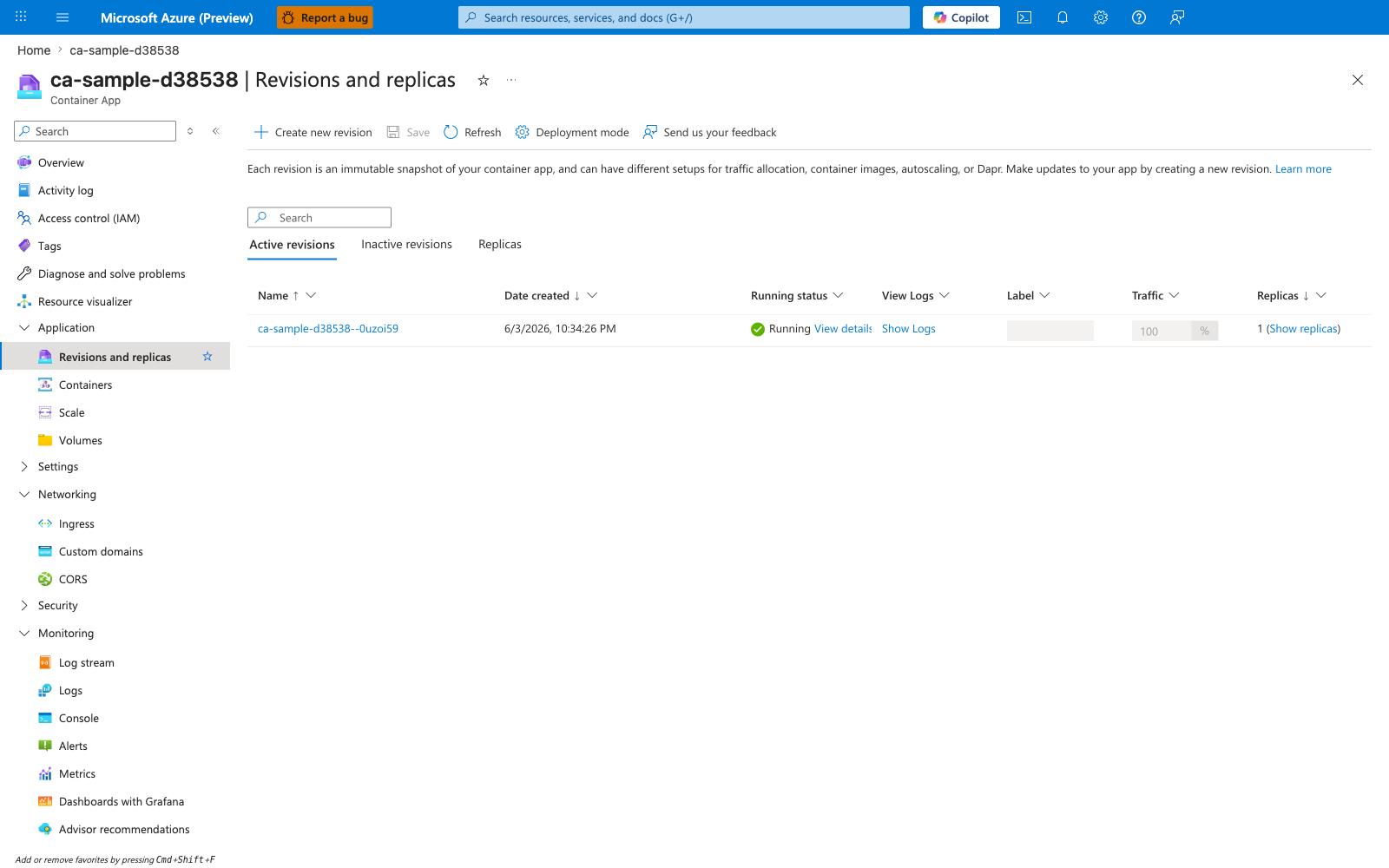
[Observed] ca-sample-d38538 | Revisions and replicas Container App Create new revision Save Refresh Deployment mode Active revisions Inactive revisions Replicas Name Date created Running status View Logs Label Traffic Replicas ca-sample-d38538--0uzoi59 6/3/2026, 10:34:26 PM Running View details Show Logs 100 % 1 (Show replicas).
[Inferred] The Deployment mode setting appears to map to the multiple-revisions prerequisite called out in 1. Use multiple revision mode first, which is consistent with treating multiple revision mode as the baseline for blue/green. The Active revisions and Inactive revisions grouping is consistent with the blue-warm-during-green guidance in 6. Keep blue warm for a short rollback window, which keeps the prior revision available for rollback. The Label column appears to map to the stable-label guidance in 3. Attach a stable label to the green revision, which uses a label to identify the green revision. The Traffic column with the displayed 100 % value is consistent with the weight-or-label-move swap described in 5. Swap with a label move or weight change, which shifts traffic between revisions.
[Not Proven] Additional rollout binding detail, traffic detail, and validation detail are not visible on this view.
Common Mistakes / Anti-Patterns
- Using DNS cutover instead of revision labels DNS adds cache delay and hides which revision you are actually testing.
- Destroying blue immediately after swap Keep a short rollback window unless the release is trivial and fully validated.
- Testing green only through the shared production route That defeats the purpose of side-by-side validation.
- Turning blue/green into permanent dual production Blue is a rollback path, not a long-term second primary.
Do not treat label URLs as a replacement for production readiness checks
Labels make validation deterministic, but they do not guarantee production safety. Still evaluate telemetry and dependency health before the swap.
Validation Checklist
- Multiple revision mode enabled
- Blue still serves production before cutover
- Green has its own label URL
- Smoke and health checks passed on green
- Rollback command prepared before swap
- Blue retained for the agreed confidence window