Checklists
Fast triage guides for the first 10 minutes of an investigation.
These checklists help you quickly narrow down the problem category and identify which playbook to follow for deeper analysis.
graph TD
    A[Initial incident signal] --> B{Choose first-response checklist}
    B --> C[Performance checklist]
    B --> D[Outbound or Network checklist]
    B --> E[Startup or Availability checklist]
    C --> F[Performance playbooks]
    D --> G[Network playbooks]
E --> H[Startup playbooks]| Checklist | When to Use |
|---|---|
| Performance | Slow responses, high latency, elevated error rates |
| Outbound / Network | Outbound connection failures, DNS issues, SNAT |
| Startup / Availability | Container won't start, site down, deployment failures |
Portal views
Each checklist row above has a corresponding entry surface in the Azure Portal. The following blades render rows that overlap with the checklist's "When to Use" wording without leaving the Portal navigation.
Portal view: Startup / Availability checklist
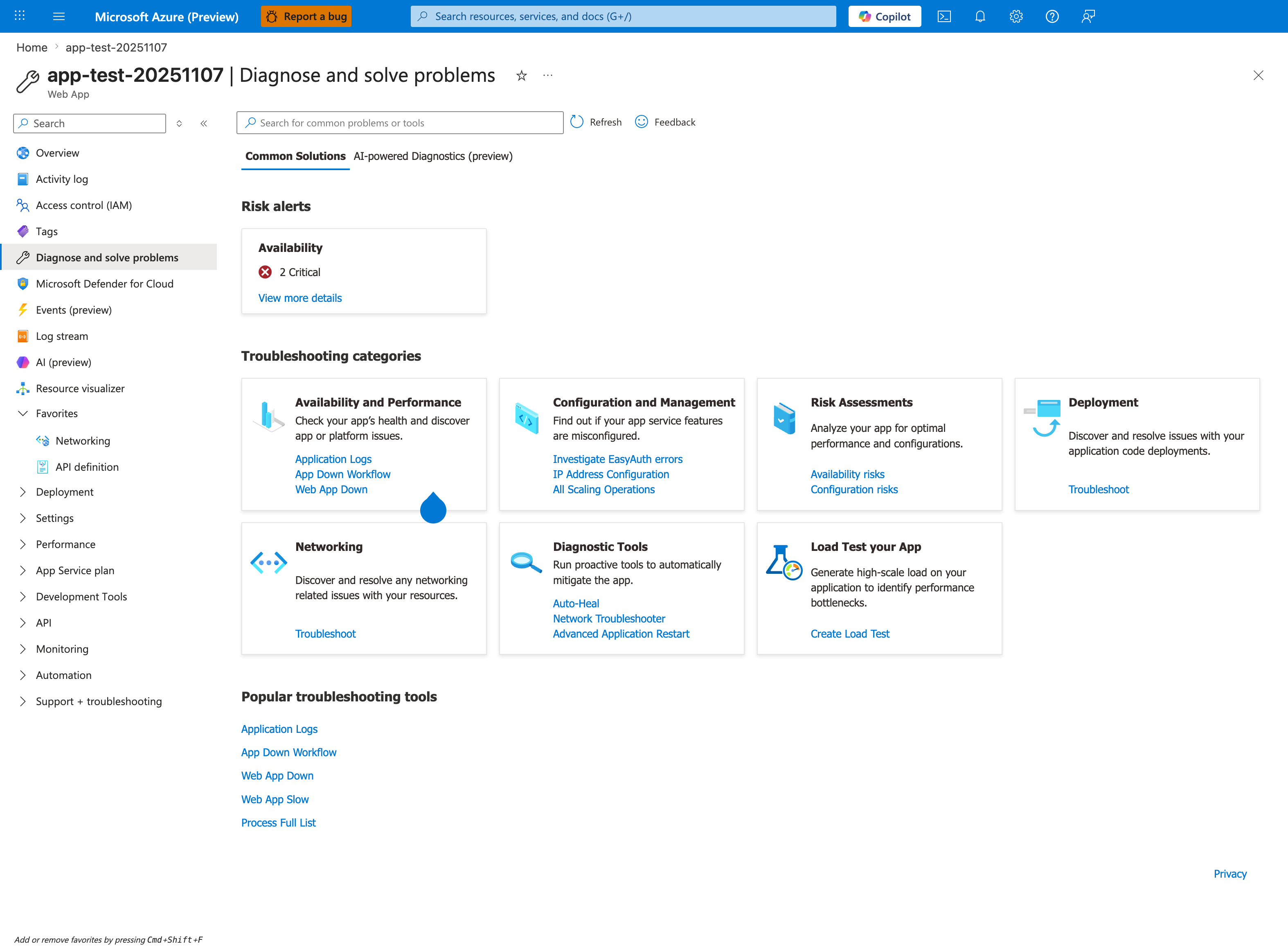
Purpose: Show the Portal entry point to the App Service detectors.
Look for: The Troubleshooting categories cards, such as Availability and Performance, and the search box.
Expected result: Choose the category that matches the symptom to open its detectors.
[Observed] app-test-20251107 | Diagnose and solve problems Web App Search for common problems or tools Refresh Feedback Common Solutions AI-powered Diagnostics (preview) Risk alerts Availability 2 Critical View more details Troubleshooting categories Availability and Performance Check your app's health and discover app or platform issues. Application Logs App Down Workflow Web App Down Configuration and Management Find out if your app service features are misconfigured. Investigate EasyAuth errors IP Address Configuration All Scaling Operations Risk Assessments Analyze your app for optimal performance and configurations. Availability risks Configuration risks Deployment Discover and resolve issues with your application code deployments. Troubleshoot Networking Discover and resolve any networking related issues with your resources. Diagnostic Tools Run proactive tools to automatically mitigate the app. Auto-Heal Network Troubleshooter Advanced Application Restart Load Test your App Generate high-scale load on your application to identify performance bottlenecks. Create Load Test Popular troubleshooting tools Application Logs App Down Workflow Web App Down Web App Slow Process Full List.
[Inferred] The Availability and Performance category card lists the links Application Logs, App Down Workflow, and Web App Down. The Popular troubleshooting tools section at the bottom repeats App Down Workflow and Web App Down, and additionally lists Web App Slow and Process Full List. These link names are consistent with the topics listed in the Startup / Availability checklist row above ("Container won't start, site down, deployment failures") and the Performance checklist row ("Slow responses").
[Not Proven] Additional alert detail and detector detail beyond the visible summaries is not shown on this view.