Easy Auth
Protect Flask endpoints using App Service built-in authentication and consume authenticated user context from request headers.
sequenceDiagram
    participant U as User
    participant EA as Easy Auth
    participant IDP as Identity Provider
    participant F as Flask App
    U->>EA: Access protected route
    EA->>IDP: Authenticate user
    IDP-->>EA: Return token
    EA->>F: Forward with X-MS-* headers
F-->>U: JSON response with user contextPrerequisites
- App Service web app running Flask
- Identity provider configured in Authentication (Microsoft Entra ID, GitHub, Google, etc.)
- Authentication policy set to require login for selected routes
Step-by-Step Guide
Step 1: Enable and configure authentication
Use Azure Portal: Web App → Authentication → Add identity provider.
Recommended configuration:
- Unauthenticated requests:
HTTP 302 Redirectfor web apps,HTTP 401for APIs. - Restrict external callback URLs to your App Service domain.
- Enable token store only if your app needs downstream access tokens.
Step 2: Read principal data in Flask
import base64
import json
from flask import Flask, jsonify, request

app = Flask(__name__)


def parse_client_principal():
    raw = request.headers.get("X-MS-CLIENT-PRINCIPAL")
    if not raw:
        return None
    decoded = base64.b64decode(raw)
    return json.loads(decoded)


@app.get("/api/user-info")
def user_info():
    principal = parse_client_principal() or {}
    return jsonify({
        "authenticated": bool(principal),
        "name": request.headers.get("X-MS-CLIENT-PRINCIPAL-NAME"),
        "id": request.headers.get("X-MS-CLIENT-PRINCIPAL-ID"),
        "identity_provider": principal.get("identityProvider"),
        "claims_count": len(principal.get("claims", [])),
    })
Complete Example
from functools import wraps
from flask import abort


def require_claim(claim_type: str, expected_value: str):
    def decorator(fn):
        @wraps(fn)
        def wrapper(*args, **kwargs):
            principal = parse_client_principal() or {}
            claims = principal.get("claims", [])
            has_claim = any(c.get("typ") == claim_type and c.get("val") == expected_value for c in claims)
            if not has_claim:
                abort(403)
            return fn(*args, **kwargs)
        return wrapper
    return decorator


@app.get("/api/admin")
@require_claim("roles", "App.Admin")
def admin_only():
    return {"ok": True}
Troubleshooting
- User is always unauthenticated:
- Verify authentication is enabled and route is not anonymous.- Missing
X-MS-*headers locally: - Easy Auth headers are injected only on App Service; mock during local tests.- 403 on role-based checks:
- Confirm app role assignment and token claims contain expected role values.
- Verify authentication is enabled and route is not anonymous.- Missing
Advanced Topics
- Use provider access tokens (
X-MS-TOKEN-*) for downstream API calls when required. - Combine Easy Auth (authentication) with app-level RBAC/ABAC (authorization).
- Restrict authentication to specific tenant(s) and issuer validation for multi-tenant scenarios.
Run It in the Portal
Portal view: Authentication blade (empty state - Easy Auth entry point)
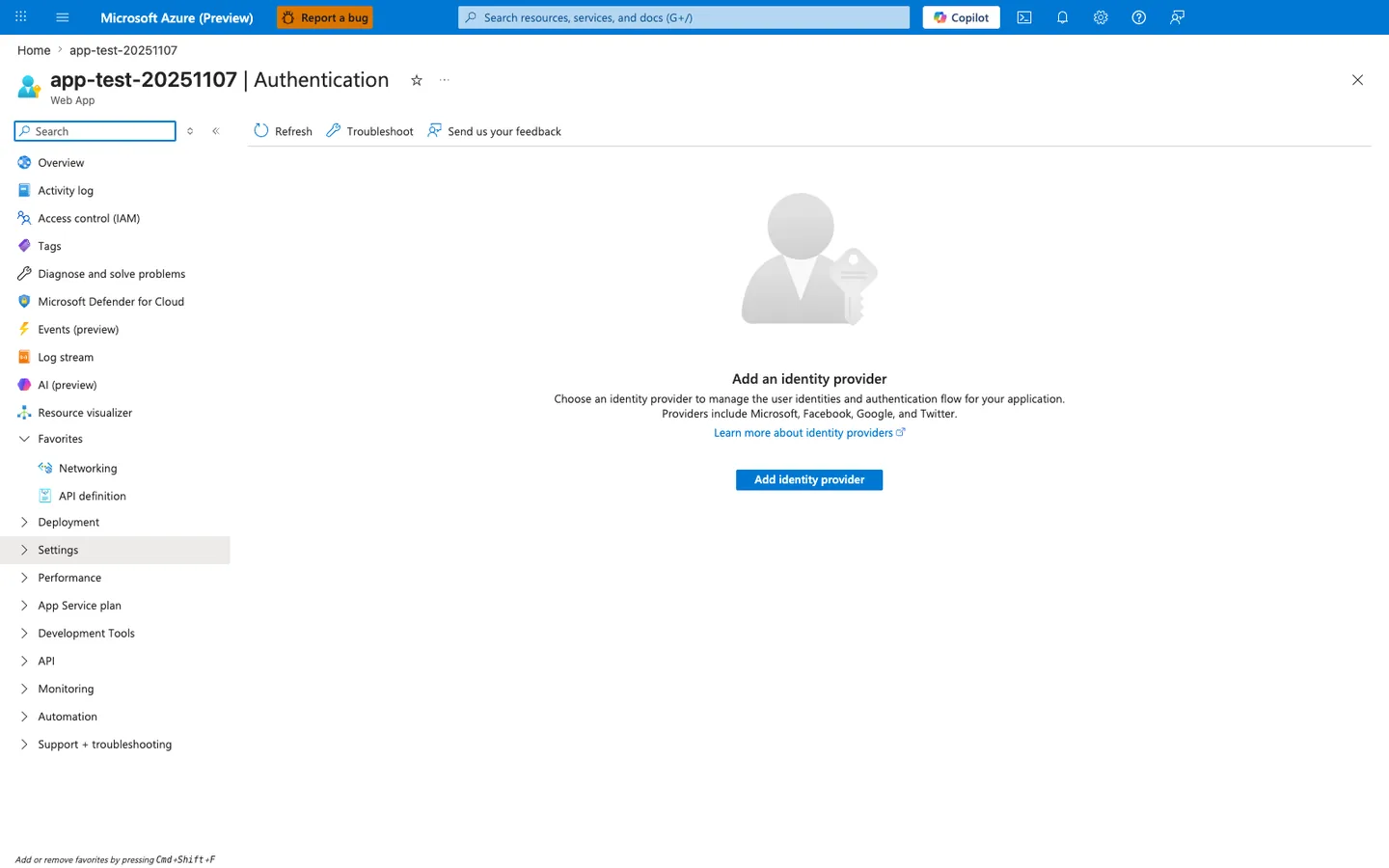
The Authentication blade in its empty state is the Portal entry point this recipe uses to enable Easy Auth. The visible Add identity provider action and provider list — Microsoft, Apple, Facebook, GitHub, Google, Twitter, and OpenID Connect — match the prerequisite on this page that an identity provider be configured before the Flask app can rely on forwarded X-MS-* headers. Use this blade as the setup and verification surface for the recipe before testing that authenticated requests reach the Python app with X-MS-CLIENT-PRINCIPAL present.