Azure Cache for Redis
Use Azure Cache for Redis with Spring Boot to reduce database load, accelerate reads, and share session state across scaled-out App Service instances.
Prerequisites
- Azure Cache for Redis instance available
- App Service app deployed and running
- Redis hostname, port (
6380), and access key or Entra-based auth plan
Main Content
Architecture
flowchart TD
    C[Client] --> A[App Service Spring Boot]
    A --> R[Azure Cache for Redis TLS]
    A --> D[(Primary Database)]
    R -.cache hit.-> A
    D -.cache miss fallback.-> A
Maven dependencies (pom.xml)
<dependencies>
  <dependency>
    <groupId>org.springframework.boot</groupId>
    <artifactId>spring-boot-starter-data-redis</artifactId>
  </dependency>
  <dependency>
    <groupId>org.springframework.session</groupId>
    <artifactId>spring-session-data-redis</artifactId>
  </dependency>
</dependencies>
Spring Boot uses Lettuce as the default Redis client.
Redis TLS configuration (application.properties)
spring.data.redis.host=<redis-name>.redis.cache.windows.net
spring.data.redis.port=6380
spring.data.redis.password=${REDIS_ACCESS_KEY:}
spring.data.redis.ssl.enabled=true
spring.data.redis.timeout=2s

spring.session.store-type=redis
spring.session.redis.namespace=appservice-java-guide
App Settings for production
az webapp config appsettings set \
  --resource-group "$RG" \
  --name "$APP_NAME" \
  --settings \
    SPRING_DATA_REDIS_HOST="<redis-name>.redis.cache.windows.net" \
    SPRING_DATA_REDIS_PORT="6380" \
    SPRING_DATA_REDIS_SSL_ENABLED="true" \
    REDIS_ACCESS_KEY="<redacted>" \
  --output json
az webapp config appsettings set | Creates or updates Redis-related app settings on the web app. | | --resource-group "$RG" | Targets the resource group that contains the web app. | | --name "$APP_NAME" | Selects the web app whose Redis settings will be updated. | | --settings ... | Stores the Redis host, TLS port, SSL flag, and access key as Spring environment variables. | | --output json | Returns the updated app-settings payload as JSON. | Use TLS always
Azure Cache for Redis should be accessed over TLS (6380) in production. Avoid plaintext port 6379 unless explicitly required in isolated environments.
Cache-aside service pattern
@Service
public class ProductService {
    private final RedisTemplate<String, String> redisTemplate;

    public ProductService(RedisTemplate<String, String> redisTemplate) {
        this.redisTemplate = redisTemplate;
    }

    public String getCachedValue(String key, Supplier<String> loader) {
        String cached = redisTemplate.opsForValue().get(key);
        if (cached != null) {
            return cached;
        }
        String fresh = loader.get();
        redisTemplate.opsForValue().set(key, fresh, Duration.ofMinutes(10));
        return fresh;
    }
}
Session store pattern
With spring-session-data-redis, session state survives:
- instance restarts
- scale-out to multiple workers
- slot swaps (when routing moves)
Operational tuning guidance
- Keep value payloads compact
- Set explicit TTL on cache entries
- Use separate key prefixes by bounded context
- Monitor hit ratio and eviction trends
Verify connectivity endpoint pattern
@GetMapping("/api/redis/ping")
public Map<String, Object> redisPing(StringRedisTemplate redis) {
    String key = "ping:" + Instant.now().toString();
    redis.opsForValue().set(key, "ok", Duration.ofSeconds(30));
    return Map.of("status", redis.opsForValue().get(key));
}
Co-locate region
Deploy Redis and App Service in the same Azure region to minimize latency and cross-zone cost.
Platform architecture
For platform architecture details, see Platform: How App Service Works.
Verification
- Deploy app with Redis dependencies/config
- Call
/api/redis/pingand confirm response status - Observe reduced latency on cache-hit paths
- Confirm sessions persist across restarts/scale-out
Troubleshooting
RedisConnectionFailureException
Validate host, key, TLS (ssl.enabled=true), and NSG/firewall network path.
Frequent cache misses
Review TTL policy and key design; ensure cache keys include stable identifiers.
Session reset after deployment
Check session namespace consistency and verify all instances point to the same Redis cache.
Run It in the Portal
Portal view: Identity blade (optional Microsoft Entra authentication path)
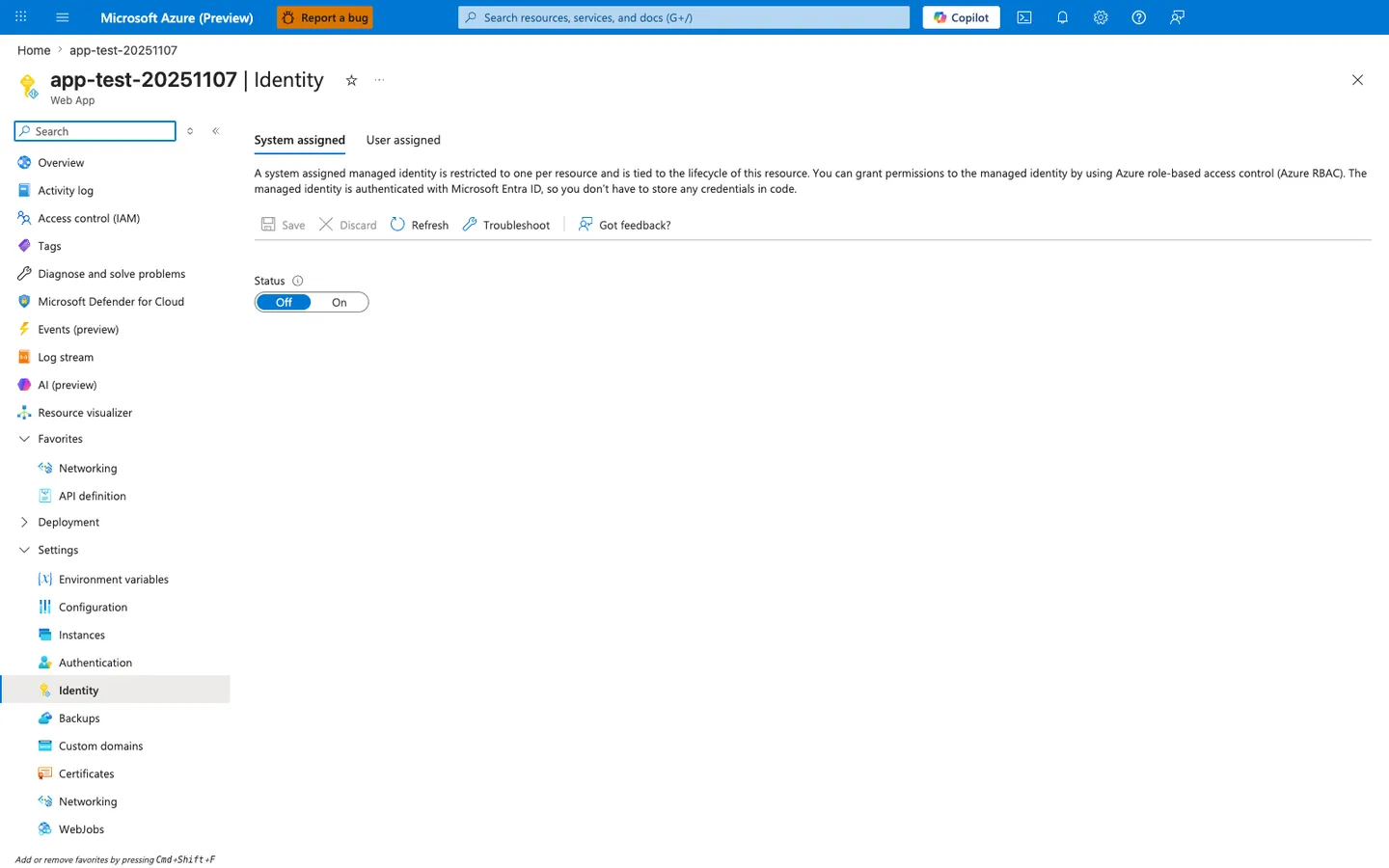
The Identity blade is relevant only if you extend this recipe from the default key-based REDIS_ACCESS_KEY configuration to the optional Microsoft Entra authentication path mentioned in the introduction. In the visible pre-enable state, System assigned is selected and Status is still Off; turning it On is the Portal step that creates the app identity before any Redis-side access mapping can happen. For the recipe's default flow, keep using the REDIS_ACCESS_KEY app setting and Spring Data Redis (Lettuce) configuration with spring.data.redis.ssl.enabled=true shown above.