Easy Auth (Built-in Authentication)
Enable App Service built-in authentication/authorization (Easy Auth) to protect your Java app at the platform edge with minimal code changes.
Prerequisites
- App Service app deployed
- Microsoft Entra app registration or identity provider ready
- Permission to configure App Service auth settings
Main Content
How Easy Auth fits the request path
flowchart TD
    U[User] --> A[App Service Auth Module]
    A -->|Authenticated| B[Spring Boot App]
    A -->|Unauthenticated| C[Login Challenge / 401]
Why use Easy Auth
- Offloads token validation and login flows to platform
- Protects endpoints before requests reach your app process
- Standardizes auth behavior across apps and slots
Enable Easy Auth via Azure CLI
az webapp auth update \
  --resource-group "$RG" \
  --name "$APP_NAME" \
  --enabled true \
  --action LoginWithAzureActiveDirectory \
  --output json
az webapp auth update | Updates the built-in authentication settings for the web app. | | --resource-group "$RG" | Targets the resource group that contains the app. | | --name "$APP_NAME" | Selects the web app whose auth settings will change. | | --enabled true | Turns App Service Authentication on. | | --action LoginWithAzureActiveDirectory | Configures Microsoft Entra sign-in as the authentication flow. | | --output json | Returns the updated auth configuration as JSON. | Set unauthenticated behavior to require login:
az webapp auth update \
  --resource-group "$RG" \
  --name "$APP_NAME" \
  --unauthenticated-client-action RedirectToLoginPage \
  --output json
az webapp auth update | Updates the built-in authentication settings for the web app. | | --resource-group "$RG" | Targets the resource group that contains the app. | | --name "$APP_NAME" | Selects the web app whose unauthenticated behavior will change. | | --unauthenticated-client-action RedirectToLoginPage | Challenges unauthenticated requests by redirecting them to the login page. | | --output json | Returns the updated auth configuration as JSON. | Configure Entra identity provider
Use provider-specific configuration (portal or CLI) to bind the Entra app registration. Ensure redirect URI includes:
Access user claims in Spring Boot
Easy Auth forwards identity headers your app can read:
X-MS-CLIENT-PRINCIPALX-MS-CLIENT-PRINCIPAL-IDX-MS-CLIENT-PRINCIPAL-NAME
Example controller snippet:
@GetMapping("/api/auth/me")
public Map<String, String> me(@RequestHeader(name = "X-MS-CLIENT-PRINCIPAL-NAME", required = false) String name,
                              @RequestHeader(name = "X-MS-CLIENT-PRINCIPAL-ID", required = false) String id) {
    return Map.of(
        "principalName", name == null ? "anonymous" : name,
        "principalId", id == null ? "none" : id
    );
}
Validate token expectations in app logic
If deeper authorization is needed:
- decode
X-MS-CLIENT-PRINCIPALpayload - map claims/groups to app roles
- enforce endpoint-level authorization policies
Bicep-style configuration hint
For fully declarative environments, manage auth settings through ARM/Bicep resources under Microsoft.Web/sites/config (authsettingsV2) to avoid portal drift.
Do not trust headers outside App Service boundary
Only trust X-MS-* identity headers when requests are guaranteed to come through App Service front ends.
Combine with app-level authorization
Easy Auth handles authentication. Your app should still enforce domain-specific authorization.
Platform architecture
For platform architecture details, see Platform: How App Service Works.
Verification
- Unauthenticated browser request is redirected to login
- After login, protected endpoint returns expected data
/api/auth/mereturns principal headers
Troubleshooting
Infinite redirect loop
Verify Entra redirect URI and auth action settings match your app hostname and custom domain.
Auth works on default domain but not custom domain
Update allowed redirect URIs and issuer settings for the custom hostname.
Missing X-MS-* headers
Confirm Easy Auth is enabled and requests are not bypassing App Service front door.
Run It in the Portal
Portal view: Authentication blade (empty state - Easy Auth entry point)
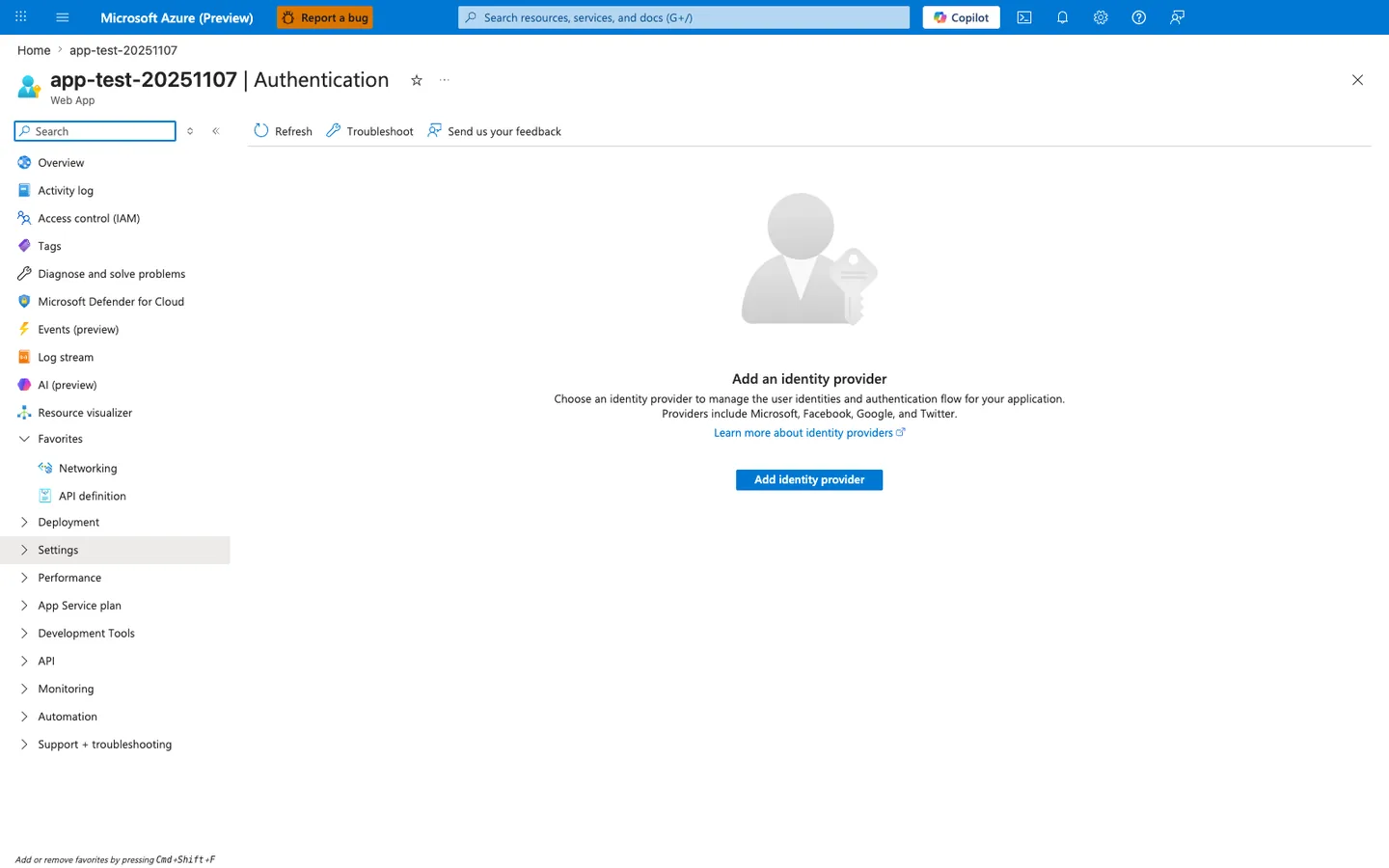
The Authentication blade in its empty state is the Portal entry point this recipe uses to enable Easy Auth. The visible Add identity provider action and provider list — Microsoft, Apple, Facebook, GitHub, Google, Twitter, and OpenID Connect — match the prerequisite on this page that an identity provider be configured before the Spring Boot app can rely on forwarded X-MS-* headers. Use this blade as the setup and verification surface for the recipe before testing that authenticated requests reach the Spring controllers with X-MS-CLIENT-PRINCIPAL, X-MS-CLIENT-PRINCIPAL-ID, and X-MS-CLIENT-PRINCIPAL-NAME present on @RequestHeader arguments.